CartFlows Review 2026: Best WordPress Funnel Builder?
Last Updated on: June 24, 2026 by Anikesh Singh | Fact Checked
Affiliate disclosure: In full transparency – some of the links on our website are affiliate links, if you use them to make a purchase we will earn a commission at no additional cost for you (none whatsoever!).
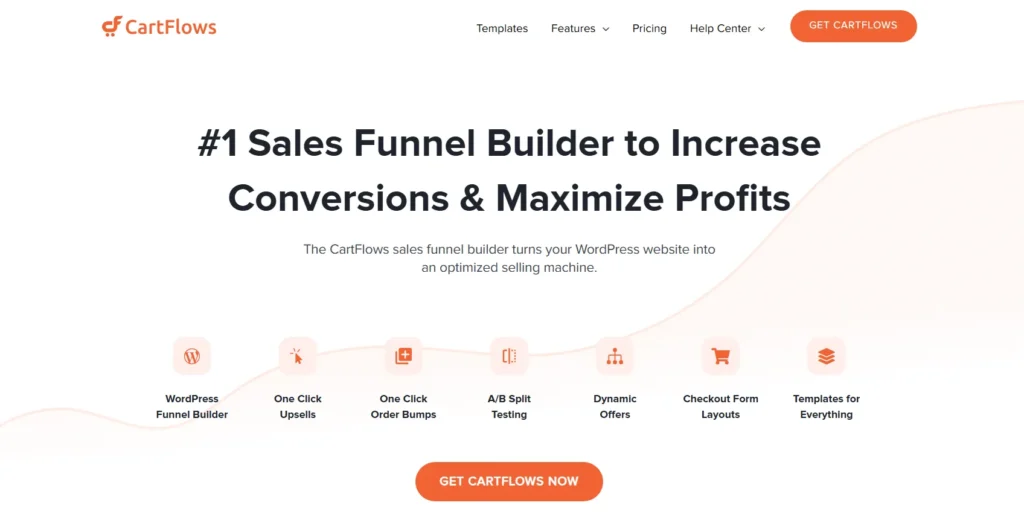
CartFlows is a user-friendly WordPress plugin designed to enhance WooCommerce stores by creating high-converting sales funnels. It offers features like customizable checkout pages, one-click upsells, order bumps, and A/B split testing to boost revenue and optimize the customer journey. With pre-built templates compatible with popular page builders, CartFlows simplifies funnel creation, making it accessible for businesses aiming to maximize profits and improve conversion rates.
Pros
Beginner-friendly with a drag-and-drop funnel builder
Imagine launching your WooCommerce store with big dreams, only to watch potential customers slip away at checkout like sand through your fingers. That’s the story many online sellers face until they discover CartFlows, the WordPress plugin that turns frustrating shopping carts into smooth, revenue-boosting journeys.
In this CartFlows review, dive into how this tool transformed countless businesses, blending storytelling ease with powerful features to keep visitors hooked from landing page to thank-you note.
What is CartFlows?
CartFlows is a robust solution for all users who aspire to get rid of recurring annual payments.
I’m a CartFlows user, and hence, I’d recommend this if you own a shopping platform not less than that of a mini-Amazon and have high conversion rates and formidable profit margins.
If I had to explain in short what Cartflow is, I would say that CartFlows is a WordPress plugin designed to enhance WooCommerce stores by enabling the creation of high-converting sales funnels.
It allows users to customize the checkout process, implement one-click upsells and downsells, and utilize order bumps to increase average order value.
With pre-built templates compatible with popular page builders like Elementor and Divi, CartFlows simplifies the process of building optimized sales funnels.
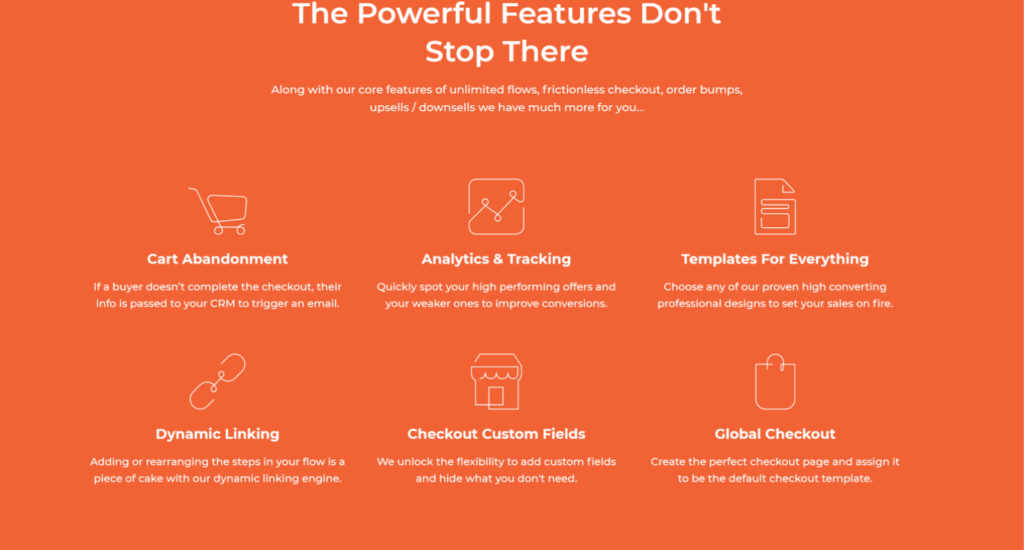
Additional features include A/B split testing and cart abandonment recovery, making it a comprehensive tool for boosting e-commerce conversions.
It was frustrating to sell my products through the inflexible WooCommerce interface, and CartFlows helped me a lot in this matter.
However, their pricing will help you only if you have a considerable profit margin and sales rate.
Cartflows offers a range of useful features that can help you save money and improve your online business. With Cartflows, you can say goodbye to expensive SaaS bills that used to take a big bite out of your profits.
You’ll also have access to a variety of customizable templates for different types of pages, such as landing pages, checkout pages, upsells, downsells, and thank-you pages.
Cartflows works seamlessly with the most popular page builders, including Elementor, Divi Builder, Thrive Architect, Beaver Builder, and Gutenberg.
One of the best things about Artflows is its hassle-free checkout process, which eliminates the frustration and complexity of traditional checkout processes and reduces cart abandonment rates.
With Cartflows, you can offer a laser-focused checkout option that only asks for the necessary information.
You can also add single-click order bumps to sell complementary products and offer unlimited upsells and downsells after the checkout process to encourage customers to make additional purchases.
Cartflows also offers stellar one-to-one support and a 30-day, 100% money-back guarantee to give you peace of mind while using the platform.
I suppose I should’ve told you this in the beginning. First, let me explain sales funnels. Sales funnels are a sequence of steps that a potential customer undergoes to buy your products from your website.
After entering your website, your customers go through the checkout page, which shows upsells/downsells and order bumps.
Finally, after completing the checkout, they’ll land on a dynamic thank-you page, which CartFlows will help you create.
Therefore, CartFlows is a WordPress plugin that integrates with WooCommerce to build sales funnels.
This means that you must adhere to some prerequisites to use CartFlows. Firstly, you should have a WordPress site and an active WooCommerce plugin.
What Does CartFlows Do?
If you’ve used WooCommerce, you might know how inflexible it is.
You’ll have no control over the customization of your checkout page. Let me tell you that seven out of ten people who start the checkout process leave halfway through.
Well, I will never blame them. I even left many checkout processes just because they were infuriating.
I do not understand the relevance of asking for my backup email and address while doing a mobile recharge. CartFlows understands this and will help you rearrange, hide, or create new checkout fields.
As I’ve used it, CartFlows’s most glamorous feature is that it allows you to use your page builder, which you’re comfortable with.
To sum up, CartFlows creates high-converting sales funnels focused on a conversion-optimized checkout.
Key Features Of CartFlows
1. One-Click Upsells and Downsells
CartFlows packs features that feel like chapters in a bestseller, each building excitement toward checkout climax. One-click upsells and downsells let customers grab extras post-purchase without re-entering details, like a sequel offer right after the credits roll. One user shared how this doubled their post-buy sales, turning a simple “thanks” into a revenue rush that feels natural and exciting.
2. Order Bumps for Extra Value
Order bumps sneak in cheeky extras at checkout, dynamically matched to buyer data—like suggesting fries with a burger or a protective case for a new phone. These micro-decisions boost average order values effortlessly, as shoppers nod along to personalized nudges that enhance their story without pressure. In this CartFlows review, it’s the subtle hero making carts feel thoughtful rather than pushy.
3. Modern Checkout Styles
Modern checkout styles ditch WooCommerce’s bland defaults for sleek one-column, two-step, or takeover layouts that shine on mobile. Picture a streamlined path where fields flow intuitively, countdown timers add gentle urgency, and distractions vanish—slashing abandonment like clearing plot clutter from a gripping tale. Users report smoother experiences that keep the momentum alive through to purchase.
4. A/B Split Testing and Analytics
A/B split testing pits page versions against each other to crown conversion kings, while the insights dashboard reveals funnel hotspots like a detective’s notebook tracking every twist. Test headlines, buttons, or entire flows to discover what resonates, refining your narrative based on real visitor behavior. This data-driven storytelling edge helps sellers optimize like pros, spotting wins before they scale.
5. Cart Abandonment Recovery and Optin Steps
Cart abandonment emails chase lost souls with gentle nudges, while Optin steps collect emails upfront with sleek forms woven into funnels. Imagine recovering a cart that wandered off by reminding them of their dream haul, or hooking leads with a freebie before the sales pitch even begins. These tools turn “almosts” into loyal customers, completing the journey arc beautifully.
6. Canvas Mode and Dynamic Linking
Canvas mode maps complex paths visually, with dynamic linking auto-connecting steps for leak-proof flows. Drag, drop, and preview your entire funnel like sketching a storyboard, ensuring every chapter flows seamlessly. Premium templates—optimized for eCommerce, webinars, memberships—import in clicks, compatible with Elementor or Gutenberg for custom flair.
CartFlows Review: Pricing Options
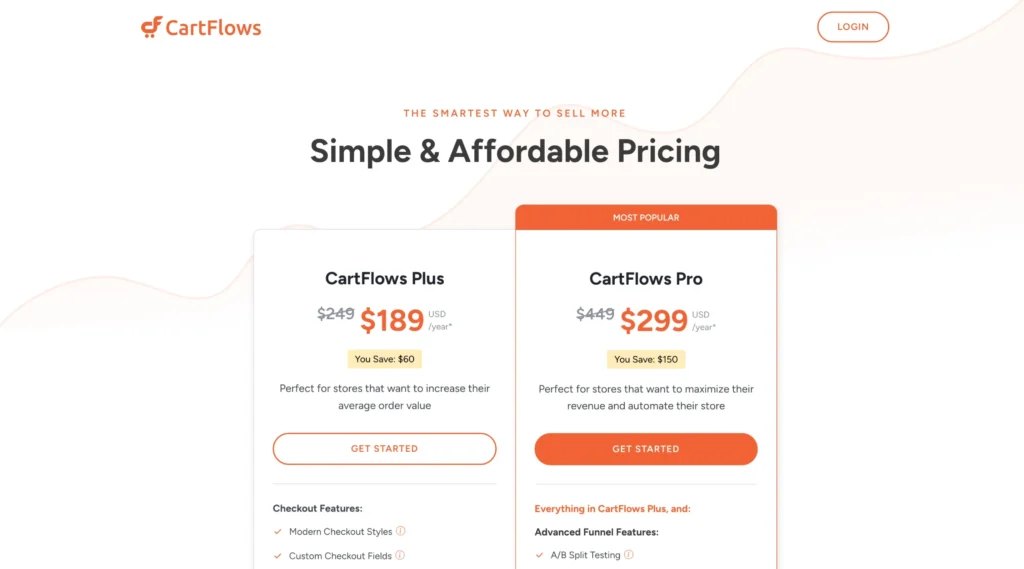
1. CartFlows Plus – $189/year (Normally $249)
You Save: $60
Perfect for stores aiming to increase average order value.
Features Included:
Modern Checkout Styles
Custom Checkout Fields
Conversion-Optimized Funnel Templates
Order Bump Features:
Dynamic Order Bumps
Modern Order Bump Styles
One-Click Upsells / Downsells:
Dynamic One-Click Upsells
Dynamic Upsell Templates
Smart Funnel Routing
Other Benefits:
Use on up to 10 Websites
Premium Support
Great Documentation & Video Tutorials
2. CartFlows Pro – $299/year (Normally $449)
You Save: $150
Perfect for stores wanting to maximize revenue and automate their processes.
Includes Everything in CartFlows Plus, plus:
Advanced Funnel Features:
A/B Split Testing
Analytics
Other Benefits:
Use on up to 30 Websites
Amazing User Community
OttoKit Pro (6 Months): $72 FREE
SkillJet Membership: $1199 FREE
3. CartFlows Pro – Lifetime – $999 (Normally $1499)
Pay in 11 easy installments and enjoy Lifetime Updates and access to all future features.
In this blog, I want to answer all the questions I had when I first started using CartFlows. I know how confusing it can be to choose between the free and pro versions, so let’s break it down.
The free version gives you everything you need to create a simple sales funnel with a checkout and thank you page—great for getting started.
But if you’re serious about boosting conversions with order bumps, upsells, and downsells, the pro version is a must. As an online store owner, I found these premium features invaluable for maximizing revenue.
Let’s dig deep and compare what you get in the Free and Pro plans of CartFlows.
Features
Free Version
Pro Version
Ready-to-Use Templates
4 Free Templates
6 Premium Templates
Works with Page Builders
Yes (Elementor, Divi, etc.)
Yes (All Features Unlocked)
Global Checkout
Yes
Yes
Checkout Custom Fields
No
Yes
Order Bumps
No
Yes
One-Click Upsells/Downsells
No
Yes
Cart Abandonment Recovery
Yes (Comes with Limits)
Yes (More Features)
Custom Script Support
Basic Support
Priority Support
My verdict on which plan to go is very clear –
Go for the Free version if you need a simple checkout funnel and want to test the tool.
Upgrade to Pro for order bumps, upsells, and custom checkout fields to maximize sales and boost revenue.
How To Upgrade To CartFlows Pro?
You’ve to follow the steps below to upgrade to CartFlows:
Firstly, you’ve to sign in to the CartFlows account
You’ve to go to ‘Subscriptions,’ and you’ll find the list of your active subscriptions.
Finally, when clicking ‘view’ on the right of your desired subscription, you’ll find an option to ‘Upgrade to Lifetime’.
Types Of Funnels You Can Build with CartFlows
CartFlows isn’t just for simple sales funnels—it gives you the flexibility to create a variety of high-converting funnels for different business needs.
Whether you want to sell products, capture leads, or offer services, CartFlows makes it easy.
Here are some funnels you can build:
Free product/service/consultation/quote funnel – Offer a freebie to attract potential customers.
Webinar list funnel – Collect registrations for your webinars.
Lead magnet funnel – Grow your email list with free resources.
Membership funnel – Create a seamless signup process for membership sites.
2-Step tripwire funnel – Convert leads with an irresistible low-cost offer.
Live demo funnel – Showcase interactive product demos, like Demoboost.
Purchase cancellation funnel – Reduce churn by offering incentives.
Client application funnel – Qualify leads before onboarding them.
Product launch funnel – Build hype and drive sales for new products.
This is just the beginning! With the ability to integrate third-party WordPress plugins, CartFlows allows you to create custom funnels tailored to your business needs.
Now, this brings us to the most important question that you might stumble upon. And that is how to install Cartflows and do you need an engineer’s assistance for the same? Let’s answer that.
Pros and Cons of CartFlows Review
Pros
Frictionless checkouts slash abandonment.
Unlimited upsells/bumps personalize buys.
Templates + builders speed creation.
Analytics pinpoint wins.
14-day guarantee, stellar support (4.6/5 Trustpilot).
LMS/payment integrations expand tales.
Cons
WooCommerce-only, no Shopify.
Pro needed for power features.
Learning curve for complex funnels.
CartFlows Latest Updates: New Features & Enhancements
CartFlows continues to roll out exciting updates, making it even more powerful for WooCommerce users. Here are some of the latest improvements:
SureTriggers Integration – Seamlessly connect your favorite sites and plugins for automated workflows.
Multi-Step Checkout Layout – Enhance the user experience with a smoother, step-by-step checkout process.
Expanded Payment Gateway Support – Now integrates with WooCommerce Payments and PayPal Payments for seamless upsells and downsells.
Gutenberg Blocks Support – Enjoy greater flexibility in designing high-converting funnel pages.
Modern Cart Add-On – A sleek new cart experience designed to boost conversions.
These updates make CartFlows even more efficient, giving you better control over your sales funnels!
How To Install CartFlows?
Let me help you out with a step guide on how easily you can install the Cartflows on your site.
Installing the CartFlows Free Version A. Go to WordPress Dashboard → Navigate to Plugins > Add New B. Search for “CartFlows” in the plugin repository C. Click “Install Now” and then “Activate.”
Installing CartFlows Pro Version A. Purchase CartFlows Pro and download the plugin file (cartflows-pro.zip) B. Go to Plugins > Add New → Click “Upload Plugin” C. Upload the file, click “Install Now”, and then “Activate”
Activating the License Key A. Head to CartFlows > Settings > License B. Enter your license key and click Activate
Once done, you’re ready to start creating high-converting sales funnels with CartFlows.
How Do I Activate the License for the CartFlows Pro On Multisite?
Let’s talk about a less-discussed yet important topic—activating the CartFlows Pro license on a multisite network.
As you scale up your business and expand to multiple sites, you’ll likely stumble upon this question. So, read through to get a clear understanding of how it works.
If you’re running a WordPress Multisite, CartFlows can be installed via network activation or manual activation, depending on whether you’re using the free or the Pro version.
Manual Activation
CartFlows Pro can only be activated manually. To do so, log in to the child site as a network admin and then activate the plugin.
In the network admin dashboard, go to the Plugins menu > Add New.
Install the CartFlows plugin.
In the Installing Plugin screen, click Return to Plugin Installer.
Go to the site admin screen where you want the plugin to be activated.
Select CartFlows under Plugins.
Click Activate.
Provide the license for CartFlows Pro.
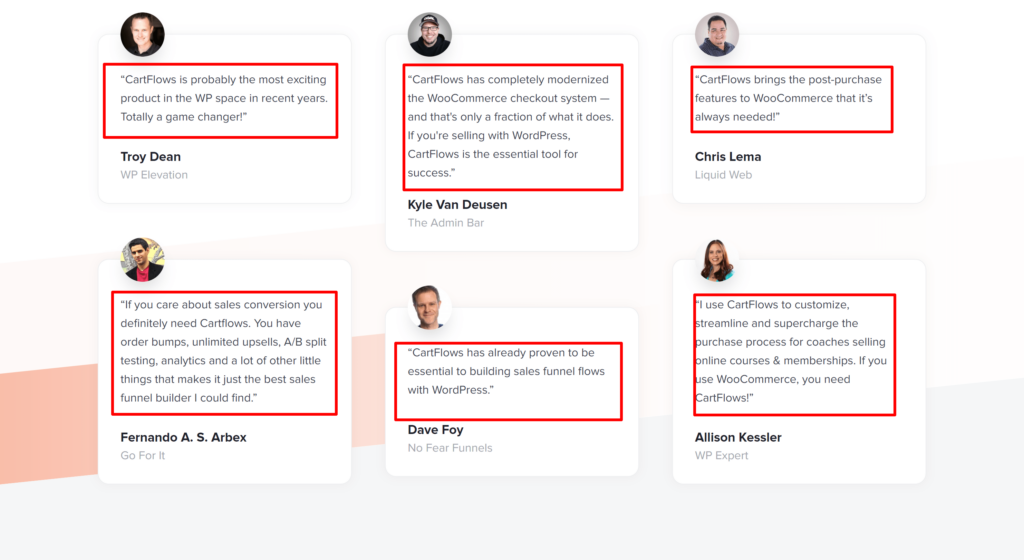
Hear It From Users Of CartFlows
FAQs on CartFlows Review
Who Is CartFlows Created For?
CartFlows is designed for marketers and people who are in eCommerce. By using Carflows, they can make quick funnel pages and checkout pages.
Does CartFlows Work With Shopify?
CartFlows doesn't work with Shopify. However, it will soon become part of it.
Can I integrate CartFlows with Magneto or PinnacleCart?
Unfortunately, No. CartFlows is a WordPress plugin that works with WooCommerce.
What Can I Market With CartFlows?
Using Cartflows, you can sell anything from digital products to electronics, coaching services or subscriptions.
If you’ve made it this far through the CartFlows review, you probably feel that spark—like stumbling on the plugin that’s been missing from your WooCommerce adventure all along.
The limited checkout flow modification in WooCommerce makes websites look quite similar. However, CartFlows lets you be creative and build sales funnels that help you stand out from the crowd.
One of CartFlows’s highlights is its smooth connection with WordPress website builders.
With the drag-and-drop feature, you can create beautiful, high-converting sales funnels without having to learn a new tool. It is a robust sales funnel builder with great designs.
Another great feature of CartFlows is its ability to target cart abandoners, helping you recoup lost income. It maximizes consumer transactions by integrating discounts, upsells, downsells, and order bumps straight into checkout.
Overall, CartFlows is an excellent tool that can boost your WooCommerce store with its strong sales funnel builder.
It makes it easy to develop successful and attractive sales funnels with its straightforward customization tools, built-in templates, extensive WooCommerce integration, and optimization capabilities.
CartFlows is a great way to improve eCommerce and conversions.
Hi, I’m Anikesh Singh, and I’ve spent more than 8 years mastering WordPress, page builders, and plugins. Now, I’m sharing my know-how through Education and WordPress tutorials on SchemaNinja.com. With experience at Yourstory, Bloggerideas, and Tweak Your Biz, I love offering practical tips to build awesome websites since 2018. When I’m not writing, I’m traveling or buried in a book. Catch my latest insights on LinkedIn or Twitter!