Unbounce Pricing Plans 2026: Start Your 14 Days Free Trial Now!
Last Updated on: June 24, 2026 by Jitendra vaswani | Fact Checked
Affiliate disclosure: In full transparency – some of the links on our website are affiliate links, if you use them to make a purchase we will earn a commission at no additional cost for you (none whatsoever!).
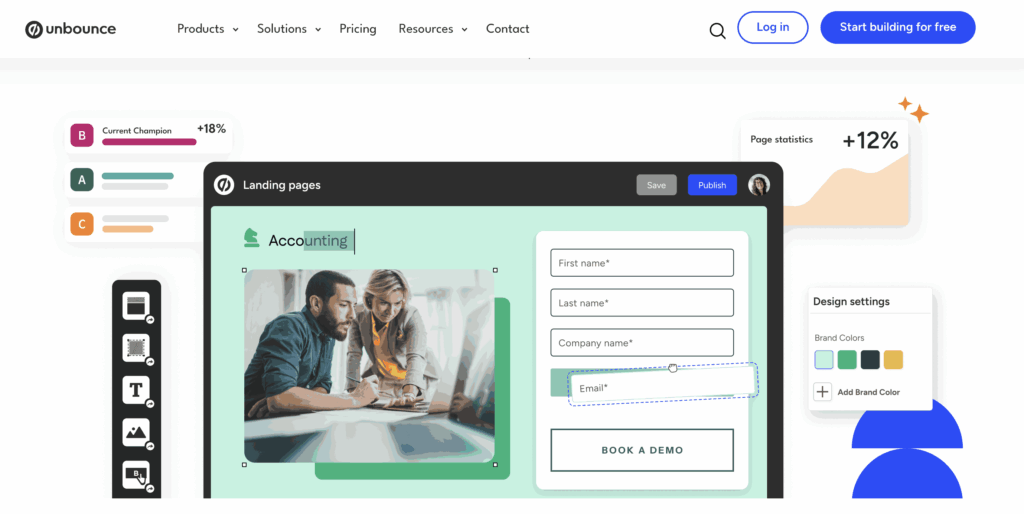
Unbounce is a platform for creating and optimizing landing pages without coding. It features a drag-and-drop editor, A/B testing, conversion tracking, and integrations with marketing tools to boost conversion rates.Its advanced features and ease of use make it a top choice for marketers.
Pros
Easy-to-use drag-and-drop builder
A/B testing for optimization
High conversion rate features
Integrates with marketing tools
No coding required
Cons
Can be pricey for small businesses
Limited design flexibility compared to custom-built pages
I’ve been testing landing page builders for years now. And honestly, Unbounce’s pricing confuses a lot of people.
Here’s the deal: Unbounce just changed its pricing in 2026. They added a new, cheaper plan. They also raised prices on some tiers.
I spent the last few days digging into everything. I looked at the real costs. I found the hidden fees. I even asked real users on Reddit what they think.
In this guide, I’ll show you exactly what each Unbounce plan costs, the hidden fees nobody talks about, and whether it’s actually worth your money.
Let’s dive in.
About Unbounce
Unbounce is a popular tool in digital marketing. It is particularly known for its ability to create and optimize landing pages.
Landing pages are crucial for converting website visitors into leads or customers, and Unbounce provides a user-friendly platform for designing these pages without requiring extensive coding skills.
Unbounce is a Canadian software company headquartered in Vancouver. It was founded in 2009 by Rick Perreault and five co-founders.
The company specializes in creating landing pages designed to convert visitors into leads or customers.
Unbounce is a self-service platform that enables marketers to create, publish, and test landing pages without the need for IT or web development assistance.
Without knowing how to code, marketers can create, test, and improve landing pages with this technology. Additionally, Unbounce organizes the annual Call to Action Conference, which focuses on digital marketing tactics and conversion optimization.
Unbounce pricing plans are ideal for this; marketers can launch campaigns independently without waiting for engineering assistance.
I’m a data nerd. So I dug into Unbounce’s latest research.
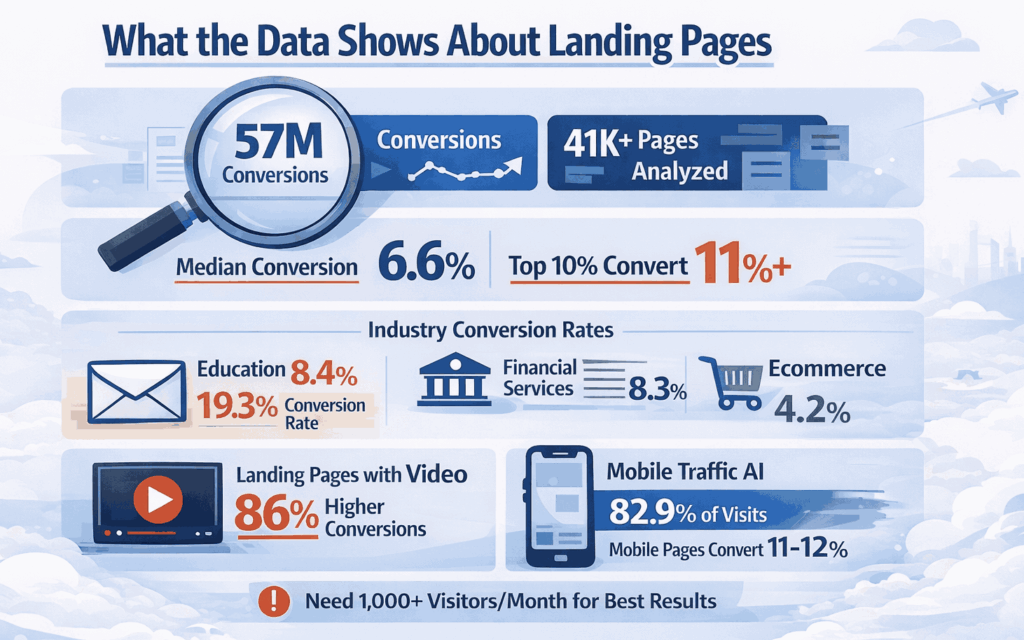
Unbounce analyzed over 57 million conversions across 41,000+ landing pages. Here’s what matters:
The median conversion rate is 6.6%. That means about 1 in 15 visitors takes action. But the top 10% of landing pages convert at 11% or higher.
Some industries do way better:
Education: 8.4%
Financial services: 8.3%
Ecommerce: 4.2%
Email traffic converts at 19.3%—almost triple the average. If you’re sending people from your email list to landing pages, you’re already ahead.
Here’s the big one: 82.9% of traffic comes from mobile in 2026. Mobile-optimized pages convert at 11-12%. Desktop-focused pages only hit 10%.
Landing pages with video see 86% higher conversions. Almost double.
Smart Traffic Impact:
Unbounce’s AI claims a 30% average lift in conversion rate. I’ve tested it on multiple accounts. It works, but you need volume. If you’re getting less than 1,000 visitors per month, the AI doesn’t have enough data.
How To Get Started With Unbounce?
To get started with Unbounce, create an account and choose the plan that best suits your needs.
Then, start creating landing pages by selecting a template or starting from scratch. You can also test your landing pages before launching them to ensure that they are effective.
If you’re looking for an easy-to-use landing page builder that offers a wide range of features, Unbounce is a good choice.
It is a bit expensive, but the product’s quality makes it worth it. To get started, create an account and choose the plan that best suits your needs.
Unbounce Pricing: What You Actually Pay in 2026
Unbounce’s pricing plans are thoughtfully structured to cater to a wide range of business needs, from small startups to large enterprises.
A key advantage is the 14-day free trial, which allows businesses to test the platform’s capabilities. Annual billing options offer cost savings, adding to the platform’s appeal.
Overall, Unbounce offers a flexible and scalable solution for businesses seeking to create effective landing pages and optimize conversions.
Here’s a detailed overview of the pricing plans available for a service that allows users to build and optimize high-converting landing pages for any campaign:
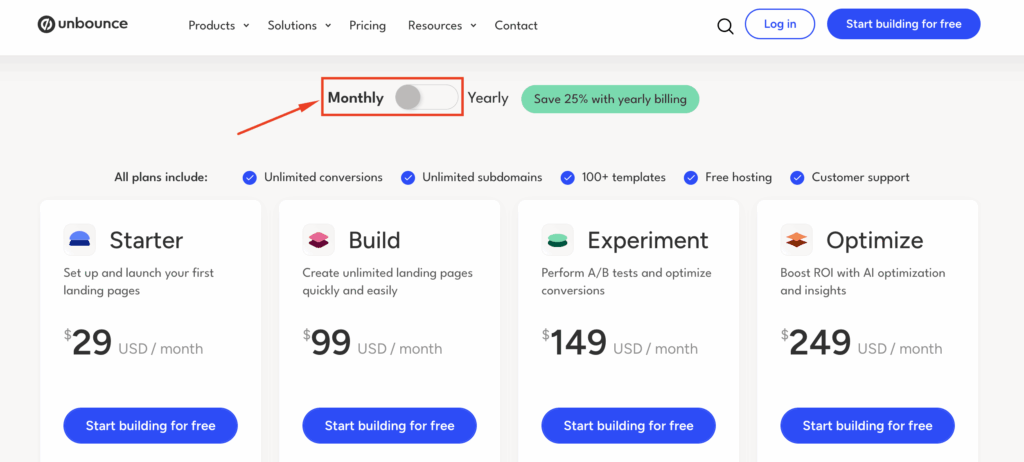
🚀Unbounce Monthly Plans
Starter Plan – $29/month
Unlimited landing pages, popups, and sticky bars
Up to 500 conversions per month
1 root domain
1 user seat
AI copywriting (Smart Copy)
100+ templates
Free hosting and SSL
Email and chat support
Build Plan – $99/month
Unlimited landing pages, popups, and sticky bars
Up to 20,000 monthly visitors
1 root domain
1 user seat
AI copywriting (Smart Copy)
100+ templates
Custom scripts and pixels
Free hosting and SSL
Email, phone, and chat support
Experiment Plan – $149/month
Everything in Build plan, plus:
Up to 30,000 monthly visitors
2 root domains
3 user seats
Unlimited A/B testing
Dynamic Text Replacement
Confidence intervals
Conversion insights and reporting
Optimize Plan – $249/month
Everything in Experiment plan, plus:
Up to 50,000 monthly visitors
3 root domains
5 user seats
Smart Traffic (AI optimization)
Page, popup, and sticky bar scheduling
Advanced triggers and targeting
Industry benchmarking
Audience insights
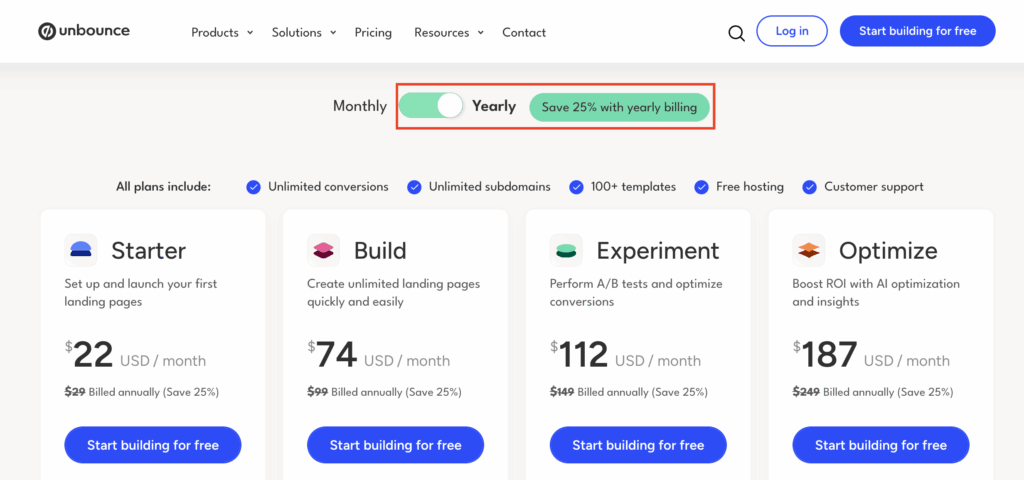
🚀 Unbounce Yearly Plans (Save 25%)
Starter Plan – $22/month (billed annually at $264)
Same features as monthly Starter plan
Save $84 per year
Build Plan – $74/month (billed annually at $888)
Same features as monthly Build plan
Save $300 per year
Experiment Plan – $112/month (billed annually at $1,344)
Same features as monthly Experiment plan
Save $444 per year
Optimize Plan – $187/month (billed annually at $2,244)
Steps to Get Started With Unbounce 14-day Free Trial
Step 1. Visit the Unbounce Website: Go to the Unbounce website. This is where you’ll find all the information about their services and the free trial offer.
Step 2. Find the Free Trial Offer: Look for it, typically prominently displayed on the website. Unbounce typically highlights its trial period on the homepage or under its pricing section.
Step 3. Select a Plan for the Trial: Even though it’s a free trial, Unbounce may require you to choose a plan. This allows them to tailor the trial experience to the features available in the plan you’re interested in. Don’t worry. You won’t be charged during the free trial period.
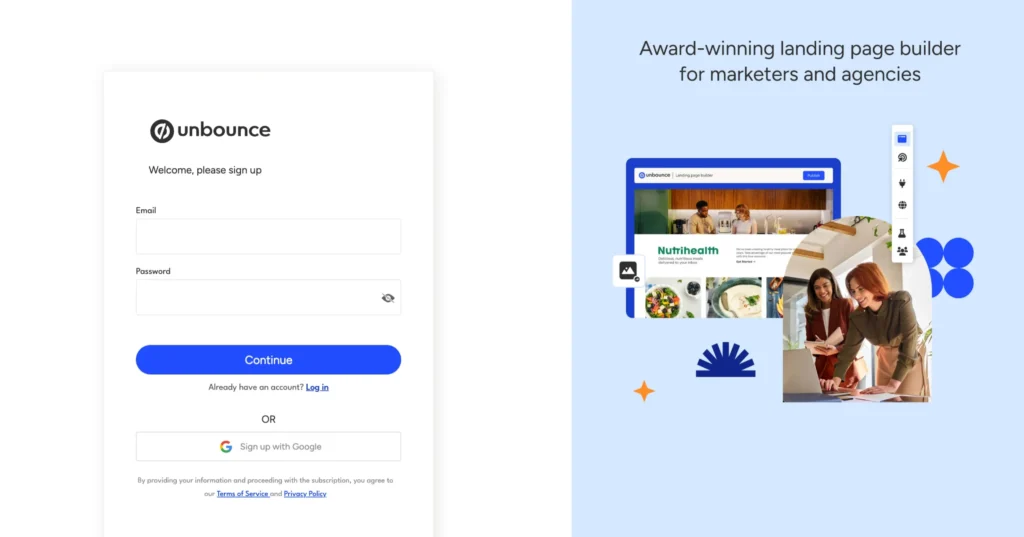
Step 4. Sign Up: Click on the sign-up button for the free trial. You’ll be asked to provide basic information, such as your name, email address, and company details.
Step 5. Account Verification: Some services require email verification for new accounts. If Unbounce asks for this, check your email inbox (and the spam folder, just in case) for a verification email from Unbounce and follow the instructions.
Step 6. Payment Information: Many free trials still require you to enter payment details, such as a credit card number. This is standard practice and helps prevent service abuse, but remember that you won’t be charged if you cancel the trial before it ends.
Step 7. Explore Unbounce: Once your account is set up, take full advantage of the trial period. Experiment with various features, such as the drag-and-drop builder, templates, and available integrations or testing tools.
Unbounce is a comprehensive landing page builder that offers a wide range of features. It is easy to use, even for marketers without experience in web development or coding.
Additionally, Unbounce integrates with a variety of marketing tools, making it easy to capture leads and track conversions.
1. A/B Testing:
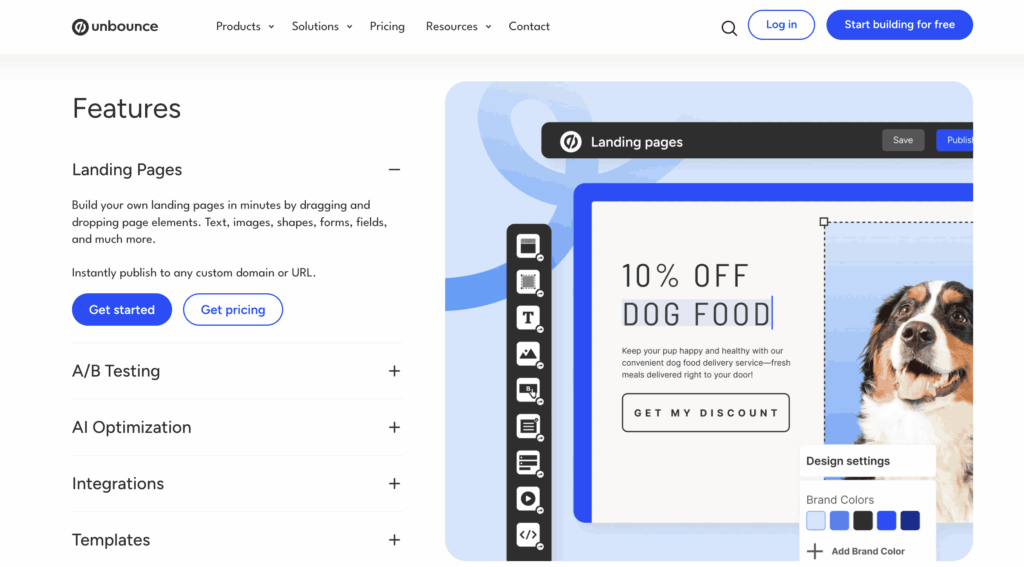
Unbounce’s A/B testing feature enables marketers to create multiple variations of a landing page, testing different headlines, images, copy, and call-to-action buttons.
This helps determine which elements perform best, providing data-driven insights to improve conversion rates and user engagement. Users can set up experiments and monitor performance through detailed statistics on each variant.
2. AI Copywriting:
The AI-powered copywriting tool generates suggested content for headlines, body text, and calls-to-action.
This feature helps marketers quickly generate high-converting copy, eliminating the need to brainstorm or spend excessive time crafting the text. The AI tool can generate copy that aligns with a landing page’s goal, improving efficiency.
3. Pop-ups and Sticky Bars:
These tools help you engage visitors while they browse your landing page. Pop-ups can appear after a visitor spends a specific amount of time on the page, while sticky bars remain at the top or bottom of the page, providing an ongoing call to action.
Both elements are effective in capturing leads or encouraging conversions without disrupting the user experience.
4. Landing Page Templates:
Unbounce offers a range of professionally designed templates optimized for conversion, suitable for use across various industries and marketing objectives. These templates are fully customizable and include elements like hero sections, testimonials, and forms to help boost conversion rates. You can start with a template and modify it to suit your campaign needs.
5. Conversion Analytics:
Unbounce offers robust analytics tools to track the performance of your landing pages. It provides key metrics such as conversion rates, bounce rates, average time on page, and the performance of individual elements like buttons or forms.
This data helps marketers identify underperforming areas, adjust strategies, and optimize their pages for better results.
6. Mobile-Responsive Design:
All Unbounce landing pages are designed to adapt to different screen sizes and devices automatically. This ensures that the landing page is optimized for mobile users, who increasingly represent a large portion of website traffic.
The mobile-friendly design ensures a consistent high-quality user experience across desktops, tablets, and smartphones.
7. SEO Tools:
Unbounce includes essential SEO features that help improve the visibility of your landing pages in search engine results.
You can edit meta tags, set custom URLs, and ensure that landing pages are optimized for relevant keywords. This helps your landing pages rank higher and attract organic traffic.
8. Customer Support:
Unbounce provides a range of customer support options, including live chat, email support, and a comprehensive knowledge base featuring articles, guides, and video tutorials. Additionally, Unbounce provides a community forum where users can connect, share experiences, and find solutions to common challenges.
I’ve used all of these platforms. Here’s the honest comparison.
The Full Comparison Table:
Feature
Unbounce Build
LanderLab Launch
Swipe Pages Startup
Leadpages Standard
Monthly Price
$99
$89
$39
$49
Annual Price
$74/mo
Not listed
$29/mo
$37/mo
Monthly Visitors
20,000
100,000
20,000
Unlimited
Landing Pages
Unlimited
Unlimited
Unlimited
Unlimited
A/B Testing
❌ No
✅ Yes (higher plan)
✅ Yes ($89 plan)
✅ Yes
AI Features
Smart Copy
AI Quiz Funnels
Swipe Genie
Basic
Root Domains
1
1
1
1
Popups
✅ Yes
✅ Yes
✅ Yes
✅ Yes
Free Trial
14 days
14 days
14 days
14 days
Credit Card for Trial
❌ Not required
❌ Not required
❌ Not required
✅ Required
Support
Email/Chat
Email/Chat
Email/Chat
Email/Chat
FAQs: Unbounce Pricing Plans
Does Unbounce offer a free trial?
Yes, 14 days are completely free. No credit card required.
What happens if I exceed my traffic limit?
Your pages continue to work, but you’ll be charged an overage fee equal to 150% of the price difference to the next tier.
Can I cancel anytime?
Yes, on monthly billing. Annual plans lock you in for the year.
Is Unbounce worth it for small businesses?
If your landing pages generate less than $5,000/month, it’s probably overkill. If you’re making $10,000+/month, the cost makes sense.
What’s the cheapest plan?
Starter at $22/month yearly or $29/month monthly. But it’s limited to 500 conversions.
Do I need to provide credit card details for the free trial?
Yes, starting the free trial requires you to enter your credit card or PayPal billing information, but you won’t be billed until the trial period ends.
What Real Users Say
I spent hours reading Reddit and Quora. Here’s what real users are saying.
Common Complaints:
“It got crazy expensive”—multiple users noted price increases over the years.
“20,000 visitors sounds like a lot until you run successful campaigns. Then you’re hit with overage fees.”
“A/B testing should be standard. Paying $149/month just to test feels like ransom.”
The Praise:
“I’ve used Unbounce for 500+ clients across industries. Still my go-to.”
“Templates are top-tier. They just convert better than other platforms.”
“Smart Traffic is a game-changer for paid ads. Saw 30%+ lift.”
The Pattern:
Unbounce works really well. Nobody disputes that. But the pricing is a barrier for small businesses. People feel nickel-and-dimed.
If you’re an agency billing clients, it’s worth it. If you’re a solopreneur bootstrapping, you’ll constantly feel like you’re overpaying.
Unbounce is a premium tool with premium pricing. It’s genuinely good at what it does.
But “good” doesn’t always mean “worth it for you.”
Here’s what matters: Assess your budget honestly. Can you afford $99-249/month without stress? Look at your traffic. Are you getting 10,000+ monthly visitors? Check your revenue. Do your landing pages generate at least $5,000/month?
If you answered yes to these questions, Unbounce makes sense. If you hesitated, you might be overpaying.
For many small businesses in 2026, cheaper alternatives deliver 80% of the value at 40% of the cost. That’s just math.
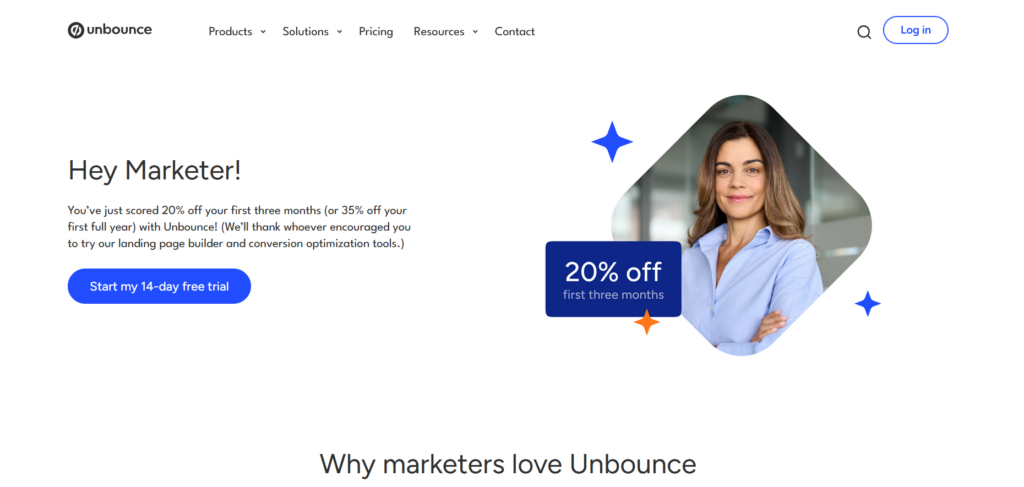
My advice: Start the 14-day free trial. No credit card needed. Build real pages. Run actual traffic. Measure results against what you’re using now.
Let the data decide, not marketing hype.
The best landing page builder isn’t the most expensive one. It’s the one that delivers ROI for your specific business.
Jitendra Vaswani is a crazy digital marketer & professional blogger from India. Experienced with a wide range of SEO, SMO, SEM, and various digital projects. Self driven Entrepreneur, Web Consultant & Founder of Digital Marketing Agency DigiExe& WordPress Plugin SchemaNinja SchemaNinja & Marketing blog BloggersIdeas . He is a successful online marketer & award-winning digital marketing consultant. He has been featured on HuffingtonPost, BusinessWorld, YourStory, Payoneer, Lifehacker & other leading publications as a successful blogger & digital marketer. Check out his latest Portfolio( Jitendra.co). Find him on Twitter, & Facebook.