

DigitalOcean is a solid cloud provider, especially for developers and small businesses looking for simplicity and great value. It offers easy-to-use tools, affordable pricing, and solid performance with options like droplets for virtual machines and Kubernetes for container management. Overall, it’s user-friendly and a go-to for straightforward cloud hosting needs.
- User-friendly interface
- Affordable pricing
- Solid performance
- Flexible features
- Good documentation
- Limited enterprise features
Price: $0.198
Selecting the perfect cloud hosting solution can make or break your project’s momentum, yet navigating the crowded market feels overwhelming. Service quality fluctuates wildly between providers, demanding careful scrutiny before committing.
DigitalOcean stands out for its developer-centric reliability and speed, positioning it as a top contender in cloud infrastructure. In this DigitalOcean review, we dissect its strengths, limitations, and real-world value to help determine if it aligns with your needs.
Let’s dive into the details.

Ultimate DigitalOcean Review 2026: An Overview
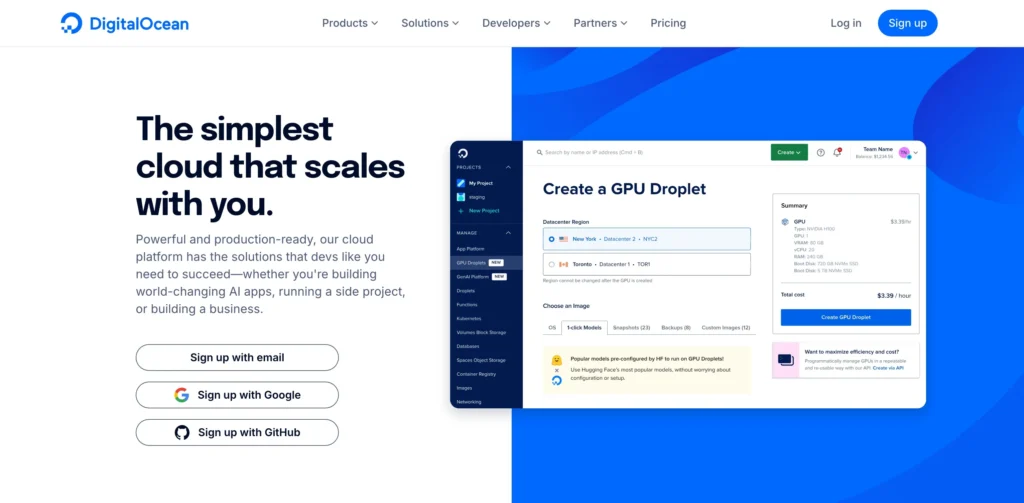
Digital Ocean is based in New York City, but its data centers are spread across Frankfurt, Singapore, London, Toronto, San Francisco, and Amsterdam.
It was founded by Ben Uretsky and Moisey Uretsky in 2011. In 2012, after being selected into a startup accelerator program, it received the first round of funding from IA Ventures.
Digital Ocean has been credited as the world’s fastest cloud hosting service provider, beating Amazon Web Services.
They opened data centers in Singapore and Amsterdam in 2013; they surpassed Rackspace and became 4th fourth-largest web hosting service provider and 2nd second-largest in 2015.
They also opened a data center in Toronto in 2015. DigitalOcean has been featured in Business Insider, TechCrunch, The New York Times, Bloomberg, Forbes, and many more.

How To Create a Cloud Server on DigitalOcean?
Step 1: Sign Up or Log In
- Go to the DigitalOcean website.
- Sign up or log in to your account.
- Add your billing details (new users get $100 credit).
Step 2: Create a Droplet (Server)
- Click “Create” and select “Droplets”.
- Pick an Operating System (e.g., Ubuntu, CentOS) or use a pre-installed app like WordPress.
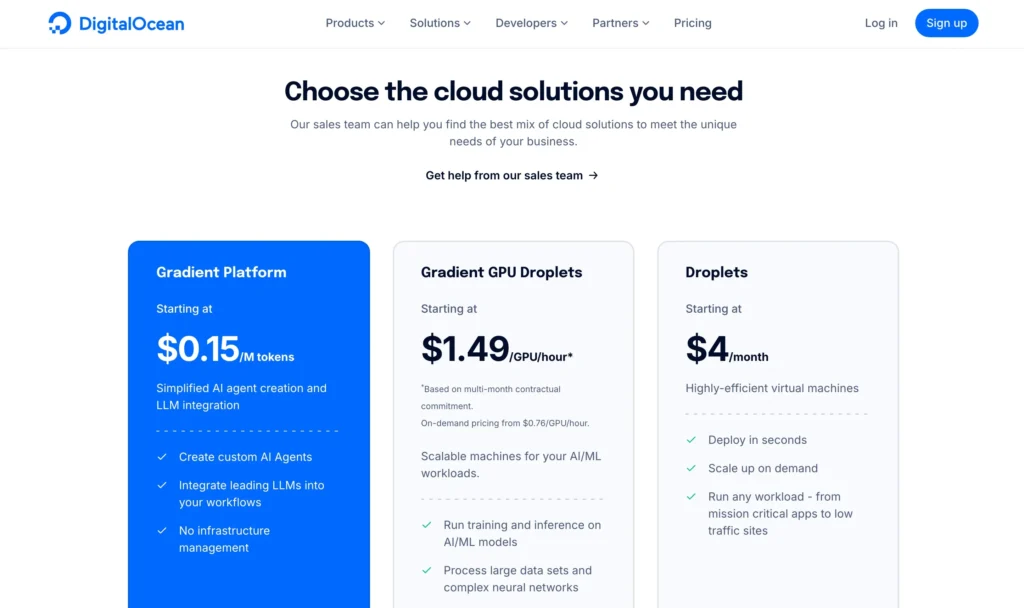
- Choose a plan. The Basic Droplet starts at $5/month.
- Select the server location closest to your audience for faster speed.
- Optional: Add SSH keys (for secure login) or enable backups.
Step 3: Set Up Your Droplet
- Name your Droplet and click “Create”. Your server will be ready in a few minutes.
Step 4: Access Your Droplet
- SSH Login: Open your terminal and use: nginxCopy
ssh root@your_droplet_ipEnter your password to log in. - Web Access: For apps like WordPress, go to your server’s IP address in a browser to finish setup.
Step 5: Start Using Your Server
- Install any apps or software you need for your website or project.
Step 6: Secure Your Droplet
- Set up firewalls for extra security.
- Enable automatic updates to keep everything safe.
- Use SSH keys instead of passwords for better security.
Customer Support Offered By DigitalOcean
Customer support is one of the most important elements; you need a proper channel through which you can contact your web host provider so that any issues can be resolved quickly.
Digital Ocean offers support to its customers via live chat and a ticket system.
To raise a ticket, please enter your name, email address, subject, and the issue you are experiencing. They reply to your ticket within an hour. There is also an option for live chat on their website; it will take a couple of minutes to connect with an agent.
Their agents are very patient, helpful, and experienced. The customers appreciate the Digital Ocean customer support team on various web host forums.
They are also very active on Facebook and Twitter so you can contact them there.
DigitalOcean has a great knowledge base; they offer step-by-step tutorials for everything you can learn. You don’t have to be a tech expert to understand them.
Pros and Cons – DigitalOcean Review
Pros
- Affordable Pricing: Offers competitive pricing, making it an excellent option for small businesses, startups, and developers on a budget.
- User-Friendly Interface: The dashboard is intuitive and easy to navigate, allowing quick setup and management of cloud resources.
- Scalability: It’s simple to scale up or down as needed, whether adding more storage, resources, or spinning up additional droplets.
- Performance: Reliable performance with fast provisioning and low-latency servers, which ensures your websites or apps run smoothly.
- Managed Services: Offers managed databases, Kubernetes, and other services, making it easier for users to manage infrastructure without handling everything manually.
- Developer-Friendly: Extensive documentation, API access, and a strong developer community make it a favorite for those who prefer hands-on control over their infrastructure.
- Global Data Centers: While not as many as AWS or Azure, DigitalOcean has data centers in strategic locations worldwide, providing good coverage.
Cons
- Limited Enterprise Features: Lacks the advanced tools, services, and customizations that enterprise-level clients might need (e.g., advanced AI/ML services or extensive analytics).
- Fewer Data Centers: Compared to larger providers, DigitalOcean has fewer data center locations, which might limit global performance optimization for certain projects.
- Not Ideal for Extremely Large Projects: While great for small to medium projects, it may not offer the depth of services or resources required for large-scale, complex enterprise applications.
- Support Limitations: While there’s a rich knowledge base, paid support options are limited unless you’re on higher-tier plans, which could be a concern for users needing immediate assistance.
- No Free Tier: There is no ongoing free tier for developers; however, they offer a $100 credit for new users, which may not be enough for extended use.
- Limited Marketplace: Although it has a marketplace, it’s not as extensive as AWS or Azure, which offer a wide range of pre-configured applications and services.
FAQs on DigitalOcean Review
What is DigitalOcean used for?
DigitalOcean is a cloud infrastructure provider that’s primarily used to host websites, applications, and databases. It’s ideal for developers, startups, and small businesses needing scalable cloud solutions.
How does DigitalOcean pricing work?
DigitalOcean offers transparent, pay-as-you-go pricing. Their pricing starts as low as $5 per month for basic virtual servers (droplets) and scales up based on resources like CPU, RAM, and storage.
Does DigitalOcean provide a free tier?
DigitalOcean does not have a traditional free tier, but they offer a $100 credit for new users, which can be used over the first 60 days to try out their services.
How does DigitalOcean compare to AWS and Azure?
DigitalOcean is more beginner-friendly and cost-effective for smaller projects. While AWS and Azure offer more advanced features and global data centers, DigitalOcean focuses on simplicity and great value for developers.
What support options does DigitalOcean provide?
DigitalOcean provides community-based support with extensive documentation, tutorials, and forums. They also offer ticket-based support for paid plans.
Further Read:
- What is Shopping Cart Migration
- Top Ways to Analyze Competition On An Amazon Listing
- Best Products to Sell Online
- How To Start a WordPress Blog in 15 mins?
Conclusion: DigitalOcean Review 2026
To sum it up, this was our detailed DigitalOcean review. If you’re seeking a reliable web host to grow your online business, DigitalOcean is a fantastic choice.
As the second-largest cloud hosting provider, they’ve earned praise from major publications for their cutting-edge technology, affordable pricing, and state-of-the-art data centers equipped with high-end hardware and robust backup systems.
DigitalOcean’s top-notch customer service ensures you’ll rarely face issues, and flexible billing options—monthly or hourly—make it ideal for small businesses and beginners.
Don’t wait—choose one of the most trusted names in cloud hosting today!
