
Features |
| – Instantly assess per-unit profitability |
Pros | ✅InventoryLab provides detailed profitability analysis | |
Cons | ❌ Sellers looking for a multi-channel solution might need to look elsewhere | ❌ InventoryLab can be complex for beginners |
Ease of Use | – More complex, with a steeper learning curve. |


Let me give you a detailed sellerboard vs InventoryLab today that will help you clear out all your dilemmas and select the best one that is suitable for your business.
Mastering Amazon FBA can be hard for Amazon sellers these days. Managing and keeping track of every aspect of their business is quite challenging. Experts suggest quite a few seller tools to run a successful FBA business. Among them are SellerBoard and InventoryLab, which are doing the rounds.
Sellerboard vs InventoryLab: Overview
Sellerboard Overview
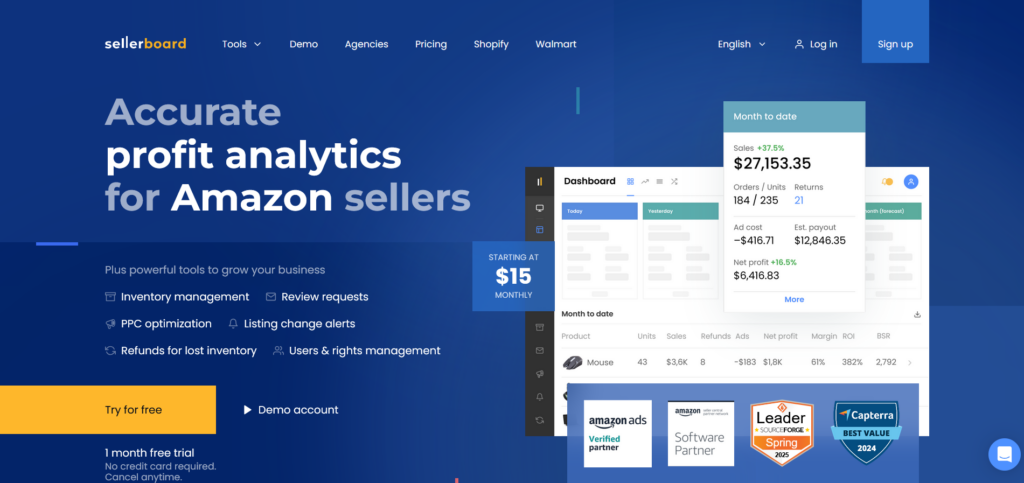
Sellerboard is an accurate profitability analytics software for Amazon sellers that includes stock management and systematic data statistics. In other words, sellerboard is all that a seller needs.
Sellerboard is a comprehensive profit analytics and business management platform tailored for Amazon sellers. It offers real-time insights into sales, expenses, and profitability, enabling sellers to make informed decisions and optimize their operations.
For Amazon sellers looking to obtain comprehensive insights on their business performance, Sellerboard is a powerful tool. Its extensive feature set, which includes inventory management, PPC optimization, real-time profit tracking, and automated review requests, enables sellers to make informed decisions and increase profitability.
Because of its easy-to-use interface and adaptable programs, the platform is a great tool for Amazon merchants looking to increase sales and manage operations.
From my experience, I can assure you that you can analyze your business’s profit in real-time and manage all your inventory affairs, which also helps identify optimizations.
InventoryLab Overview
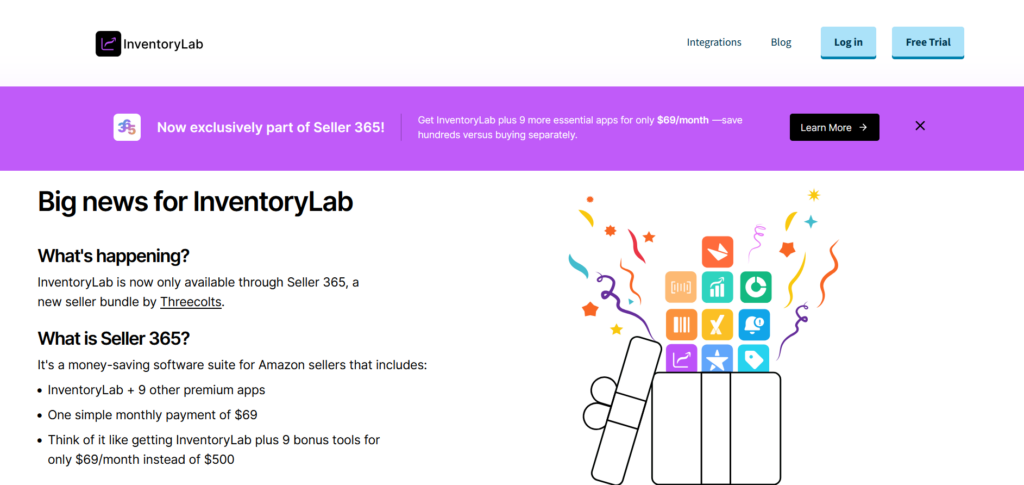
InventoryLab is a lot of applications around the Amazon universe. Some are new, some are older, some attempt to assist you with information, and some attempt to assist with your work processes.
InventoryLab is a comprehensive software suite designed to streamline various aspects of Amazon FBA selling, including sourcing, listing, shipping, inventory management, and accounting.
It integrates seamlessly with Amazon Seller Central, providing sellers with a centralized platform to manage their operations efficiently.
For Amazon FBA sellers who want to optimize their business processes, InventoryLab is the perfect answer. Its extensive toolkit, which is all consolidated onto a single platform, includes features for sourcing, listing, shipping, inventory control, and accounting.
With features that reduce time and increase income, the program is especially helpful for sellers involved in online arbitrage and wholesale.
Whichever one you pick to assist you with your Amazon business, you’ll need to be completely clear regarding whether you are utilizing it correctly; otherwise, you might be wasting your money.
A quick overview will be given in this article to view the pros and cons of InventoryLab.
Sellerboard vs InventoryLab Features
Sellerboard Features

Real-Time Profit Dashboard
Sellerboard provides a dynamic, real-time dashboard where sellers can track their daily sales, orders, refunds, advertising costs, estimated payouts, and net profits. This allows for instant access to critical financial data, helping sellers make timely decisions to improve profitability.
Comprehensive Cost Tracking
The platform tracks over 100 Amazon fees, including storage, inbound shipping, labeling, and referral fees. Sellers can accurately calculate their Cost of Goods Sold (COGS) by product batch, period, or marketplace, ensuring precise profit margin calculations.
Inventory Management
Sellerboard offers detailed inventory tracking, including alerts for low stock levels. It integrates seamlessly with Amazon Seller Central, keeping inventory data up-to-date across all marketplaces. Sellers can also track inventory not listed on Amazon (such as items on eBay).
PPC (Pay-Per-Click) Optimization
Sellerboard analyzes PPC campaigns, ad groups, and keywords, offering insights into their profitability. The platform allows automated bid adjustments based on target profitability or Advertising Cost of Sale (ACoS), optimizing ad spend and improving campaign ROI.
Automated Review Requests
Sellerboard enables sellers to send automated follow-up emails to customers, encouraging feedback and product reviews. This feature helps improve customer engagement and boosts product ratings, leading to increased sales and better brand reputation.
Refunds for Lost Inventory
Sellerboard identifies instances where Amazon issued refunds for lost or damaged inventory, but no return was received. This feature helps sellers recover funds for missing inventory, protecting profitability.
Listing Change Alerts
Sellers are notified of important changes to their listings, such as modifications in fees, loss of the Buy Box, negative feedback, or changes in ASIN. This ensures that sellers stay informed about their listings’ status, helping them respond quickly to issues.
Team Management and User Access Rights
Sellerboard allows sellers to grant team members access to their account, with the ability to assign roles and manage access rights. This feature is especially useful for businesses with multiple team members, ensuring that everyone has the necessary access while maintaining data security.
Expense Management
Sellerboard enables sellers to track and categorize various expenses, such as shipping fees, supplies, and even mileage. This tool helps sellers maintain accurate records for tax purposes and better manage their overall business expenses.
InventoryLab Features
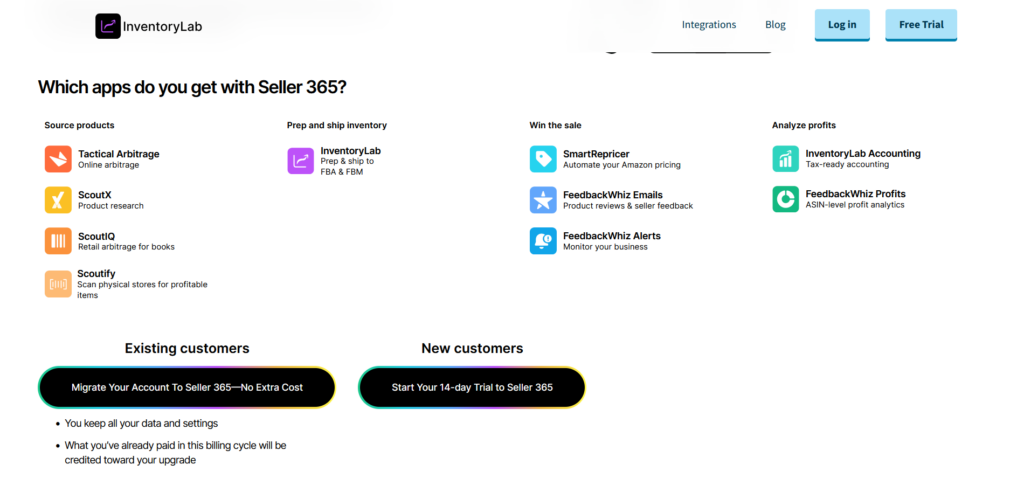
Listing & Shipping with Stratify
Stratify enables the efficient creation of FBA and Merchant Fulfilled Network (MFN) batches. Sellers can create listings in bulk, print product labels directly from the platform, and manage shipment creation. It also allows sellers to track box contents and inbound shipments, syncing everything with Amazon Seller Central for real-time updates.
Unlisted Inventory Tracking
InventoryLab allows sellers to track inventory that isn’t yet listed on Amazon, such as items on platforms like eBay. Sellers can organize this inventory using tags to denote the marketplace, storage location, or seasonality of products. The platform supports ledger entries to make adjustments and keep detailed records of unlisted inventory.
Custom MSKU Creation
InventoryLab gives sellers the ability to create custom MSKUs (Merchant Stock Keeping Units) with up to four data points. This feature allows for better organization and categorization of inventory, which is especially useful for businesses with large product catalogs. Sellers can customize their MSKUs to track additional details about their products.
Expense Management
The platform allows sellers to track various expenses that contribute to their overall business costs, such as supplies, shipping fees, and mileage. This feature helps sellers maintain accurate financial records, which are important for budgeting, profit analysis, and tax filing.
Batch Creation & Shipment Management
InventoryLab simplifies the process of creating batches for FBA and MFN shipments. Sellers can print product labels directly from the platform, minimizing time spent on shipment preparation. This feature makes it easier to handle large volumes of products and maintain streamlined logistics.
Mobile App for On-the-Go Management
The Scoutify 2 app provides sellers with a portable solution for sourcing products and managing inventory on the go. It allows users to perform product research, assess profitability, and manage inventory while away from their desk. This flexibility makes it easier for sellers to work in various locations and circumstances.
Product Sourcing with Scoutify 2
Scoutify 2 is a mobile app that helps Amazon sellers with sourcing products. It allows them to scan barcodes and instantly assess product profitability by displaying sales rank, Amazon fees, and estimated profits. The app supports both iOS and Android, making it accessible for a wide range of users.
Sellerboard vs InventoryLab Pricing
Sellerboard Pricings
| Plan | Monthly Price | Orders per Month | Follow-up Emails/Review Requests per Month | Additional Seller Accounts | Additional Users | Automated Reports | Manage User Access Rights |
|---|---|---|---|---|---|---|---|
| Standard | $19 | 3,000 | 150 | 4 | 1 | 3 | Yes |
| Professional | $29 | 6,000 | 6,000 | 6 | 2 | 6 | Yes |
| Business | $39 | 15,000 | 15,000 | 8 | 4 | 8 | Yes |
| Enterprise | $79 | 50,000 | 30,000 | 16 | 4 | 16 | Yes |
InventoryLab Pricing
Here is the current pricing information for InventoryLab, which is now part of the Seller 365 suite offered by Threecolts:
| Plan | Monthly Price | Annual Price (Billed Once) | Users Included | Free Trial |
|---|---|---|---|---|
| Seller 365 | $69 | $828 | 1 | 14-day free trial |
| Seller 365 Teams | $75 | $898 | 10 | 14-day free trial |
| Seller 365 Pro | $183 | $2,188 | 10 | 14-day free trial |
FAQs on SellerBoard vs InventoryLab
Which one of these softwares gives more integrations?
InventoryLab offers five integrations such as Amazon, Aura, BQool, Informed.co, Zapier whereas sellerBoard only integrates with Amazon.
Can these softwares be allowed to run on multiple platforms?
Multiple platforms like SaaS, iPhone, Android are allowed only in sellerBoard and InventoryLab only runs on SaaS, which is a major drawback to this software.
Which is the most beginner-friendly software?
Although sellerBoard has quite a cheaper pricing plan, InventoryLab, despite being a little expensive, offers a ton of options to the Users.
Quick Links:
- eComEngine Review: One Stop Solution for Amazon Sellers?
- Gorilla ROI Review: Is This Add-On Worth For Amazon Sellers?
- HelloProfit Amazon Analytics Review
Conclusion: sellerboard vs InventoryLab 2026
Sellerboard sets an impressive standard of its own by putting an ample amount of data and reports at our fingertips. This can be best utilized by opening our own Amazon account.
Once that’s done, the process of setting up gets simple. It does require a professional seller account like any other platform. It progresses and allows access to SellerBoard, which captures sales reports and Amazon data.
On the other hand, InventoryLab management is where you need to do a great deal of repetitive work, which a human mind despises, to guarantee that the lab can run effectively. The representatives have all they require where and when they need it.
Generally speaking, stock administration is a cumbersome and burdensome cycle, which has no privilege to be so burdensome and ungainly in the age of automation.
Accordingly, the desire to assemble lab stock programming is a characteristic and a very much supported choice, which will go far in guaranteeing cost-effectiveness, diminishing the remaining tasks at hand, and diminishing the likelihood of mistakes.
To build a lab inventory and project management software, one needs an in-house team of developers to create it, which is a hectic process.
It is tough to handle all the heavy programming. That’s when the InventoryLab comes in to help.
In conclusion, I can say Sellerboard is a breakthrough in the field of marketing, which not only imparts great value to its customers but also creates an effective and simpler approach to profitability and accountability.
