

ConvertKit is an email marketing platform that focuses on helping creators, such as bloggers, podcasters, and online course creators, build and nurture their email lists.
- Easy-to-use interface.
- Powerful automation features.
- Tailored for creators (bloggers, podcasters).
- Built-in landing pages and opt-in forms.
- Advanced audience segmentation.
- Limited email design customization.
- Pricing increases with larger lists.
Price: $29/Month
ConvertKit is a name you may have heard floating around the digital marketing space, especially among bloggers, content creators, and entrepreneurs.
But what exactly is ConvertKit, and why is it so popular? In this comprehensive review, I’ll take a deep Info into everything ConvertKit has to offer, from its features to pricing plans and customer support.
Whether you’re a seasoned pro or a newbie looking to grow your online presence, this guide will help you determine if ConvertKit is the right tool for your business.
What is ConvertKit
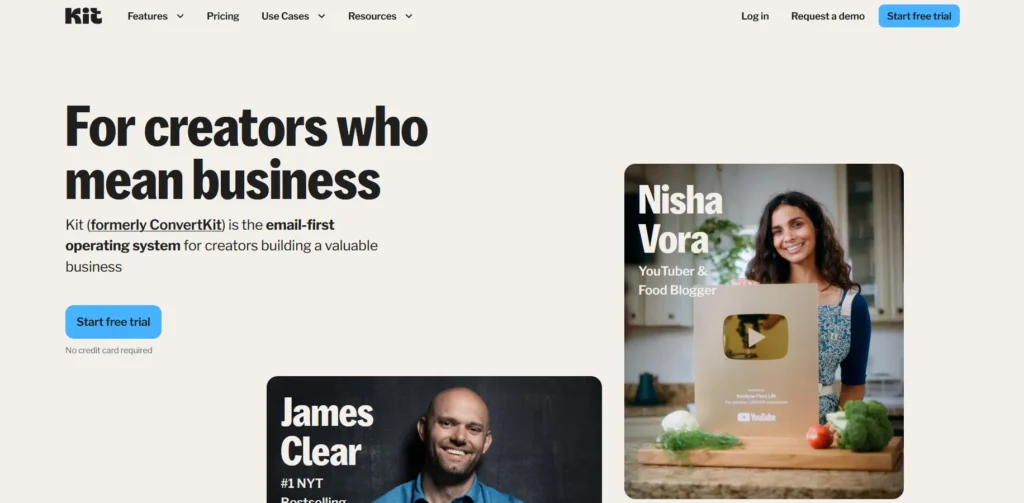
ConvertKit is an email marketing platform designed specifically for content creators, bloggers, entrepreneurs, and small businesses. Unlike traditional email marketing tools, ConvertKit focuses on providing a streamlined, user-friendly experience with powerful features that help users grow their email list, nurture leads, and automate their marketing efforts.
With ConvertKit, users can easily create and send personalized emails, set up automated workflows, and segment their audience based on various criteria.
The platform allows you to design emails through a simple drag-and-drop editor, making it accessible even for beginners with no technical experience.
It also offers tools for creating landing pages and opt-in forms, which help in capturing leads and converting visitors into subscribers. Automation workflows are a core feature, enabling users to automate email sequences, welcome series, and follow-up emails based on specific subscriber behaviors or triggers.
ConvertKit’s subscriber management system lets you organize contacts, tag them for easier segmentation, and personalize communication to build stronger relationships with your audience.
The platform also integrates well with third-party tools, allowing you to connect it to your eCommerce store, website, or other marketing platforms for a seamless workflow.
Additionally, ConvertKit provides detailed analytics that allow users to monitor the performance of their campaigns, giving valuable insights into metrics like open rates, click-through rates, and conversions.
Overall, ConvertKit is a powerful yet easy-to-use tool that helps creators and small businesses effectively manage their email marketing campaigns, nurture relationships with their subscribers, and ultimately drive growth.
With a focus on automation, personalization, and ease of use, ConvertKit is ideal for:
- Content creators looking to grow their email list and nurture relationships with their audience.
- Bloggers needing an easy way to send newsletters and manage subscribers.
- E-commerce store owners who want to engage their customers through automated email flows.
- Course creators needing robust tools to manage student sign-ups and communications.
- Entrepreneurs and small business owners looking for a no-fuss email marketing solution.
If you’re looking for a user-friendly platform with powerful automation features to support your creative business, ConvertKit could be a perfect fit.
Pricing Plans of ConvertKit
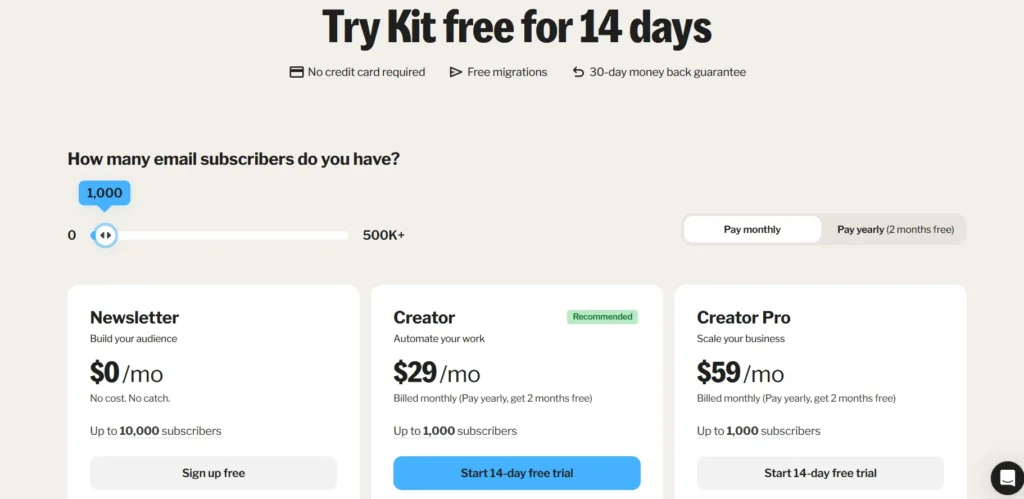
| Plan | Monthly Price | Subscribers Included | Key Features |
|---|---|---|---|
| Newsletter | $0 | Up to 10,000 | 1 basic Visual Automation, 1 email Sequence, 1 user, Unlimited landing pages & opt-in forms |
| Creator | $29 | Up to 1,000 | All Newsletter features + Unlimited Visual Automations, email Sequences, 2 users, Free & Paid Recommendations, Smart Recommendations, Apps, RSS campaigns, Polls |
| Creator Pro | $59 | Up to 1,000 | All Creator features + Unlimited users, Facebook Custom Audiences, Newsletter referral system, Subscriber engagement scoring, Edit links in sent broadcasts, Deliverability reporting, Insights dashboard, Priority support, Team invites |
My Personal Experience Using ConvertKit
Using ConvertKit for my email marketing campaigns has been a transformative experience. From the moment I signed up, I was impressed by how user-friendly and intuitive the platform is.
As someone with limited technical knowledge, I found ConvertKit’s drag-and-drop email editor incredibly easy to use. I was able to create visually appealing emails without needing any coding skills, which saved me a lot of time and frustration.
One of the standout features for me has been automation. Setting up workflows to automatically send follow-up emails, welcome series, and product recommendations based on subscriber actions has been a game-changer.
I didn’t have to worry about sending emails manually, and the system took care of nurturing my leads even while I was focusing on other aspects of my business. The ability to trigger specific actions, such as sending a personalized email when a subscriber clicks a link or signs up for a freebie, made my communication feel much more personalized and relevant to each individual.
I also appreciate the subscriber management system in ConvertKit. Tagging and segmenting my contacts has allowed me to send highly targeted emails that speak directly to my audience’s interests. Whether it’s promoting a new blog post, offering a product discount, or sharing a podcast episode, I can ensure that the right message reaches the right people at the right time.
The landing page and opt-in forms are another feature that stood out. I created custom landing pages in minutes, and they’ve helped me capture leads effectively. The templates are simple to use and highly customizable, making them perfect for anyone looking to grow their email list quickly.
Overall, ConvertKit has streamlined my entire email marketing process. The platform is intuitive, powerful, and provides the tools needed to engage and nurture my audience effectively.
Thanks to its automation, ease of use, and robust features, ConvertKit has become a central tool in my marketing toolkit, and I would highly recommend it to anyone looking to build and maintain meaningful connections with their audience.
Core Features of ConvertKit
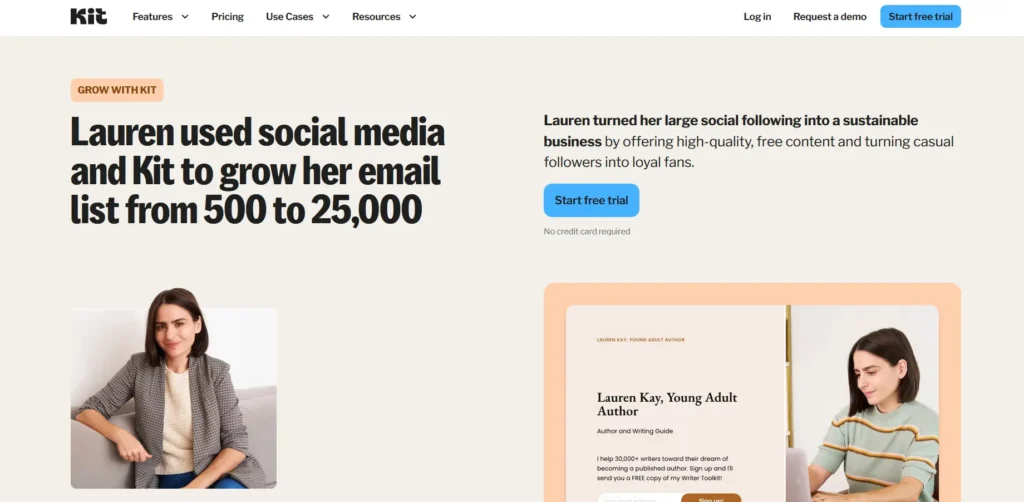
1. Email Marketing
ConvertKit’s email marketing features are designed to be simple, intuitive, and highly effective. The platform allows you to create visually appealing emails using a drag-and-drop email editor, which requires no coding skills. Whether you’re creating a one-time email, a campaign, or an automated sequence, the editor lets you easily design responsive emails that look great on all devices.
- Personalization: ConvertKit allows for personalized content in your emails. You can insert dynamic fields like the subscriber’s first name, location, or even specific tags that reflect their interests, making each email feel tailored to the recipient.
- Templates: ConvertKit offers a variety of pre-designed email templates that you can use and customize to suit your brand’s look and feel. These templates are optimized for better engagement and are easy to modify without any design experience.
- List Segmentation: You can segment your email list based on subscriber behavior, demographics, or interests. This ensures you are sending relevant content to each specific group, leading to higher engagement and conversion rates.
2. Automation Workflows
One of the most powerful features of ConvertKit is its automation workflows. Automation allows you to set up sequences of emails or actions that are triggered automatically based on subscriber behavior, which saves time and ensures your marketing efforts are consistent and timely.
- Triggered Emails: You can set up emails to be sent based on specific triggers. For instance, when someone subscribes to your email list, you can automatically send them a welcome email or a series of introductory emails about your business or content.
- Behavioral Triggers: You can also trigger actions based on how subscribers interact with your emails. For example, if someone clicks on a particular link or engages with specific content, you can send follow-up emails tailored to that interaction.
- Advanced Workflow Builder: ConvertKit’s visual workflow builder allows you to create multi-step automation processes. You can set conditions, such as delays between emails or specific paths based on actions or tags, to create a personalized customer journey.
3. Landing Pages and Forms
ConvertKit offers an easy way to create landing pages and opt-in forms, which are essential for growing your email list and capturing leads. These tools are simple to set up and require no technical knowledge, making them perfect for those just starting or anyone who wants to create high-converting lead magnets quickly.
- Landing Page Builder: ConvertKit’s landing page builder offers a variety of customizable templates to create professional-looking pages in minutes. You can add elements such as images, text, and calls-to-action (CTAs), and the pages are automatically optimized for mobile devices.
- Forms: You can create simple, clean opt-in forms to embed on your website or share through social media. The form builder is customizable and integrates seamlessly with your email list, so new subscribers are added automatically.
- Pop-ups and Slide-ins: ConvertKit also offers pop-up and slide-in forms to capture leads directly on your website. These can be timed, triggered by specific actions (like scrolling or exiting), and fully customized to match your brand.
4. Subscriber Management and Segmentation
ConvertKit’s subscriber management features are powerful yet simple, allowing you to effectively organize and segment your audience for more targeted email campaigns.
- Tags and Segments: ConvertKit lets you apply tags to subscribers based on their actions, interests, or how they signed up. You can use these tags to segment your list into smaller, more relevant groups. For example, you can tag subscribers who downloaded a specific free resource and send them follow-up emails related to that content.
- Custom Fields: You can add custom fields to collect more specific information about your subscribers, such as their location, job title, or specific interests. This allows for highly personalized email campaigns and a better understanding of your audience.
- Automation-based Segmentation: Using automation, you can dynamically adjust your segments and tags based on actions like email opens, clicks, or purchases. This means your subscribers are always in the right group for the most relevant content.
5. Email Sequences
Email sequences are a critical tool for nurturing leads over time. ConvertKit allows you to set up automated email sequences that deliver a series of emails to subscribers over a set period. This feature is perfect for setting up things like welcome series, educational courses, or product launch sequences.
- Customizable Timelines: You can determine how often and when each email in the sequence is sent, with delays between emails to ensure subscribers receive content at the right time.
- Personalization: Each email in a sequence can be personalized based on the subscriber’s information, behavior, or stage in the customer journey.
- Smart Automations: You can create sequences that adapt based on subscriber behavior. For example, if a subscriber opens an email but doesn’t click on a link, you can send them a follow-up email with different content.
6. Advanced Reporting and Analytics
ConvertKit’s reporting and analytics tools provide valuable insights into the performance of your campaigns, automations, and overall email marketing strategy.
- Email Performance: You can track key metrics like open rates, click-through rates, and bounce rates for individual emails. This data helps you understand which emails are resonating with your audience and which ones need improvement.
- Conversion Tracking: ConvertKit allows you to track conversions from your landing pages and opt-in forms. This lets you see how many subscribers are taking the actions you want (e.g., downloading a freebie or purchasing a product).
- Subscriber Growth: You can monitor the growth of your email list and analyze trends over time. This is important for evaluating the effectiveness of your lead-generation efforts and optimizing your strategies.
7. Integrations
ConvertKit integrates with a variety of third-party tools, enabling you to connect your email marketing efforts with other aspects of your business.
- E-commerce Integrations: ConvertKit integrates with platforms like Shopify, WooCommerce, and Etsy, allowing you to automate customer emails such as order confirmations, abandoned cart reminders, and product recommendations.
- CRM Integrations: You can connect ConvertKit with customer relationship management (CRM) tools to enhance your subscriber management and data syncing capabilities.
- Zapier Integration: ConvertKit integrates with Zapier, allowing you to automate workflows and sync data with over 2,000 apps, including Google Sheets, Salesforce, and more.
8. A/B Testing
ConvertKit’s A/B testing feature allows you to test different elements of your emails to see what works best with your audience.
- Test Subject Lines: You can test different subject lines to determine which ones get the highest open rates.
- Test Content: You can test different variations of the email content itself (such as call-to-action buttons, images, or copy) to see which version drives the most clicks.
- Test Sending Times: Testing different send times can help you determine when your audience is most likely to engage with your emails.
9. Paid Newsletter Platform
ConvertKit also offers a paid newsletter platform that allows creators to monetize their content by charging subscribers for access to exclusive emails, content, or newsletters.
- Subscription Management: You can easily manage your paid subscribers, set subscription prices, and offer tiered access to different levels of content.
- Monetization Tools: ConvertKit provides tools for setting up pricing plans, creating gated content, and collecting payments directly through the platform.
Pros and Cons of ConvertKit
Pros
- User-Friendly Interface: Easy-to-use, even for beginners with no technical skills.
- Powerful Automation: Automates email sequences, workflows, and follow-ups based on subscriber behavior.
- Segmentation and Tagging: Advanced subscriber management with easy segmentation and tagging for personalized marketing.
- Customizable Landing Pages: Easily create high-converting landing pages and opt-in forms.
- Strong Email Deliverability: Reliable email deliverability ensures your emails land in subscribers’ inboxes
Cons
- Limited Design Customization: Lacks deep design customization options for advanced users.
- No Built-in CRM: Doesn’t offer the advanced CRM features that larger businesses might need.
Performance & Usability of ConvertKit
When evaluating ConvertKit’s performance and usability, it stands out as a highly efficient and user-centric platform, particularly for online creators. In terms of performance, it boasts excellent email deliverability rates, a crucial factor that ensures messages consistently reach subscribers inboxes rather than being flagged as spam.
The platform is generally fast and reliable, with minimal downtime, allowing for the smooth execution of time-sensitive campaigns. While its analytics provide essential metrics like open and click-through rates, some users find them to be less comprehensive than those of its competitors.
From a usability perspective, ConvertKit excels with its clean, intuitive interface that simplifies otherwise complex marketing tasks. The visual automation builder is a highlight, offering a drag-and-drop system that makes it easy to map out sophisticated email sequences without a steep learning curve.
Its subscriber-centric approach, utilizing tags and segments instead of separate lists, allows for precise and flexible audience management, enabling highly personalized communication.
Although the email editor’s design options are somewhat basic, the overall ease of use, from creating landing pages to managing subscribers, makes it an accessible yet powerful tool for creators focused on growing and engaging their audience.
Customer Support Offered by ConvertKit
ConvertKit provides a multi-faceted customer support system designed to assist creators at various stages of their email marketing journey. For direct assistance, users on paid plans have access to email and live chat support, which is noted for being responsive and helpful.
While they don’t offer 24/7 or phone support, their team is available during regular business hours on weekdays. For those who prefer self-service, ConvertKit offers an extensive suite of resources.
This includes a comprehensive knowledge base with detailed articles and tutorials, regular live workshops, and a “Creator University” with in-depth courses on how to use the platform effectively.
Additionally, a community forum allows users to connect with and learn from fellow creators, providing a collaborative space for questions and feedback. This combination of direct support for paying customers and a wealth of educational materials for all users ensures that help is readily available, whether for troubleshooting technical issues or optimizing marketing strategies.
Summary Table for ConvertKit Based on Customer Ratings
| Feature | Rating (Out of 5) |
|---|---|
| Good Value for Money | 4.5 |
| Features | 5 |
| Return Policy | 4.5 |
| Shipping & Delivery | N/A |
| Customer Service | 5 |
| Price & Quality | 4.5 |
| Ease of Use | 5 |
FAQs about ConvertKit
ConvertKit streamlines the entire email marketing process for creators, starting with audience growth and moving through engagement to automation.
Initially, a user creates customizable forms or landing pages within the platform to capture email subscribers from their website, social media, or other channels.
Once a new subscriber signs up, they are added to a single database within the user’s account. Instead of being siloed into separate lists, each subscriber can be tagged based on their interests, how they signed up, or actions they take, such as clicking a link in an email.
This tag-based system allows for powerful segmentation, enabling the creator to send highly targeted one-off “broadcast” emails to specific groups.
The real power of ConvertKit, however, lies in its visual automation builder. Here, creators can design automated email “sequences,” a series of emails delivered at preset intervals to nurture new subscribers, deliver an email course, or guide potential customers through a sales funnel.
By setting up rules within these automations, the platform can automatically tag subscribers based on their behavior, moving them through different sequences and ensuring they receive relevant, personalized content without manual intervention from the creator.
ConvertKit works by offering a powerful suite of tools to manage your email marketing needs, from landing pages and opt-in forms to automated email sequences and in-depth reporting. Here’s how it works:
- Create Forms and Landing Pages: Use ConvertKit’s drag-and-drop tools to create opt-in forms and landing pages.
- Collect Subscribers: As visitors sign up, ConvertKit automatically adds them to your email list.
- Segment and Tag Subscribers: ConvertKit allows you to segment your audience based on specific behaviors or actions.
- Automate Your Campaigns: Set up email sequences that automatically send to your subscribers based on triggers like sign-up or clicks.
- Track Results: Use ConvertKit’s analytics to see how your emails are performing and optimize accordingly.
FAQs about ConvertKit
Is ConvertKit free?
Yes, ConvertKit offers a free plan for users with up to 1,000 subscribers.
How does ConvertKit’s automation work?
You can set up automated email sequences based on triggers like sign-up, clicks, or purchases.
Can I use ConvertKit for e-commerce?
Yes, ConvertKit integrates with Shopify and other e-commerce platforms to automate post-purchase emails, abandoned cart reminders, and more.
Does ConvertKit offer A/B testing?
Yes, ConvertKit allows you to A/B test landing pages to find the most effective design for your audience.
Can I import my email list into ConvertKit?
Yes, ConvertKit makes it easy to import your email list from other platforms.
Quick Links,
Final Thoughts for ConvertKit
The automation setup is another area where ConvertKit excels in usability. Creating workflows with multiple steps or triggers is simple and visual, with a drag-and-drop interface that ensures users can set up automated email sequences without frustration.
While the platform is designed to be accessible, it also provides enough depth and flexibility for more advanced users, allowing them to create highly customized email campaigns and automations.
However, ConvertKit’s performance can slightly dip when managing large-scale campaigns with hundreds of thousands of subscribers, as some users report slower load times during heavy traffic periods.
Additionally, its reporting tools, while effective for basic email campaign analysis, could benefit from more detailed analytics for those requiring deeper insights into their audience’s behavior.
Overall, ConvertKit is a highly efficient and easy-to-use platform that balances power and simplicity, making it an excellent choice for creators looking for a reliable, easy-to-navigate email marketing solution.
