Snapchat Have Coupon Codes? Full Pricing Breakdown for Snapchat+, Lens+, and Platinum
Last Updated on: September 15, 2026 by Sonia Allan | Fact Checked
Affiliate disclosure: In full transparency – some of the links on our website are affiliate links, if you use them to make a purchase we will earn a commission at no additional cost for you (none whatsoever!).
Before you go looking for a Snapchat coupon code, here’s what’s worth knowing: Snapchat doesn’t offer one. Pricing works through plan tiers and billing cycles instead, and partner promo codes exist but only for people who’ve actually received one. This breaks down every current price, how redemption works, and where the real savings are.
Snapchat Coupon Code 2026
VerifiedStaff Pick
Spend $350, Get $375 FREE
Spend $350, receive $375 bonus credit for a total ad budget of $725. Perfect for brands ready to run full campaigns and scale quickly.
Switching from monthly to annual billing cuts the cost from $53.88 a year down to $26.99, just under half. That’s the closest thing to a discount Snapchat offers, and it doesn’t need a code.
Snapchat’s free version isn’t going anywhere. Snapchat+ is optional, and it layers on extras like custom app icons, Story rewatch visibility, a pinned Best Friend, and early access to features before general release.
Lens+ and Platinum aren’t tiers above Snapchat+, they’re parallel add-ons. Lens+ covers exclusive AR and GenAI lenses and nothing else. Platinum covers the full Snapchat+ feature set plus fewer ads. People sometimes assume one includes the other’s perks. It doesn’t, so check what you actually want before paying for the wrong one.
If you’ve come across a site advertising a sitewide Snapchat discount code, it’s not legitimate. Snapchat hasn’t built that kind of system.
Redeeming a Promo Code, Step by Step
Partners occasionally distribute real Snapchat+ promo codes. Here’s the process straight from Snapchat’s help documentation:
Read the eligibility terms from the partner first. Many codes are limited to new subscribers only.
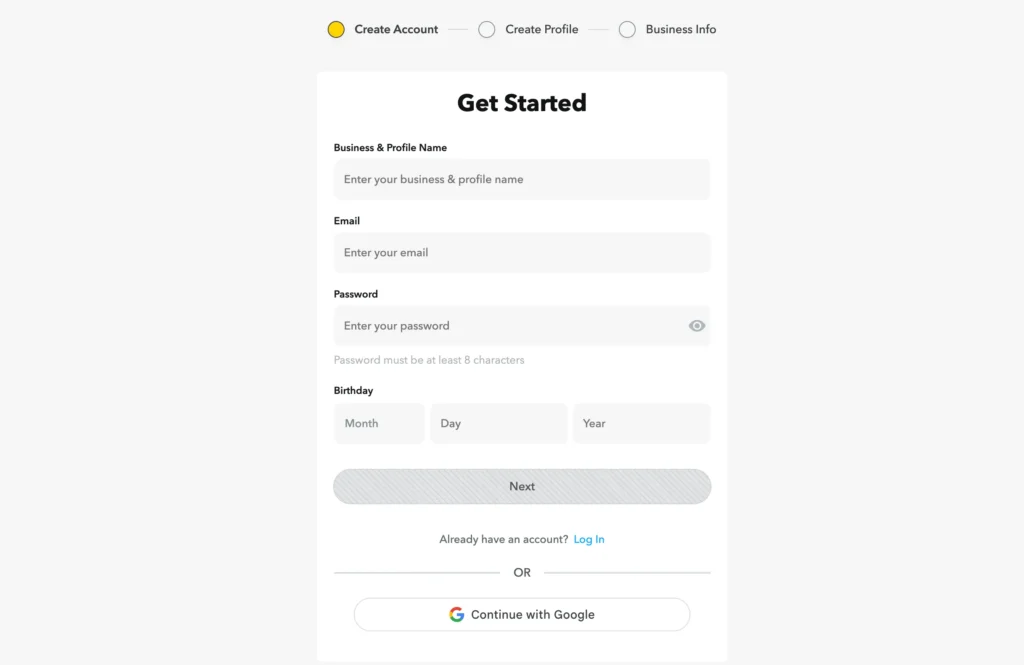
Go to the partner’s redemption link, or use accounts.snapchat.com/plus/promo-redeem directly.
Sign into your account, or create one.
Enter the code and tap Continue.
If valid, you’ll choose a plan and start the trial period.
A few billing details to keep in mind:
A card is required at signup, trial or not.
Skip cancelling before the trial ends, and it becomes a paid subscription automatically.
EU and UK subscribers can cancel a promotional plan within 14 days for immediate removal; past that window, it simply won’t renew.
US subscribers who cancel right after redeeming avoid being charged once the promo term wraps up.
If a code fails, start with the basics: right account, code not expired, code not already used. Beyond that, the partner who issued it is better positioned to fix it than Snapchat support.
Free trials aren’t a guaranteed feature on every signup. Region and subscription history both affect whether one’s offered. When available, it still requires payment details up front and converts to paid automatically without a cancellation.
Refund Process
Snapchat doesn’t handle refunds directly for Snapchat+. Payments run through the Apple App Store or Google Play, so refunds go through whichever store you used. The exception is the EU/UK 14-day rule on promotional plans, which removes the subscription outright if you cancel in time.
Where to Get Help
Snapchat’s help center covers Snapchat+ billing questions, not a dedicated support line. A support bot is available if a code won’t apply after checking the obvious causes. Partner-specific code issues are usually resolved faster by contacting the partner directly.
What’s Good, What’s Not
The upside:
Annual billing brings the cost down by nearly 50%
Family Plan is cheaper than multiple individual subscriptions
The base app remains free no matter what
Lens+ and Platinum let you pay only for the specific perks you want
The downside:
No legitimate sitewide coupon codes exist
Trial access varies and isn’t promised
Refunds require going through an app store, not Snapchat itself
Auto-renewal after a trial is easy to forget about
Choose annual billing upfront if you’re confident you’ll stick with it.
Look out for partner promo codes tied to brand collaborations.
Use the Family Plan if more than one person in your household wants Snapchat+.
Only add Lens+ or Platinum if their specific features matter to you.
Set a reminder ahead of any trial’s end date.
Redeem codes only through Snapchat’s official portal if a partner link seems questionable.
Confirm regional pricing if you use different app stores across devices.
Watch for reactivation offers if you’ve previously cancelled and are resubscribing.
Final Take
There’s no Snapchat coupon code to track down, sitewide or otherwise. The real savings sit in billing annually rather than monthly, which brings the price down by close to half with zero code required. For households with multiple users, the Family Plan does the same job more efficiently. Lens+ and Platinum are only worth adding if their specific perks are what you’re actually after.
FAQs
There's no universal sitewide discount code for Snapchat+. Valid codes only come from specific partner promotions, so always verify the source before trying one.
The annual subscription is the best value, costing $26.99 per year, which works out to about $2.25 a month.
No, Snapchat requires a card on file for every trial, even if you won't be charged until the trial period ends.
Refunds must be requested through the app store (Apple or Google) that processed your payment, since Snapchat itself doesn't handle refunds directly.
Platinum includes all standard Snapchat+ perks plus a reduced-ad experience, though it costs nearly three times as much as the base plan.
Sonia Allan
Hey, I’m Sonia Allen- a freelance content writer and senior SEO analyst at Digiexe, where I geek out over content and data-driven SEO. With seven years of digital marketing and affiliate marketing experience, I love sharing tips on everything from eCommerce to social media. You’ll catch my work on sites like Saasultra.com, and Digiexe.com and SchemaNinja, where I break down big ideas into practical advice. When I’m not writing or tweaking SEO strategies, I’m probably sipping coffee and dreaming up my next project!