

AWeber is a solid email marketing platform, especially for small to medium-sized businesses. The customer support is responsive, and its integration options with other tools are broad. However, its pricing can be on the higher side for smaller lists.
- Excellent customer support and resources.
- Wide range of integrations with third-party tools.
- High deliverability rate for emails.
- User-friendly interface with easy-to-use drag-and-drop editor.
- Pricing can be high for smaller lists.
Price: $15/Month
Aweber is one of the oldest and most trusted names in email marketing, offering an easy-to-use platform that helps businesses connect with their audience.
Whether you’re a small business owner, a blogger, or a marketer, AWeber’s extensive set of tools can help you create, manage, and automate your email campaigns with ease.
In this comprehensive review, we’ll jump into the features, pricing, pros, cons, and much more, giving you a complete picture of what AWeber has to offer.
What is AWeber
AWeber is an email marketing and automation platform designed to help small businesses, entrepreneurs, and content creators engage with their audiences.
Founded in 1998, it is one of the pioneering services in the email marketing industry. The platform provides a comprehensive suite of tools for creating and managing mailing lists, designing newsletters, and automating email campaigns.
Users can build and customize emails with a drag-and-drop editor, access a large library of templates, and even use an AI-powered designer to create branded emails by simply inputting their website URL. A key feature of AWeber is its autoresponder functionality, which allows for the creation of automated email sequences to welcome new subscribers and nurture leads over time.
Beyond standard email campaigns, AWeber offers a variety of features to support broader marketing efforts. This includes a landing page builder for creating professional-looking pages to capture leads, as well as the ability to design and embed sign-up forms on websites and social media.
The platform also enables users to segment their subscriber lists based on user behavior and preferences, allowing for more targeted and personalized messaging. To measure the success of campaigns, AWeber provides detailed analytics and reporting on key metrics such as open rates and click-through rates.
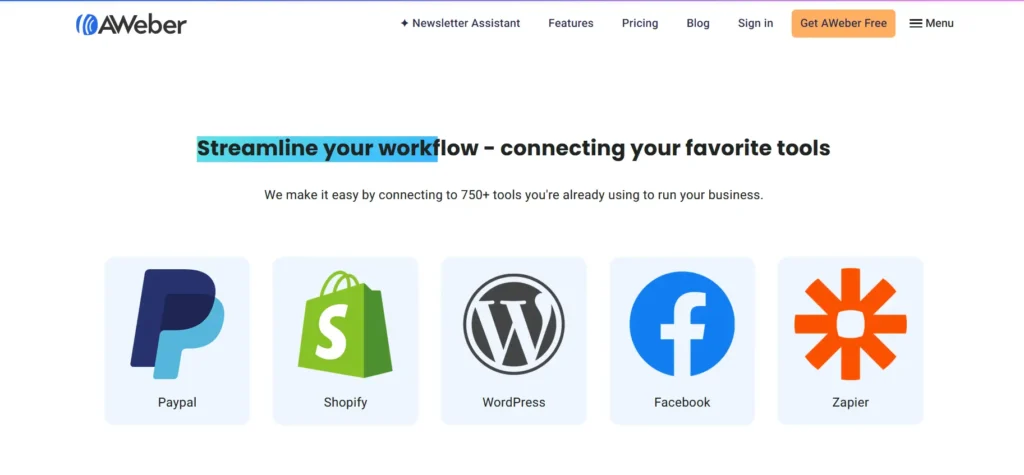
Furthermore, it integrates with a wide range of third-party applications and services, including popular e-commerce platforms like Shopify and payment processors like PayPal, to streamline marketing workflows. The platform is known for its strong customer support, offering 24/7 assistance via live chat and email.
Aweber is perfect for:
- Small business owners looking to automate their marketing efforts.
- Bloggers who want to engage with their readers and build relationships.
- E-commerce stores needing powerful automation to nurture leads and increase conversions.
- Entrepreneurs and startups that need an affordable yet scalable email marketing solution.
Aweber is designed to make email marketing as simple as possible, regardless of your technical expertise, which is why it’s popular among both beginners and seasoned marketers.
Pricing Plans of Aweber
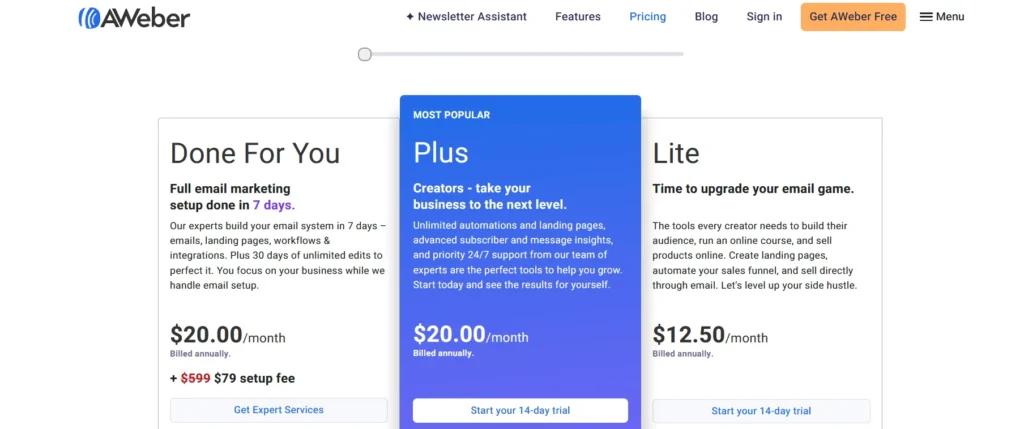
| Plan | Price | Subscribers | Email Sends | Key Features | Ideal For |
|---|---|---|---|---|---|
| Free | $0/month | Up to 500 | Up to 3,000/month | 1 list profile, 1 campaign automation, landing page builder, sign-up forms, AI Writing Assistant | Beginners starting with email marketing |
| Lite | Starts at $12.49/month | Up to 500 | 10× subscriber count/month | 1 list profile, 3 landing pages, 3 email automations, 24/7 support, remove branding | Creators automating sales funnels |
| Plus | Starts at $19.99/month | Up to 500 | 12× subscriber count/month | Unlimited email lists, landing pages, custom segments, unlimited users, priority 24/7 support | Growing businesses and experienced marketers |
| Done For You | $20/month + $79 setup fee | Custom setup | Unlimited | Expert email setup, landing pages, newsletter drafts, technical integrations, personal training | Businesses preferring hands-off assistance |
| Unlimited | $899/month | Unlimited | 15× subscriber count/month | Full access to all AWeber features without limitations | Large enterprises or high-volume senders |
My Personal Experience Using Aweber
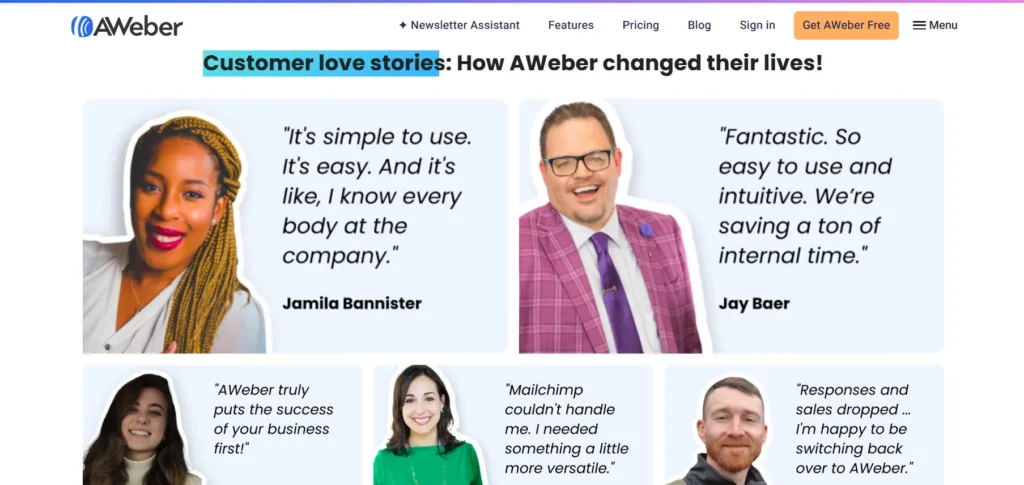
When I first started my online business, the world of email marketing felt incredibly intimidating. I chose AWeber primarily because I heard it was beginner-friendly, and that turned out to be my exact experience.
From the moment I signed up, the platform felt welcoming. The dashboard was clean, and a simple checklist guided me through setting up my first mailing list and creating a sign-up form for my website.
What truly won me over was the AI-powered “Smart Designer.” I just typed in my website’s URL, and within seconds, it generated a set of email templates that perfectly matched my branding.
It was like magic and saved me hours of design work. Setting up my first automated welcome series was a breeze; I could easily create a sequence of emails to greet new subscribers without getting lost in complicated workflows. There was one evening I got stuck trying to connect it to my payment processor, and I hopped on their 24/7 live chat expecting a long wait.
To my surprise, a real person responded almost instantly and patiently walked me through the entire process. While I’ve heard some advanced marketers say its automation could be more complex, for my needs, building a loyal audience and sending out weekly newsletters and promotions, it has been a reliable and stress-free partner.
The only downside I’ve encountered is that some of the advanced reporting tools can be a bit complex, but this has become less of an issue as I’ve gained more experience with the platform.
Overall, AWeber is a reliable, affordable, and easy-to-use solution for anyone looking to dive into email marketing. For me, AWeber wasn’t just a tool; it was the perfect co-pilot for getting my email marketing off the ground with confidence.
Core Features of Aweber
1. Email Automation
Aweber’s email automation is one of its standout features. With this tool, you can automate emails based on subscriber actions, making it easy to nurture leads, send follow-ups, and engage your audience without manual effort.
- Automated Email Sequences: Aweber allows you to set up automated email sequences (also known as drip campaigns). For example, when someone subscribes to your list, they can automatically receive a series of welcome emails that introduce them to your brand and products.
- Behavior-Based Triggers: You can trigger specific emails based on actions like opening an email, clicking a link, or making a purchase. This enables you to send highly relevant content to subscribers at the right time.
- Personalization: Automation allows you to send personalized messages to each subscriber based on their interactions, helping to build stronger relationships and increase engagement.
Benefits:
- Saves time by automating follow-up emails.
- Provides a personalized experience for subscribers.
- Increases engagement and conversions by sending timely and relevant content.
2. Email Templates and Editor
Aweber’s drag-and-drop email editor is incredibly user-friendly, allowing even beginners to design professional-looking emails without needing any coding skills. It comes with a wide range of pre-designed email templates, which can be fully customized to match your brand’s look and feel.
- Responsive Design: All templates are responsive, meaning they automatically adjust to display correctly on both desktop and mobile devices.
- Template Library: There is a variety of templates for different types of emails, including newsletters, promotional emails, and transactional emails. This ensures that you can create a variety of content easily.
- Customizable Elements: You can customize each template with images, links, buttons, and text, allowing you to create unique emails that reflect your brand’s identity.
Benefits:
- No design skills needed to create professional emails.
- Fully responsive templates that work on any device.
- Fast email creation with customizable designs and content.
3. Landing Pages and Forms
Aweber provides powerful tools to help you build landing pages and opt-in forms to grow your email list. These features allow you to capture leads, run campaigns, and generate sign-ups for your newsletters or promotions.
- Landing Page Builder: The landing page builder is easy to use, offering a drag-and-drop interface that lets you design high-converting pages in minutes. You can choose from several pre-built templates and customize them to your needs.
- Opt-in Forms: Aweber allows you to create popup forms, embedded forms, and floating bars that can be placed on your website to capture visitors’ email addresses. You can customize these forms with branding, colors, and fields to collect the data you need.
- Templates: Whether you’re running a lead magnet campaign or a special promotion, Aweber offers a variety of pre-designed landing page templates that are optimized for conversion.
Benefits:
- Easily create high-converting landing pages and opt-in forms.
- Integrate forms into your website or use pop-ups to capture leads.
- Templates are optimized to increase conversions and lead generation.
4. Segmentation and Tagging
Segmentation and tagging are crucial features for sending targeted and relevant content to your audience. Aweber allows you to segment your subscribers into specific groups based on various criteria like demographics, behavior, or engagement.
- Tagging: You can tag subscribers based on their interactions with your emails or website. For example, you could tag people who clicked on a particular link or those who made a purchase, enabling you to send them specific follow-up emails.
- Segmentation: Once you have tagged your subscribers, you can create segments for targeted email campaigns. This allows you to send emails to specific groups rather than your entire list, ensuring higher relevance and engagement.
Benefits:
- Increase engagement by sending targeted and relevant content.
- Improve conversions by focusing on specific audience segments.
- Personalize email communication based on user behavior or interests.
5. A/B Testing (Split Testing)
Aweber offers a built-in A/B testing feature, allowing you to test different aspects of your email campaigns to see what works best with your audience.
- Test Subject Lines: You can test different subject lines to see which one gets a better open rate, ensuring your emails are compelling and enticing to open.
- Test Email Content: You can also test different elements in the body of your email, such as copy, images, or calls-to-action (CTAs), to see what resonates most with your audience.
- Test Timing: Aweber also lets you test different sending times to see when your audience is most likely to engage with your emails.
Benefits:
- Optimize your email campaigns for higher open rates and engagement.
- Use data to make informed decisions and improve future campaigns.
- Save time by automatically splitting your audience for testing.
6. Analytics and Reporting
Aweber provides detailed analytics and reporting tools to help you track the performance of your email campaigns and understand how your subscribers are interacting with your content.
- Email Performance: You can monitor key metrics like open rates, click-through rates, bounce rates, and unsubscribe rates to evaluate the effectiveness of your campaigns.
- Subscriber Growth: Aweber’s analytics show how your email list is growing over time, giving you a clear view of the success of your lead generation efforts.
- Conversion Tracking: Aweber also allows you to track conversions from your email campaigns, such as purchases or form submissions, to measure the ROI of your email marketing.
Benefits:
- Get actionable insights into how well your campaigns are performing.
- Monitor engagement and subscriber behavior.
- Track conversions and refine your email marketing strategy.
7. Third-Party Integrations
Aweber integrates with a wide variety of third-party tools and platforms, making it easy to connect your email marketing efforts with other aspects of your business.
- CRM Integrations: Aweber integrates with popular CRM tools like Salesforce and HubSpot, enabling you to sync your subscriber data and automate workflows.
- E-commerce Integrations: Aweber also integrates with e-commerce platforms like Shopify, WooCommerce, and BigCommerce, allowing you to send automated emails such as order confirmations, product recommendations, and abandoned cart reminders.
- Social Media and Other Tools: Aweber integrates with Zapier, WordPress, and various social media platforms, enabling you to automate tasks and streamline your marketing efforts.
Benefits:
- Seamlessly connect Aweber with your CRM, e-commerce store, or other tools.
- Automate tasks across multiple platforms to save time and improve efficiency.
- Build a cohesive marketing ecosystem across your business.
8. Customer Support
Aweber offers excellent customer support, which is available 24/7 via live chat and email. They also provide an extensive knowledge base, which includes tutorials, articles, and video guides to help users with any issues they encounter.
- Live Chat: The live chat feature is responsive, providing quick answers to questions or issues.
- Phone Support: Aweber also offers phone support for more urgent inquiries.
- Comprehensive Help Center: Their knowledge base is well-organized and covers everything from setting up campaigns to troubleshooting common issues.
Benefits:
- Access customer support whenever you need it.
- Get help quickly via live chat or phone.
- Self-service options with a comprehensive knowledge base.
Pros and Cons of Aweber
Pros
- User-Friendly Interface: Easy to navigate and set up, even for beginners.
- Powerful Automation: Automate email sequences and trigger emails based on subscriber actions.
- A/B Testing: Allows you to test email elements like subject lines and content for better performance.
- Wide Range of Templates: Offers customizable, mobile-responsive email templates.
- Advanced Segmentation: Tagging and segmentation allow for highly targeted email campaigns.
- Detailed Analytics: Provides insights into email performance, open rates, click-through rates, and more.
Cons
- Pricing: Can be expensive, especially as your email list grows.
- Limited Template Customization: While templates are easy to use, customization options may be restrictive for advanced users.
Performance & Usability of AWeber

AWeber is widely recognized for its exceptional usability, making it a strong choice for beginners and small businesses who prioritize simplicity and efficiency.
The platform’s performance is generally considered reliable, with a solid reputation for getting emails delivered to subscribers’ inboxes.
In terms of day-to-day use, AWeber consistently earns praise for its clean, intuitive interface and a straightforward drag-and-drop editor that makes creating emails and landing pages a simple process.
This ease of use allows even those without technical skills to build professional-looking campaigns quickly. On the other hand, some users feel that the design templates can appear somewhat dated and that the landing page builder, while functional, lacks advanced customization options found in other tools.
Overall, while its deliverability performance is a topic of ongoing comparison within the industry, AWeber stands out as a dependable and remarkably user-friendly option for anyone looking to manage their email marketing without a steep learning curve.
Customer Support Offered by Aweber
AWeber is widely recognized for its exceptional usability, making it a strong choice for beginners and small businesses who prioritize simplicity and efficiency.
The platform’s performance is generally considered reliable, with a solid reputation for getting emails delivered to subscribers’ inboxes. In terms of day-to-day use, AWeber consistently earns praise for its clean, intuitive interface and a straightforward drag-and-drop editor that makes creating emails and landing pages a simple process.
This ease of use allows even those without technical skills to build professional-looking campaigns quickly. On the other hand, some users feel that the design templates can appear somewhat dated and that the landing page builder, while functional, lacks advanced customization options found in other tools.
Overall, while its deliverability performance is a topic of ongoing comparison within the industry, AWeber stands out as a dependable and remarkably user-friendly option for anyone looking to manage their email marketing without a steep learning curve.
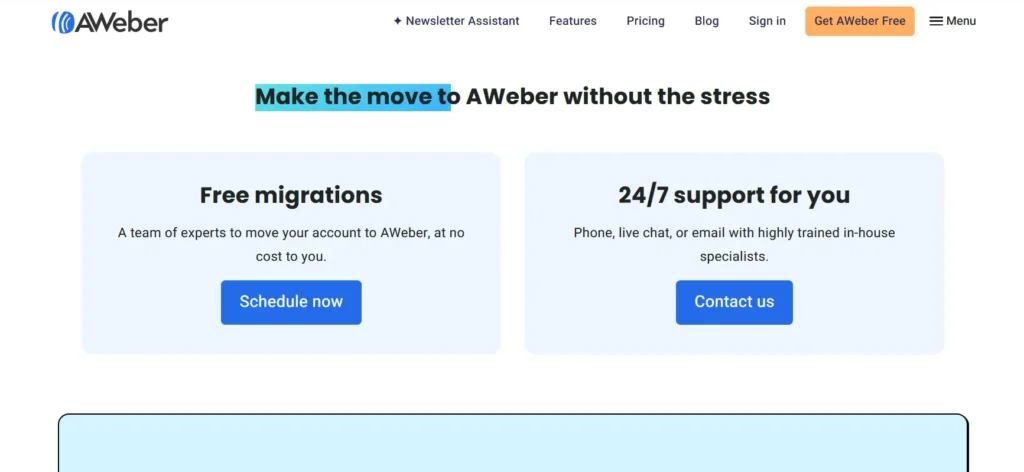
Aweber provides excellent customer support through various channels. These include:
- Live Chat: Available during business hours.
- Email Support: Available 24/7.
- Phone Support: Available for Pro users.
- Help Center: A comprehensive knowledge base filled with guides, articles, and tutorials.
In my experience, Aweber’s customer support is responsive and helpful. I’ve always been able to get my questions answered quickly, and they’ve been able to resolve issues efficiently.
Summary Table for Aweber Based on Customer Ratings
| Feature | Rating (Out of 5) |
|---|---|
| Good Value for Money | 4.5 |
| Features | 5 |
| Return Policy | 4 |
| Shipping & Delivery | N/A |
| Customer Service | 5 |
| Price & Quality | 4.5 |
| Ease of Use | 5 |
How Aweber Works
Aweber works by offering a comprehensive set of tools that allow businesses and marketers to create, manage, and automate their email marketing campaigns.
After signing up, you begin by importing or collecting subscribers through customizable opt-in forms and landing pages. Once you have your list, you can design professional-looking emails using AWeber’s drag-and-drop editor or pre-designed templates.
Automation is a key feature, allowing you to set up email sequences that are triggered based on subscriber actions, such as signing up or clicking on a link, ensuring that your audience receives timely, relevant content without manual effort.
AWeber also helps with list segmentation and tagging, allowing you to send targeted emails to specific groups based on behavior or demographics, leading to more personalized and effective communication.
The platform tracks your campaign’s performance through detailed analytics, providing insights into open rates, click-through rates, and conversions, enabling you to optimize your strategies.
Additionally, AWeber integrates with various third-party tools like Shopify, WordPress, and Zapier, enhancing its functionality and making it easy to sync with other platforms you use. Overall, AWeber streamlines the email marketing process, helping businesses engage their audience, automate tasks, and drive conversions from a single, user-friendly platform.
Aweber helps businesses automate their email marketing by offering an easy-to-use platform for creating and sending professional emails. Here’s how it works:
- Build Your Email List: Create sign-up forms and landing pages to collect emails from your audience.
- Create Your Emails: Use Aweber’s drag-and-drop editor to design visually appealing emails or choose from a range of templates.
- Automate Your Campaigns: Set up automation workflows to send follow-up emails, newsletters, and more based on subscriber actions.
- Analyze Performance: Track open rates, click-through rates, and conversions using Aweber’s detailed reporting tools to improve your campaigns.
FAQs About Awebera
Is AWeber easy to use?
Yes! AWeber is designed to be user-friendly for both beginners and experienced marketers.
Can I use AWeber for free?
Yes, AWeber offers a free plan for up to 500 subscribers.
Does AWeber offer A/B testing?
Yes, but A/B testing is only available with the Pro Plan.
Can I integrate AWeber with other tools?
Yes, AWeber integrates with many tools, including eCommerce platforms, CRM systems, and more.
What customer support options does AWeber offer?
AWeber offers email support for free users, and phone/live chat support for Pro Plan users.
Quick Links:
- Content Studio Black Friday Deals
- OpenVPN Black Friday Deals
- SEO Powersuite Black Friday Sale
- WordAi Black Friday
Final Thoughts for AWeber
Aweber is a reliable and well-established email marketing platform that offers a comprehensive suite of tools to help businesses and marketers grow their audience, automate email campaigns, and drive engagement.
Whether you’re a small business owner or a more experienced marketer, Aweber provides an intuitive user interface combined with powerful features like automation, segmentation, and detailed analytics that make it easy to connect with your subscribers in a meaningful way.
In conclusion, Aweber is an excellent choice for beginners and small-to-medium-sized businesses looking for a simple yet powerful email marketing solution. Its ease of use, strong feature set, and reliable customer support make it a solid option to help you grow and manage your email marketing campaigns.
If you value a no-fuss, intuitive platform that can handle the complexities of email marketing without overwhelming you, Aweber is definitely worth considering.
