
Features |
| – Users can deploy applications like WordPress and WooCommerce with a single click |
Pros | ✅Offers a wide range of one-click applications | ✅Great for businesses that need scalability |
Cons | ❌ DigitalOcean primarily focuses on Linux-based virtual machines | ❌ Cloudways can be more expensive |
Ease of Use | – More complex, with a steeper learning curve. |

Choosing the right web hosting service can be a bit overwhelming, especially when comparing options like DigitalOcean and Cloudways. Let me share my experience to help you make an informed decision.
When I first started building websites, I wanted something that was both easy to use and powerful. DigitalOcean stood out because of its simple interface and affordability.
It felt like a great choice for tech-savvy users who like to have more control over their hosting environment.
On the other hand, Cloudways caught my attention because it offered managed hosting. This means they handle most of the technical aspects for you. It’s perfect for people who prefer to focus on their website rather than the server.
Ultimately, it comes down to your personal preference and technical comfort.
Digital Ocean VS CloudWays Overview
Digital Ocean Overview
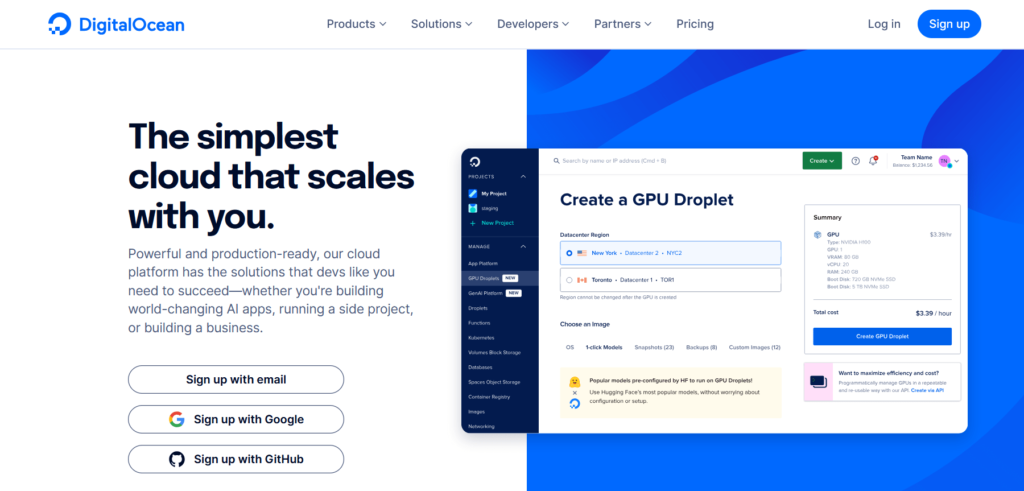
Since its founding in 2011, DigitalOcean has expanded rapidly, becoming one of the most well-liked cloud platforms for developers globally.
It offers a simplified process for starting databases, storage, networking, virtual machines (also known as “Droplets”), and more. It is notable for its straightforward pricing, easy-to-use interface, and simplicity.
Cloud infrastructure provider DigitalOcean is primarily focused on making cloud services easier for developers, startups, and small to medium-sized enterprises.
It offers a range of affordable, user-friendly cloud computing options tailored for developers seeking to quickly launch apps without the complexities of larger cloud providers like AWS, Google Cloud, or Microsoft Azure.
DigitalOcean is a versatile and cost-effective cloud platform that excels at simplicity and ease of use, making it an excellent choice for developers, small businesses, and startups.
It provides a streamlined and intuitive experience, featuring virtual machines (Droplets), managed databases, object storage, Kubernetes, and more.
CloudWays Overview

Are you looking for a WordPress hosting platform? For your WordPress site. Then, Cloudways might be exactly what you’re interested in.
Cloudways, a managed cloud hosting platform, was created to simplify server administration and enhance PHP-based applications, such as Laravel, WordPress, and Magento.
Cloudways, a New York-based company founded in 2012, is a division of DigitalOcean, which it purchased for $350 million in 2022.
Cloudways offers a robust managed cloud hosting solution that strikes a balance between performance, scalability, and ease of use. Its flexible pricing and comprehensive features make it a compelling choice for businesses and developers looking to streamline their hosting experience.
For developers, digital firms, and companies seeking a high-performance, flexible managed cloud hosting solution, Cloudways is an excellent option.
For entrepreneurs wishing to scale their apps without the hassles of traditional hosting, its pay-as-you-go pricing, extensive feature set, and compatibility with numerous cloud providers make it an appealing choice.
Digital Ocean VS CloudWays: Features
Most web hosting providers offer various cloud-based hosting solutions for WordPress sites, which are easy to create and offer unique features.
Cloud hosting, unlike traditional hosting, connects you to all available servers simultaneously, providing enhanced performance and efficiency. It is also highly scalable, offering a network of advanced services.
Cloudways Features
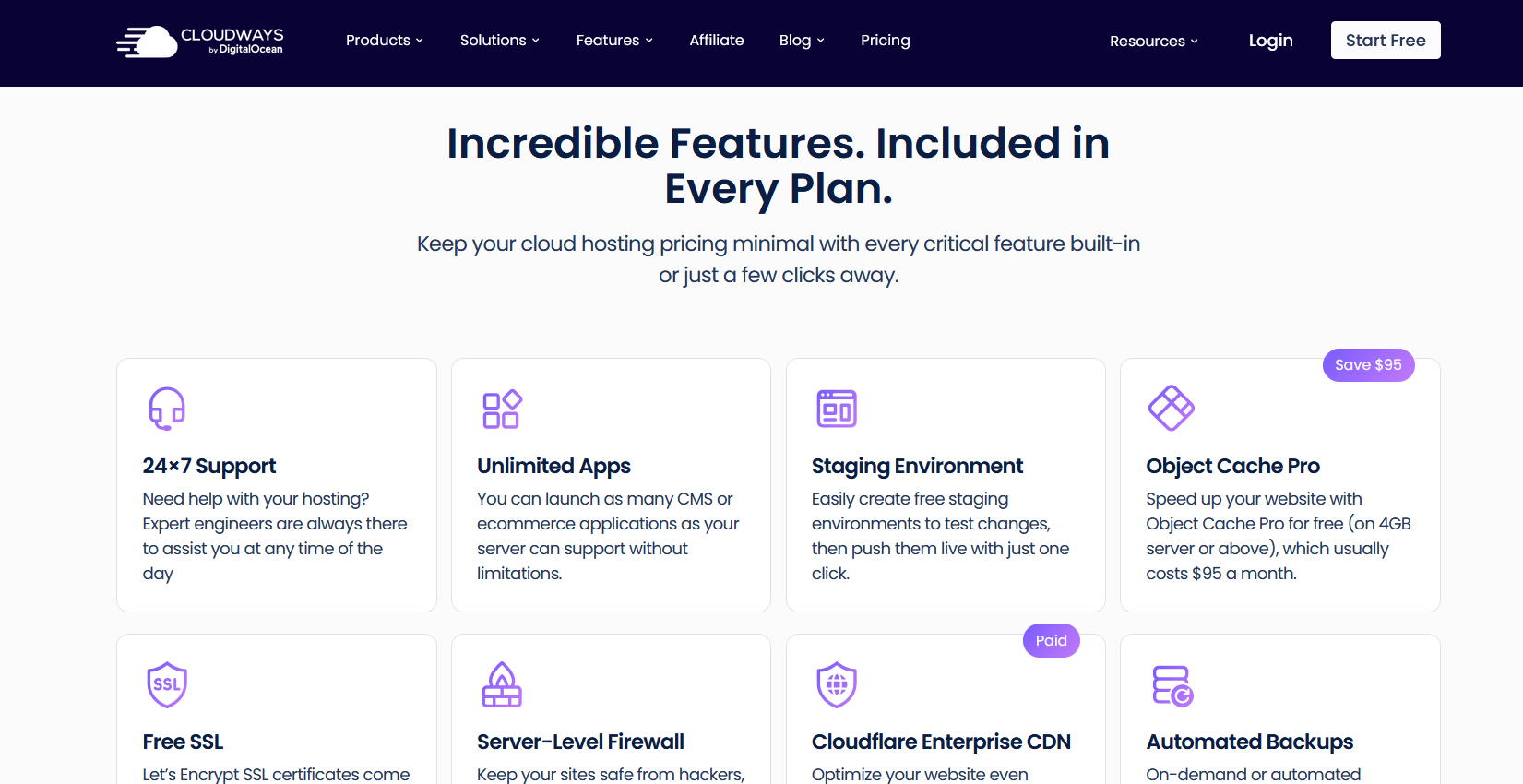
The hosting services provided by Cloudways are also easy to use and understand. A fresher can even do it. Additionally, it utilizes a variety of servers, including those from Digital Ocean, which is located in the same data center.
Multi-Cloud Hosting
Cloudways offers the flexibility to host your applications across multiple cloud providers, including DigitalOcean, AWS, Google Cloud, Linode, and Vultr. This allows you to select the optimal performance and pricing options tailored to your needs and geographical location.
Managed Cloud Hosting
Cloudways handles all server management tasks, including setup, updates, security patches, backups, and server optimization. This allows users to focus on application development while leaving the complex infrastructure management to Cloudways.
Cloudflare Integration
Cloudways provides easy integration with Cloudflare, offering advanced features such as Content Delivery Network (CDN), DDoS protection, and a Web Application Firewall (WAF). This improves both website speed and security.
Autoscaling
Cloudways offers autoscaling features that enable your resources to scale up or down automatically in response to traffic spikes. This is particularly useful for websites and applications that experience sudden increases in visitors or need to handle varying loads efficiently.
Security Features
Cloudways includes several robust security measures, including dedicated firewalls, two-factor authentication (2FA), regular security patches, SSL certificate installation, and IP whitelisting. These tools protect your application from security vulnerabilities and cyber threats.
Developer Tools
Cloudways offers a range of developer tools, including Git integration for version control, SSH access for remote server management, cron job management for task scheduling, and staging environments for testing changes before deployment. These tools help streamline development workflows.
One-Click App Installation
Cloudways enables one-click installation of popular applications, including WordPress, Magento, and WooCommerce. This simplifies the process of setting up your application on the server, eliminating the need for complex manual installation steps.
24/7 Customer Support
Cloudways provides round-the-clock customer support through live chat, ticketing, and a comprehensive knowledge base. The support team is available to assist with server management, application setup, troubleshooting, and other technical concerns.
Performance Optimization
Cloudways ensures optimal performance by providing powerful caching options, such as Varnish, Memcached, and Redis, which accelerate content delivery and reduce server load. Additionally, the custom “ThunderStack” further optimizes server configurations for faster loading times.
Digital Ocean Features
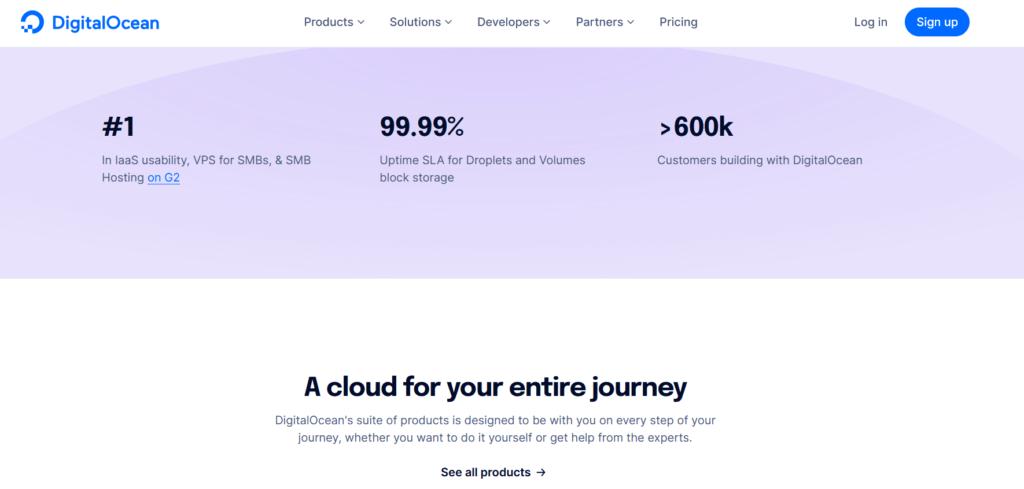
The Digital Ocean can easily surpass anyone when it comes to speed, scalability, or outright performance. However, managing the features and cloud hosting options provided by DigitalOcean is a bit challenging.
Droplets (Virtual Private Servers)
DigitalOcean’s core offering, Droplets, are scalable virtual private servers (VPS) that can be customized to meet various computing needs. They come with various CPU, memory, and storage configurations. Droplets are easy to deploy and manage, making them perfect for developers, small businesses, and startups.
Kubernetes (Managed K8s)
DigitalOcean offers a fully managed Kubernetes service for deploying and managing containerized applications. The Kubernetes service simplifies cluster management, scaling, and updates. Developers can run containerized applications with ease, leveraging Kubernetes’ capabilities to automate deployment, scaling, and operations for containerized applications.
Managed Databases
DigitalOcean provides fully managed databases for PostgreSQL, MySQL, and Redis, eliminating the need for manual setup and maintenance. These managed databases come with automated backups, scaling, high availability, and security updates, reducing operational overhead.
Block Storage
DigitalOcean offers scalable block storage that can be attached to Droplets. The storage is highly durable, fast, and scalable, making it suitable for a wide range of use cases, including application storage, backups, and data storage for websites and databases.
Floating IPs
Floating IPs are static IP addresses that can be quickly moved between Droplets to enable high availability and disaster recovery. If one Droplet fails, a Floating IP can be reassigned to a backup Droplet without downtime.
Private Networking
DigitalOcean enables users to establish private networks between Droplets within the same data center. This helps secure communication between resources and is ideal for distributed applications and multi-tier architectures.
VPC (Virtual Private Cloud)
Virtual Private Cloud (VPC) provides users with isolated networking environments within DigitalOcean’s cloud infrastructure. VPC allows for the creation of custom subnets, firewalls, and routing rules to enhance security and traffic management within a cloud environment.
Firewalls
DigitalOcean’s firewall feature allows users to secure their infrastructure by controlling traffic to their Droplets. You can configure firewall rules based on IP addresses, ports, and protocols. Firewalls can be applied to individual Droplets or all resources within a project.
Monitoring and Alerts
DigitalOcean provides monitoring and alerting features that track the performance of your Droplets, databases, and other cloud resources. Users can monitor metrics such as CPU, memory, disk I/O, and network traffic, and set up custom alerts to receive notifications when thresholds are exceeded.
Snapshots
Snapshots allow users to capture a point-in-time copy of their Droplets or volumes, which can be restored later. Snapshots are useful for creating backups, cloning systems, or reverting to a known working state.
One-Click Apps
The DigitalOcean Marketplace features a variety of one-click applications and software stacks that can be deployed instantly. These include popular applications such as WordPress, Docker, and Kubernetes, which save developers time and effort.
Automatic Backups
DigitalOcean offers automated backup solutions for Droplets and volumes, which are scheduled on a regular basis. These backups can be restored at any time, ensuring that data is safe in the event of hardware failure or human error.
Digital Ocean vs. CloudWays: Pricing
Cloudways Pricing


| Cloud Provider | Server Type | RAM | vCPU | Storage | Bandwidth | Monthly Price | Hourly Price |
|---|---|---|---|---|---|---|---|
| DigitalOcean | Standard | 1 GB | 1 | 25 GB SSD | 1 TB | $11 | $0.015 |
| 2 GB | 1 | 50 GB SSD | 2 TB | $24 | $0.033 | ||
| 4 GB | 2 | 80 GB SSD | 4 TB | $46 | $0.064 | ||
| 8 GB | 4 | 160 GB SSD | 5 TB | $88 | $0.122 | ||
| 16 GB | 6 | 320 GB SSD | 6 TB | $149 | $0.206 | ||
| 32 GB | 8 | 640 GB SSD | 7 TB | $240 | $0.333 | ||
| AWS | Standard | 2 GB | 1 | 50 GB SSD | 2 TB | $38.56 | $0.053 |
| 4 GB | 2 | 80 GB SSD | 4 TB | $91.84 | $0.127 | ||
| 8 GB | 4 | 160 GB SSD | 5 TB | $164.50 | $0.229 | ||
| 16 GB | 6 | 320 GB SSD | 6 TB | $262.75 | $0.364 | ||
| Linode | Standard | 1 GB | 1 | 25 GB SSD | 1 TB | $14 | $0.019 |
| 2 GB | 1 | 50 GB SSD | 2 TB | $28 | $0.039 | ||
| 4 GB | 2 | 80 GB SSD | 4 TB | $59 | $0.082 | ||
| 8 GB | 4 | 160 GB SSD | 5 TB | $105 | $0.146 | ||
| Vultr | Standard | 1 GB | 1 | 25 GB SSD | 1 TB | $14 | $0.019 |
| 2 GB | 1 | 50 GB SSD | 2 TB | $28 | $0.039 | ||
| 4 GB | 2 | 80 GB SSD | 4 TB | $54 | $0.075 | ||
| 8 GB | 4 | 160 GB SSD | 5 TB | $99 | $0.137 |
Digital Ocean Pricing
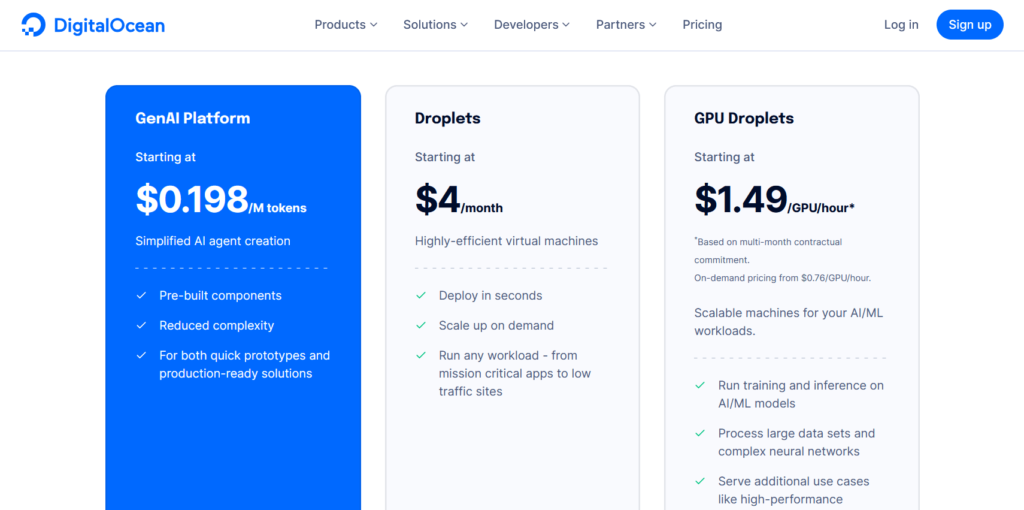
Droplets (Virtual Machines)
| Plan Type | vCPUs | RAM | SSD Storage | Transfer | Price (Monthly) |
|---|---|---|---|---|---|
| Basic Droplets | 1–32 | 512MB–192GB | 25GB–3840GB | 1–12TB | $4–$960 |
| CPU-Optimized | 2–32 | 2GB–256GB | 50GB–3840GB | 2–12TB | $12–$960 |
| General Purpose | 2–32 | 2GB–256GB | 50GB–3840GB | 2–12TB | $12–$960 |
| Memory-Optimized | 2–32 | 16GB–256GB | 50GB–3840GB | 2–12TB | $24–$960 |
| Storage-Optimized | 2–32 | 16GB–256GB | 50GB–3840GB | 2–12TB | $24–$960 |
App Platform (PaaS)
| Component | vCPU | RAM | Transfer | Price (Monthly) |
|---|---|---|---|---|
| Static Sites (Free Tier) | – | 1GB | 1GB | Free |
| Container Instances | 1 | 512MB | 50GB | $5–$20 |
| Development Database | – | 512MB | – | $7 |
| Dedicated IP | – | – | – | $25 |
| Additional Bandwidth | – | – | $0.02/GB | – |
Managed Databases
| Database Type | Memory | vCPUs | Storage Range | Price (Monthly) |
|---|---|---|---|---|
| MySQL | 1–16GB | 1–6 | 10GB–580GB | $15–$244 |
| PostgreSQL | 1–16GB | 1–6 | 10GB–580GB | $15–$244 |
| MongoDB | 1–64GB | 1–16 | 15GB–1.988TiB | $15–$975 |
| Redis | 1–64GB | 1–16 | 10GB–1.191TiB | $15–$960 |
| Kafka | 6–12GB | 6 | 120GB–300GB | $148.80–$296.25 |
| OpenSearch | 2–8GB | 1–4 | 40GB–750GB | $19.60–$76.25 |
Additional Services
| Service | Price (Monthly) |
|---|---|
| Spaces (Object Storage) | $5–$100 |
| Volumes (Block Storage) | $10–$100 |
| Load Balancers | $12 |
| Kubernetes Nodes | $12 |
| Functions (Serverless) | $0 |
Verdict
Even though both of them offer a wide range of pricing plans, all of these are definitely a steal. These pricing plans are remarkably affordable considering the services they provide.
However, comparing the pricing plans of both, it won’t be easy to choose one over the other. However, considering the wide variety of plans offered by Digital Ocean, it may be the winner.
Although Cloudway offers various plans with a wide range of servers to choose from, including DigitalOcean, no one can match the amount of server power one gets when going directly through DigitalOcean. This server’s power is truly incredible.
Digital Ocean vs. CloudWays: Pros and Cons
Digital Ocean Pros and Cons
Pros
- User-Friendly Interface: Easy to navigate, especially for beginners and developers.
- Affordable Pricing: Competitive and transparent pricing with pay-as-you-go billing.
- Droplets: Flexible virtual servers (Droplets) that can be quickly deployed.
- Performance: Reliable and consistent performance with SSD-based storage.
- Global Data Centers: Multiple data centers worldwide for low latency.
- API Access: Robust API for automation and integration.
Cons
- Limited Managed Services: Fewer managed services compared to larger competitors like AWS or Azure.
- No Windows Support: Only Linux-based droplets; Windows servers not supported.
- Basic Networking Features: Less advanced networking options than some competitors.
CloudWays Pros and Cons
Pros
- User-Friendly Interface: Easy-to-use and intuitive dashboard for managing servers and apps.
- High Performance: Powered by top cloud providers like DigitalOcean, AWS, and Google Cloud for fast and reliable hosting.
- Flexible Pricing: Pay-as-you-go model lets you scale resources and control costs.
- 24/7 Support: Around-the-clock live chat and ticket support with a comprehensive knowledge base.
- Strong Security: Features like bot protection, DDoS mitigation, and vulnerability scanning to keep sites safe.
- One-Click App Deployment: Quick setup for apps like WordPress, WooCommerce, Magento, and more.
Cons
- Higher Cost: Managed services add a premium compared to direct cloud providers.
- Learning Curve: Options can be overwhelming for beginners at first.
- Limited Server Access: No root access for deep server customization.
FAQs
How good or bad is Cloudways.com cloud hosting?
Cloudways offers access to affordable, unmanaged cloud servers from providers like DigitalOcean and Amazon, with a managed layer on top. It includes automated setup, a control panel for basic tasks, and technical support. However, it doesn't provide root access to the servers.
Is Digital Ocean a good option to start?
At DigitalOcean, we utilize KVM for virtualization and offer full root access. With our console, you can easily manage your virtual server. Our focus is on performance and ease of use, with SSD drives for improved performance. Creating a virtual server is quick, and our deployment time is under 55 seconds. Additionally, we bill by the hour, allowing you to test our services without incurring high fees.
How do you change the IP of a droplet on the Digital Ocean?
If your IP address is blocked or you encounter errors, you can create a new droplet and transfer your data. Consider using Cloudways to configure your DigitalOcean server as they offer additional features and complete server management. Features include easy DNS management, 1-click server management, easy application management, SSL installation, and app backup support.
Quick Links:
Find Out Which Is Best?
Conclusion: Digital Ocean VS CloudWays 2026
Cloudways and DigitalOcean are two of the top web hosting providers. They are unbeatable in their domain. And the task of selecting one from among the two of them is a really difficult one.
DigitalOcean is primarily a cloud infrastructure provider that offers a range of flexible, scalable solutions. It provides raw cloud compute (Droplets), storage, and networking options that allow developers to build, manage, and scale applications directly on the cloud.
Choose Cloudways if you want a managed cloud hosting service that handles all server management and optimizations for you. It’s a great choice for businesses and developers who want a hassle-free experience with built-in performance enhancements, particularly for PHP applications.
Both of them are extremely fast, reliable, and highly secure as well. While in some areas, Cloudways scores better, in others, DigitalOcean is the better choice.
If we study these two in detail in terms of pricing and ease of use, then there will be one winner, and this one winner is CloudWays. Thus, the winner of the battle is CloudWays itself.
