
JetHost is a solid choice for bloggers, entrepreneurs, and agencies looking for reliable hosting at affordable prices. With a variety of plans catering to different needs, it offers great value for money, especially for high-traffic sites. The performance, security features, and flexible pricing make it a strong contender in the hosting market.
- Affordable pricing
- Fast performance
- Strong security
- Easy scalability
- Generous Cookie Duration
- Limited reach in some regions
Price: $1.99
If you’ve followed my journey on BloggersIdeas.com or seen me speak at affiliate marketing events, you know I’m obsessed with one thing: performance.
In the world of affiliate marketing, every millisecond counts. A slow-loading website doesn’t just annoy visitors; it kills conversions, tanks your SEO rankings, and directly takes money out of your pocket.
For over a decade, I’ve built and managed a portfolio of high-traffic blogs and affiliate websites. And for just as long, I’ve been on a frustrating, expensive, and never-ending quest for the “perfect” web host.
I’ve been through them all—the big names everyone recommends, the budget hosts that promise the world, and the premium managed hosts that charge a fortune. The story was always the same:
- The Slowdown: Great performance for the first few months, followed by a mysterious crawl as my traffic grew.
- The Security Nightmare: I’ve had sites hacked, injected with malware, and blacklisted by Google. Waking up to a suspended account and a warning from your host is a feeling I wouldn’t wish on my worst enemy. Cleaning up that mess costs time, money, and reputation.
- The Support Black Hole: You submit a critical support ticket because your site is down during a major product launch, and you get an automated reply or a link to a knowledge base article you’ve already read three times.
- The Price Trap: You sign up for a fantastic introductory price, only to be hit with a 300% renewal fee two years later, holding your entire online business hostage.
I was fed up. I needed a hosting provider that understood the demands of a modern digital business.
I needed blazing speed, ironclad security that I didn’t have to micromanage, and expert support that actually solved problems. And honestly, I wanted it all without having to sell a kidney.
That’s when I stumbled upon JetHost. Initially, I was skeptical. Another new player in a crowded market?
But their marketing wasn’t just about speed; it was about a security-first architecture. This piqued my interest. So, I decided to run an experiment. I moved one of my smaller, but still profitable, affiliate sites to their “Business” plan.
The results were so staggering that within two months, I migrated my entire portfolio—including my flagship blogs—to JetHost.
This is not just another review. This is the story of why JetHost is now my go-to hosting provider and the only one I recommend to fellow entrepreneurs.
If you are unsure about JetHost, this detailed, no-nonsense review will provide the clarity you need.
JetHost Review 2026: Everything You Need Before Signing Up

Part 1: Speed That Converts – Deconstructing the JetHost Tech Stack
As an affiliate marketer, site speed is my currency. Faster load times mean better user experience, higher Google rankings (thanks to Core Web Vitals), and most importantly, higher conversion rates.
JetHost doesn’t just offer speed; they’ve built their entire infrastructure around it.
Here’s a simple breakdown of the technology that makes their hosting so fast:
- LiteSpeed Enterprise Web Server: Most hosts still use the old Apache server technology. JetHost uses LiteSpeed, which is like swapping a family sedan for a Formula 1 car. It’s built to handle massive amounts of traffic without breaking a sweat. The best part? It comes with the LiteSpeed Cache for WordPress (LSCWP) plugin. This server-level caching engine is vastly superior to any file-based caching plugin like WP Rocket or W3 Total Cache. It dynamically caches your content, leading to near-instant load times. When I activated it, my Time to First Byte (TTFB) dropped by over 60%.
- Cloud NVMe Storage: You’ve heard of SSD storage, which is fast. NVMe (Non-Volatile Memory Express) is the next evolution. Think of it as SSD on steroids. Data is read and written at breathtaking speeds, which means your database queries, media files, and backend operations are incredibly responsive. My WordPress admin dashboard, which used to lag on other hosts, now feels instantaneous.
- HTTP/3 and QUIC: These are the latest network protocols designed by Google to make the web faster and more secure. JetHost has this enabled by default. It reduces latency, especially for mobile users and visitors with less-than-perfect internet connections, ensuring a smooth experience for everyone, everywhere.
- Free CDN (Content Delivery Network): A CDN stores copies of your website on servers around the world. So, if a visitor from Australia accesses my India-hosted blog, the content is delivered from a server in Sydney, not all the way from Mumbai. This drastically reduces load times for my global audience, which is critical for any serious online business. JetHost includes this for free, while many others charge for it.
My Real-World Result: Before moving, one of my main blogs was struggling with Core Web Vitals.
My Largest Contentful Paint (LCP) was over 3 seconds. After migrating to JetHost and enabling their stack (LiteSpeed Cache + CDN), my LCP is now consistently under 1.5 seconds.
My Google Search Console went from showing “Needs Improvement” URLs to all “Good” URLs. This is a tangible SEO boost you simply cannot ignore.

Part 3: The Plans & Pricing – Unbeatable Value Without the Traps
This is where JetHost truly disrupts the market. They offer premium features at entry-level prices. I’ve analyzed their plans to help you choose the right one.
| Plan | Intro Price | Websites | Storage | Monthly Visits |
|---|---|---|---|---|
| Mini | From $1.99/mo | 1 Website | 10 GB NVMe | ~15,000 |
| Start | From $2.99/mo | 25 Websites | 25 GB NVMe | ~30,000 |
| Maverick | From $5.99/mo | 75 Websites | 75 GB NVMe | ~90,000 |
| Business | From $10.99/mo | 150 Websites | 200 GB NVMe | ~200,000 |
Who Each Plan is For?
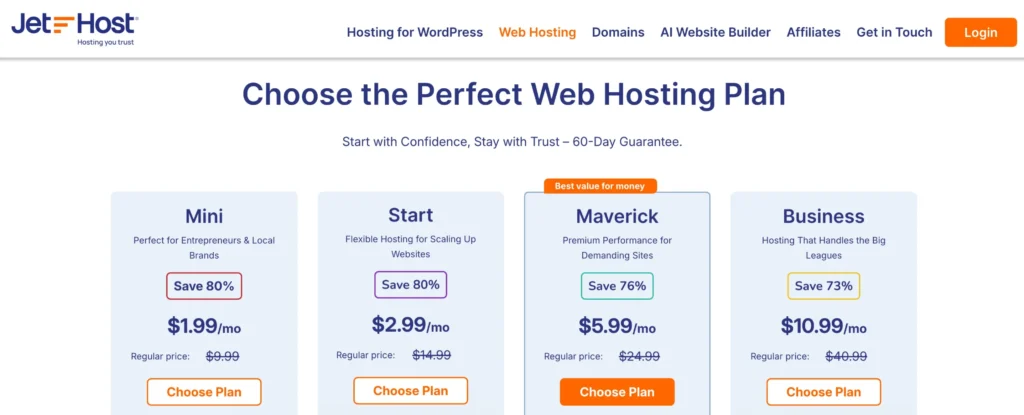
- Mini – The New Blogger: Best for starting your first blog or personal website. Includes all essential speed and security features.
- Start – The Growing Entrepreneur: Great for managing multiple small sites or a blog that’s starting to attract steady traffic.
- Maverick – The Affiliate Marketer/Agency: The sweet spot with enough resources for high-traffic blogs and client sites. (This is the plan I started with.)
- Business – The Power User/Large Business: Ideal for those running a large portfolio of demanding sites or established e-commerce stores with heavy traffic.
Key Takeaways on Pricing:
- Incredible Introductory Offer: The discounts (up to 80% off) for the first term are massive. Locking in a 2 or 3-year plan offers insane value.
- Transparent Renewals: Yes, like all hosts, the price goes up upon renewal. However, even their renewal prices are competitive for the level of technology (LiteSpeed, NVMe, Imunify360) you are getting.
- 60-Day Money-Back Guarantee: This is double the industry standard of 30 days. It shows immense confidence in their product and gives you plenty of time to test everything thoroughly.
Part 5. Real, Human Support – 24/7
This is my favorite part.
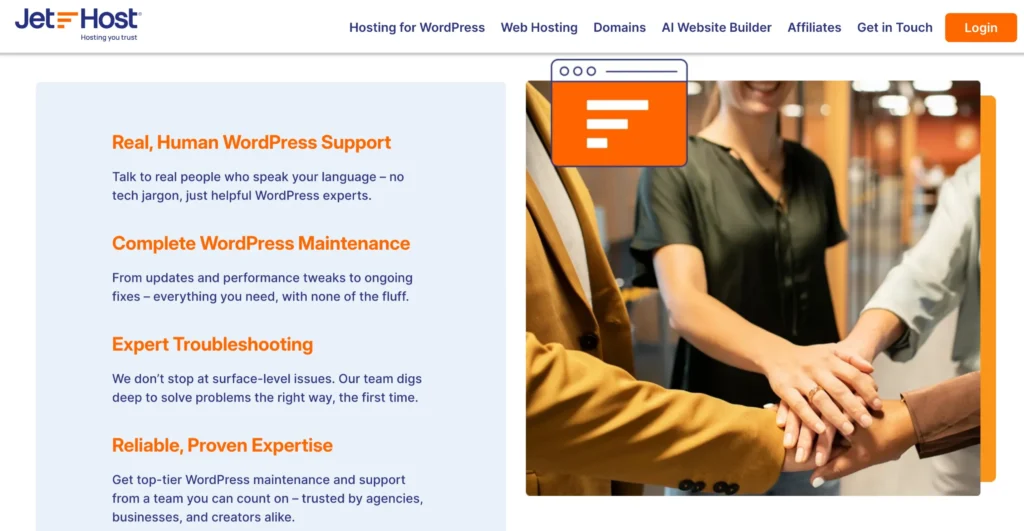
JetHost support does have the “AI bot” giving canned answers, but their chat executives join the support chat really quickly. I chat with real, WordPress-trained engineers who actually understand issues like:
- Plugin conflicts
- Malware injections
- Speed optimizations
- Email deliverability
- DNS errors
They’re available via chat or email, 24/7—no waiting for hours. No escalations. Just real help—fast.
✅ They helped me fix a malware alert at 2:30 AM, within 15 minutes. That alone was worth it.
FAQs
1. Is JetHost truly beginner-friendly?
Yes. Their dashboard is clean, and they offer 1-click WordPress installation. The support team is also very helpful for beginners who might need help with setup, SSL, or basic troubleshooting. The free migration service also makes it completely hassle-free to get started.
2. How does JetHost compare to popular hosts like Hostinger or SiteGround?
Hostinger is great for budget hosting, but JetHost offers a superior security stack (Imunify360) and a faster server (LiteSpeed on all plans). SiteGround is a fantastic premium host, but JetHost provides a very similar level of performance and security at a significantly lower price point, making it a better value proposition.
3. Is the cheap $1.99/mo price a gimmick? What’s the catch?
It’s a genuine introductory offer for your first billing term (1-3 years). The “catch” is that the price increases upon renewal, which is standard practice across the entire industry. The key is that even the renewal price is fair for the premium features you receive. There are no hidden fees.
4. Can JetHost handle a high-traffic website or a WooCommerce store?
Absolutely. The Maverick and Business plans are specifically designed for this. The LiteSpeed server, NVMe storage, and isolated resources are built to handle traffic spikes and the demanding database queries of an e-commerce store. My sites receive hundreds of thousands of visitors a month, and they run flawlessly.
5. How good is their free website migration service really?
It’s excellent. I was worried about migrating my complex sites, but their team handled everything professionally. They request your old hosting login, and their experts perform a full backup, transferring all files and databases. They then ensure everything is working on their servers before you even have to point your domain. It was a completely hands-off and zero-downtime experience for me.
Quick Links:
- AlexHost Review
- HostGator Hosting Review
- InMotion Hosting Review
- WPX Hosting Review
- 000WebHost Review
Final Verdict: Is JetHost My Go-To Hosting Provider?
Yes. Absolutely. 100%.
After years of jumping between hosts, I’ve finally found a home for my online businesses.
JetHost delivers the trifecta that every serious website owner needs: elite speed, uncompromising security, and competent support, all at a price that respects your budget.
They have successfully eliminated all my previous hosting headaches. I no longer worry about my sites slowing down, getting hacked, or being left stranded by support.
I can now focus 100% of my energy on what I do best: creating content and growing my affiliate income.
I confidently recommend JetHost to:
- New bloggers who want a reliable and secure start without a hefty investment.
- Affiliate marketers who understand that speed and security are directly tied to revenue.
- Small business owners need a professional, fast, and secure online presence.
- Freelancers and agencies that manage multiple client websites need a powerful, cost-effective solution.
If you’re on the fence, just try it. With the 60-day money-back guarantee, you have absolutely nothing to lose.
