Sucuri Review 2026: Does It Really Protect Your Website?
Last Updated on: October 15, 2025 by arun singh | Fact Checked
Affiliate disclosure: In full transparency – some of the links on our website are affiliate links, if you use them to make a purchase we will earn a commission at no additional cost for you (none whatsoever!).
Sucuri is a reliable website security service that offers strong protection against malware and threats. It’s ideal for users looking for comprehensive security, but its higher pricing may not suit everyone, especially those on a budget.
If you’re concerned about the security of your website, Sucuri is a name that comes up often.
Known for its comprehensive website security services, Sucuri helps protect your site from malware, hackers, and other online threats.
Whether you run a personal blog or a large business website, having strong security is essential to keeping your site safe and running smoothly.
Sucuri offers a range of services, including malware removal, firewall protection, and performance optimization, all aimed at improving your website’s security and speed.
In this review, we’ll take a close look at what Sucuri offers, how it works, and whether it’s a good fit for your website’s security needs. Let’s dive into the features, pricing, and overall effectiveness of Sucuri.
Bottom Line Upfront:
Sucuri is a formidable name in the realm of website security, offering a robust suite of services designed to protect online assets from a wide array of digital threats.
Founded on the principles of proactivity and resilience, Sucuri is known for its vigilant monitoring, rapid incident response, and advanced firewall technology.
It effectively shields websites from malware, hacking attempts, DDoS attacks, and more.
Sucuri Review 2026: Is It The Best Plugin For Protecting Websites?
Sucuri is one of the best website security companies in the world. It is famous for its security software and services for your website.
It is actually a cloud-based website security service that prevents data recovery.
It was founded by Daniel Cid and Tony Perez in 2010. The main office of Sucuri is in the United States, but the employees are from all over the world.
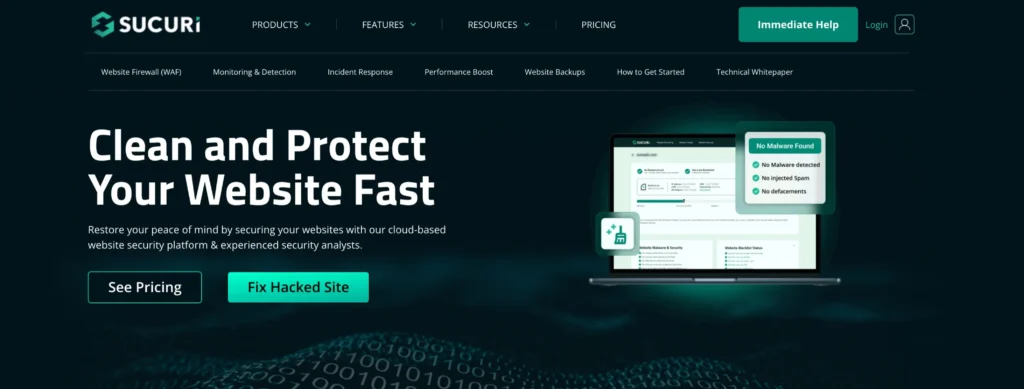
Sucuri’s services are all cloud-based, meaning you don’t need to install or download any software to get started. It protects your website from hacking and malware once you install it.
Actually, it works on layers to prevent any security threats. It has a cloud proxy firewall that bypasses all your traffic before it reaches your hosting server.
It blocks all kinds of malware attacks and hackers’ attempts to harm your website, and you’ll only get genuine visitors. It also helps in making your website’s performance better and faster.
If you have a WordPress website, you must try the Sucuri plugin.
Sucuri is one of the WordPress plugins that helps make your website secure. The functions of Sucuri are given below.
1. Dashboard
The Sucuri dashboard shows how secure your website is. After activation of Sucuri, you will see every activity that has been happening on your website.
In the beginning, it shows the core integrity of your website. It scans your WordPress files for any malware and unknown files. It keeps a list of all of them.
Once it shows on the list, you don’t need to worry about it because you can remove it from the following scan. All you need to do is check the items in question and use the marking as fixed.
You can delete and restore any files in the same place.
2. Malware Scan
Sucuri Security also has a malware scanner, the same as Wordfence. Once you click the button to scan, it will scan your website for malware, errors, and any out-of-date components.
The best part is that it also checks if your website ended up in spam lists of famous search engines like Google, Norton, AVG, Phishtank, etc.
Once you set the scan timer, it will automatically scan within the time limit. You can set the time limit every three, twelve, or twenty-four hours.
Even if you don’t set the time limit, it has a default setting to scan twice daily. After completing a scan, you’ll get the result, and according to that result, you can take action.
3. Firewall
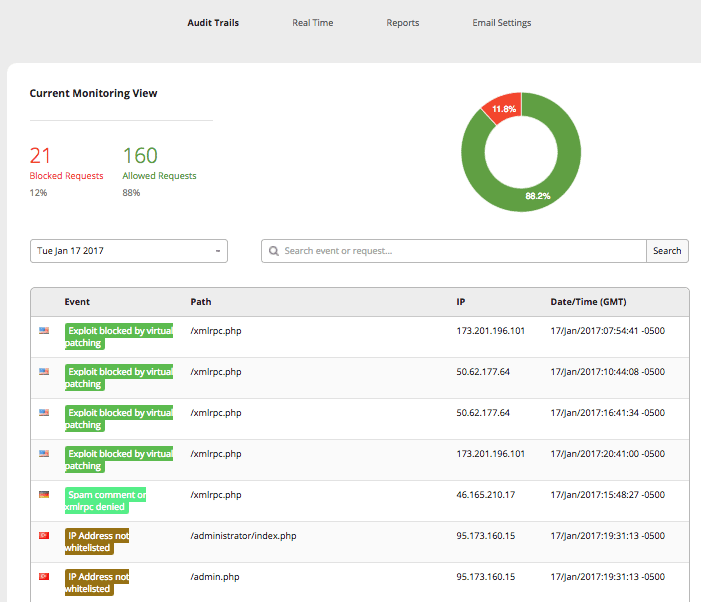
Every sound security system offers a firewall, and the same is true with Sucuri. This firewall checks your traffic before it reaches your website, which must go through Sucuri’s servers first.
That way, you can find hackers, DDOS attacks, and all other unknown traffic before it even reaches your website.
This helps protect your servers and website, and you can be protected from database SQL injections, backdoors, and many other threats with the help of Sucuri security.
However, the firewall can only be available through paid plans. They are not included in the free plugin.
4. Hardening
In case of any attack, you can follow these steps to prevent or repair the damage.
You must have a paid version of Sucuri to activate the firewall.
If the version of the components of your website is not up to date, then update your WordPress.
It also checks the version of PHP to see if your server is running on the newest version of PHP.
Before displaying the version of your CMS publicly, you can remove it.
Turn off the execution of PHP files inside your uploads directory. This will help break specific plugins, so you should have checked them out first.
You should restrict the wp-content access and the wp-includes access.
Wp-config.php has some security keys, and it checks all of them so that the information in the cookies will be harder to crack.
It checks the presence of a readme.html on your site to prevent information from leaking.
You must check the admin account because most hackers attack it to get access.
If a hacker breaks into your site, you should disable the plugin and theme editor so they can’t access them.
You should only perform these things once you’re sure your website is under attack.
5. Post-Hack
This section helps you decide what to do under an attack on your website. Like
You should reset all the security keys by generating new SALTs inside wp-config.php.
Reset your user password and create new and strong passwords.
If your plugins get infected by the malware, you should reinstall them with just a few clicks.
You should update all the components over time to prevent these attacks.
You should perform all these actions manually if your site has been breached.
6. Lost Logins
This function keeps a record of all the logins on your website. Check your admin users’ logins, and you can also check who is currently logged into your website.
It also shows failed login attempts and blocked users. This will give you an idea about any threat before it happens.
7. Settings
Sucuri’s standard settings allow you to control every plugin’s function.
General- In a public setting, you can configure your API key check paths for data storage, reverse proxy, and IP address settings. You can also collect the passwords from failed login attempts and set the time and date. The most important thing is that you can reset all the options.
Scanner- Use the Sucuri malware scanner. Set the algorithm to use it, and you can set the scanner on what to check and what not to.
Alerts- Check all the security reports sent to your website and what is happening currently on your website.
API Service-Set all the settings with the help of the Sucuri API.
Log Explorer-Security reports are directly sent to your email for further analysis.
Ignore Scanning-If you have a tremendous website, you can tell the scanner to leave specific files to save time.
Ignore Alerts-You can switch off the alerts whenever you want to ignore some of the warnings they send you through email.
Trust IP-You can set up some particular IPs so that it will not send any warning emails.
8. Site Info
It shows all the info about your website. You can also see the scan reports fromother times.
It also oversees all the tasks performed on your website, along with information like the scheduled task, the integrity of your .htaccess file, database name, table prefix, and many more.
Sucuri offers various features, functionality, and flexibility to users. It prevents malware and hackers from entering your website. These features are beneficial in securing your website.
Three critical factors in Sucuri will make you purchase Sucuri in an instant.
1. The Best Security Solution
It is known for being the most extensive and powerful solution to prevent unauthorized access to your website.
It protects your website, and along with that, it also takes cautious measures to prevent your website from being harmed and blocks all attacks on the server before you even know about it.
You can take the example of the Elegant Themes vulnerability issue. Sucuri secures many websites by removing this kind of problem from their servers long before users update all the themes and plugins.
It keeps track of every activity happening on your website. With that, you’ll always be aware of what’s happening and can quickly resolve the issues.
2. WordPress Security
It has a 1-click hardening feature, which hardens WordPress security. You should use the WordPress Audit Plugin to check your website’s activity.
It prevents your WordPress website from outside attacks and does server-level scanning.
It also monitors new and potential security threats and takes precautionary measures. Sucuri will also inform the WordPress core team of these types of security issues.
They both work as a team to resolve the problems and patch the servers. The Sucuri team also connects with third-party themes and plugins to inform them about attacks and hacks.
3. Amazing Support
Customer support is available 24/7, and it will resolve any issue you have. You can chat with them through an instant chat feature if you are a premium user.
Sucuri engineers are always up-to-date with new updates, and they let customers know about all the possible security threats. The support team works to secure your website 24 hours a day and blocks all kinds of attacks.
Sucuri Pricing Plans
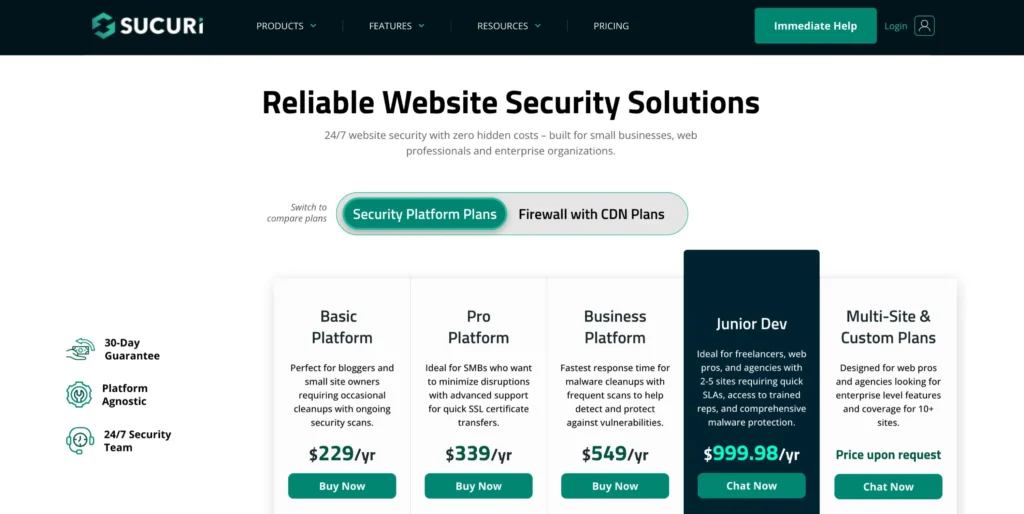
There are three plans available on Sucuri for business websites. All these plans differ from one another based on features and pricing. The core plugin of Sucuri is free.
1. Basic Plan
The basic plan is affordable for small businesses. It gives a 12-hour feature, which means your website will be scanned every 12 hours. They will do a security check of your website.
You can customize the scanner for which files to check and which not to. It also gives you a Let’s Encrypt SSL certificate. The pricing of the basic plan is $229 per year, or you can pay 16.66 per month billed annually.
2. Professional Plan
This plan has all the features of the basic plan, and it provides a 6-hour part, which means they will scan your website every 6 hours and email you about any warnings and threats.
They provide you with a custom SSL certificate. A professional plan costs $339 annually, or you can pay 24.99 per month billed annually.
3. Business Plan
This is the most advanced and robust plan for your business. This plan gives the fastest response to security threats and attacks.
It also provides all the features of professional and basic plans. The period of doing a scan is every 3 hours.
It also gives you access to an instant chat option with the support team and other features like blacklist notifications, advanced DDOS protection, and more.
This plan costs $549 per year, or you can pay every month, too. On a monthly basis, you have to pay $41.66 per month, billed annually.
All these plans include unlimited malware cleanup, a firewall for the website, prevention capability for an attack, blacklist removal, and hack prevention.
Firewall plans are also available starting from $10/month
Pricing is too high on some projects for small business
Instant support
Saves all the data and patches the server
FAQs
How much does Sucuri cost?
We offer plans for every budget, and subscriptions vary depending on the service. Sucuri Firewall plans include the web application firewall, virtual patching and hardening, advanced DDoS mitigation, CDN speed enhancements, and high availability load balancing. Platform plans include the Sucuri Firewall features as well as monitoring and malware cleanup.
Do you offer refunds?
Yes, we do in the following conditions: 1. If it's within 30 days of purchase and a Malware Removal Request has not been submitted. 2. If we are unable to clean the site on the first Malware Removal Request.
What do I have to do to cancel?
For your security, all cancellation requests must be initiated via the ticketing system. Please login to your dashboard and open a Product Support ticket for the billing team. Once they receive the request, the administrative team will ask for the reasoning and then confirm the account has been canceled.
Can I upgrade?
Yes, we offer various upgrade options once you're signed up. If you do not find the plan you would like to add in the Billing section of the dashboard, please submit a Product Support ticket, and our administrative team will give you a hand.
Do you offer volume pricing?
Yes, we definitely do. Please see our Agency plans or contact [email protected]
Conclusion: Sucuri Review 2026 | Is Sucuri Worth Money?
In conclusion, this Sucuri review for 2026 sheds light on a crucial aspect of maintaining a secure online presence.
The digital realm is rife with risks, and safeguarding your website is not just an option—it’s a necessity. Sucuri emerges as a robust defender, fortifying your online abode against many threats.
Its potent features and dedication to cybersecurity make it a compelling choice for website protection.
However, as with any solution, weighing the pros and cons is essential to determine if Sucuri aligns with your specific security requirements.
Stay informed, stay protected, and let your website thrive securely in the digital world. Embrace the power of Sucuri and fortify your online stronghold today!
Hey, I’m Arun Singh, a server management pro with over eight years of experience keeping hosting servers humming, now channeling my expertise into dropshipping and Amazon affiliates through blogs on Amazon and eCommerce at SchemaNinja.com. Based in Mumbai, India, I work with a private company and handle servers for BloggersIdeas.com, while also sharing my passion for digital marketing and online business. My posts are packed with practical tips to help you thrive in dropshipping and eCommerce. When I’m not fine-tuning servers or writing, I’m exploring the latest tech trends. Check out my insights on SchemaNinja for all things Amazon, dropshipping, and more!