

WooCommerce is a powerful and flexible e-commerce plugin for WordPress that makes setting up an online store simple and customizable. It’s ideal for small to medium-sized businesses, offering a wide range of features like product management, payment options, and shipping integrations.
- Easy integration with WordPress
- Highly customizable with a wide range of plugins and themes
- Supports various payment gateways and shipping options
- May require technical knowledge for advanced customizations
Price: $79/year
If you’re thinking about launching an online store, WooCommerce is one of the most popular platforms for building e-commerce websites. It’s an open-source WordPress plugin that allows users to turn their WordPress sites into fully functional online stores.
Whether you’re selling digital products, physical goods, or subscriptions, WooCommerce offers the flexibility and scalability to handle it all.
In this WooCommerce review, I’ll break down everything you need to know about the platform: from its pricing and features to its performance and support.
By the end, you’ll have a solid understanding of how WooCommerce can help you grow your business and whether it’s the right fit for your e-commerce needs.
What is Woocommerce?
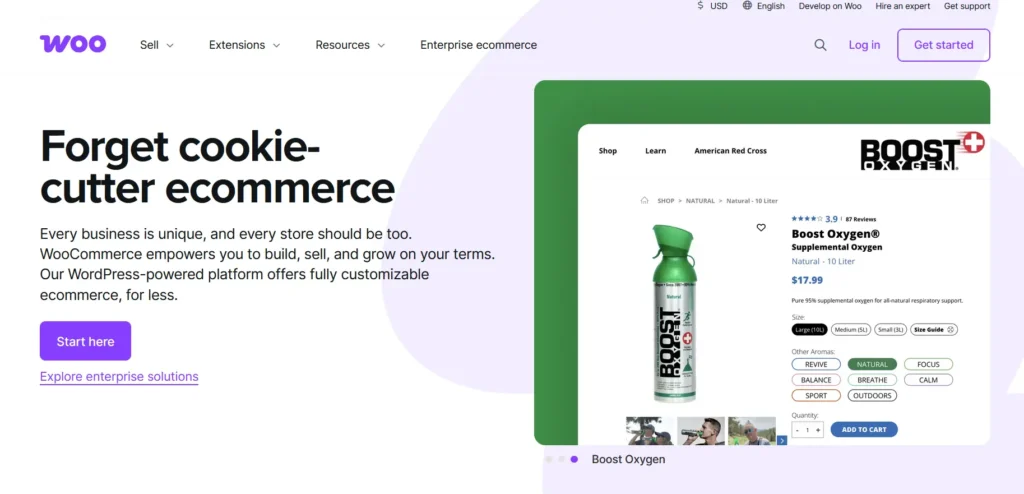
WooCommerce is a powerful and versatile open-source e-commerce plugin designed to work seamlessly with WordPress, the world’s most popular content management system (CMS).
It transforms a regular WordPress website into a fully functional online store, allowing business owners to sell physical and digital products, manage inventory, process payments, and track orders. Launched in 2011, WooCommerce has grown to become one of the most widely used platforms for building e-commerce websites, thanks to its user-friendly interface, extensive customization options, and a vast array of features.
What sets WooCommerce apart is its flexibility. Unlike many other e-commerce platforms, WooCommerce is fully customizable. You can tailor every aspect of your store to suit your brand, from product pages to checkout forms and beyond.
It’s also highly scalable, making it suitable for small businesses just starting as well as large enterprises with complex needs. Additionally, WooCommerce integrates with a wide range of payment gateways like PayPal, Stripe, and Authorize.net, giving you the freedom to offer various payment methods to your customers.
The platform is backed by a thriving community of developers, providing users with a vast library of plugins, themes, and extensions that can further extend the functionality of the store.
Whether you want to add subscription services, integrate with third-party tools, or optimize your store for SEO, WooCommerce offers a solution. As an open-source platform, it’s free to install and use, although additional costs can arise from premium themes, extensions, and hosting services.
Whether you’re running a simple online shop or need a highly specialized e-commerce solution, WooCommerce is designed to grow with your business.
As a plugin, Woocommerce seamlessly integrates into your existing WordPress website, allowing you to add powerful e-commerce functionalities such as product management, secure payment processing, and order tracking.
Woocommerce is ideal for:
- Entrepreneurs starting their first online store
- Small to medium-sized businesses looking to expand their online presence
- Experienced store owners seeking a customizable, feature-rich e-commerce platform
Pricing Table of Woocommerce
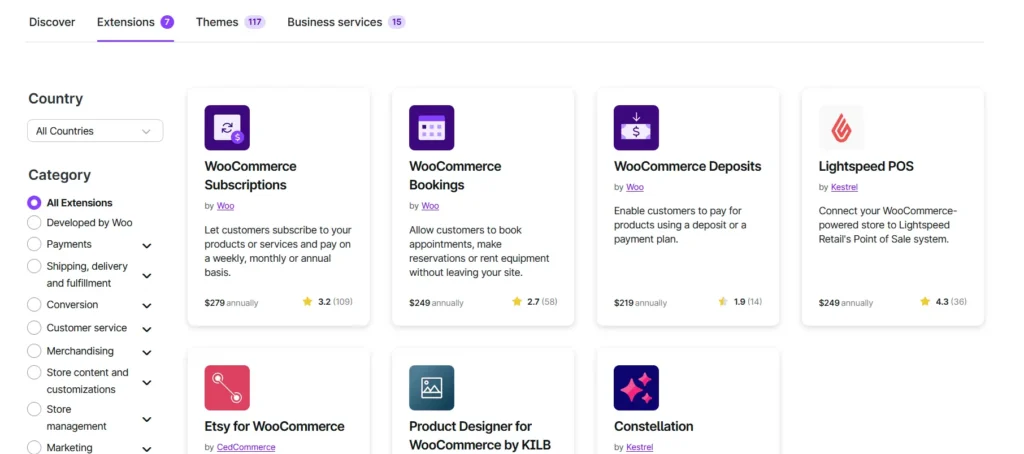
1. Core Plugin
- Cost: Free
- Description: The WooCommerce plugin itself is free and available for download from the WordPress plugin repository.
2. Essential Extensions
| Extension | Annual Cost | Description |
|---|---|---|
| WooCommerce Subscriptions | $279 | Allows customers to subscribe to products or services with recurring payments. |
| Tiered Pricing Table | $79 | Offers advanced quantity-based pricing options to boost sales. |
| Role-Based Pricing | $79 | Empowers setting product prices based on user roles and individual customers. |
3. Hosting & Domain
- Hosting: Quality hosting services typically start around $250 per year.
- Domain Registration: Approximately $15+ per year.
4. Design & Development
- Themes: Premium WooCommerce themes cost around $100 per year.
- Design, Development, and Management: Estimated between $500 to $45,000 per year, depending on the complexity and scale of your store.
5. Store Operations
- Shipping: Costs range from $0 to $100+ per year, plus carrier fees.
- Payment Gateways: Transaction fees typically around 2.9% + $0.30 per transaction.
- Inventory Management Tools: Approximately $120 to $150 per year.
- Accounting/Finance Tools: Estimated between $100 to $500+ per year.
6. Security & Compliance
- Security Tools: Estimated at $250 per year.
- Compliance/Data Privacy: Approximately $50 to $100 per year.
7. Marketing & Customer Engagement
- Email, SMS, and Marketing Automation: Costs range from $159 to $720+ per year.
- Loyalty/Rewards/Affiliate Programs: Starting at $179+ per year.
My Personal Experience of Using WooCommerce
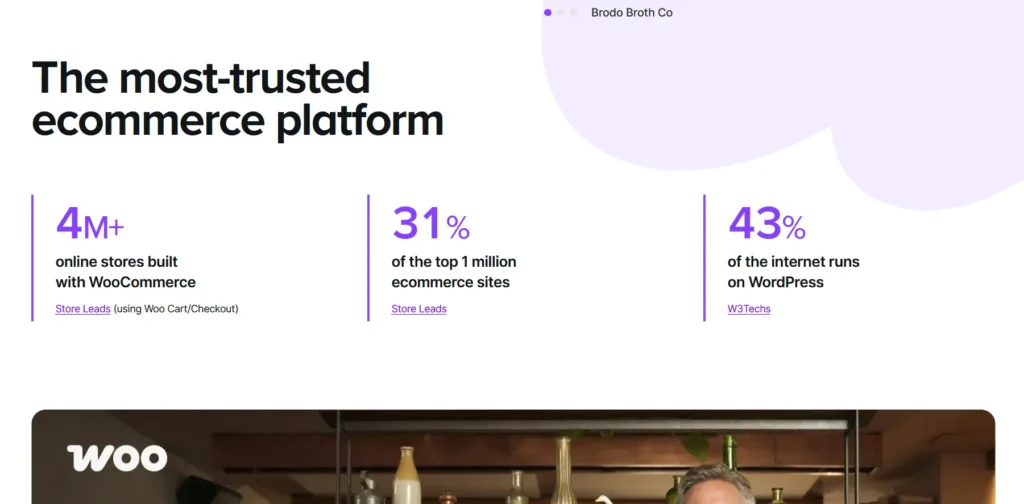
As someone who has run multiple online businesses, I’ve had my fair share of experience with different e-commerce platforms, and WooCommerce has been my go-to for the last few years.
What drew me to WooCommerce initially was its seamless integration with WordPress, a platform I was already very familiar with. Setting up the plugin was surprisingly simple. After installing it, I was able to transform my WordPress website into a fully functional online store without the need for any coding or advanced technical skills.
One of the standout features for me was the product management system. WooCommerce made it incredibly easy to add products, whether they were physical items or digital downloads. The bulk import option was also a huge time-saver when I had to list several products at once. I could easily categorize them, set prices, and even set up variations (like size and color) without much hassle.
In terms of design, WooCommerce offers a range of themes that are responsive and easy to customize. As someone who isn’t a designer, I appreciated how much I could personalize my store without needing to hire a developer.
I was able to change layouts, tweak the colors, and adjust the typography to match my brand’s style. While more advanced customizations required a bit of coding knowledge, I found that there were plenty of plugins available that handled most of the work for me.
The payment gateways integration was also smooth. I was able to accept payments through PayPal and Stripe with just a few clicks. WooCommerce makes it easy to offer multiple payment options, which is essential for catering to a wider customer base.
What really stood out, though, was how scalable WooCommerce is. As my business grew, I added more products, integrated third-party apps like Mailchimp for email marketing, and used extensions for inventory management and tax calculations.
WooCommerce handled it all without any performance issues. Even with an expanding product catalog and an increasing number of orders, the platform remained reliable.
However, the platform isn’t entirely without its challenges. For beginners, there’s definitely a learning curve, especially when it comes to installing plugins or configuring advanced features.
I had to spend some time researching and reading tutorials, especially when dealing with more complex setups like shipping options and multi-currency pricing. Additionally, while WooCommerce is free to use, certain extensions and themes can quickly add up in cost, so it’s important to budget for them.
Overall, my experience with WooCommerce has been overwhelmingly positive. It has provided me with the tools to run a professional, efficient, and scalable e-commerce store.
For anyone already familiar with WordPress or looking for a platform that offers great flexibility and customization, WooCommerce is an excellent choice.
Core Features of WooCommerce
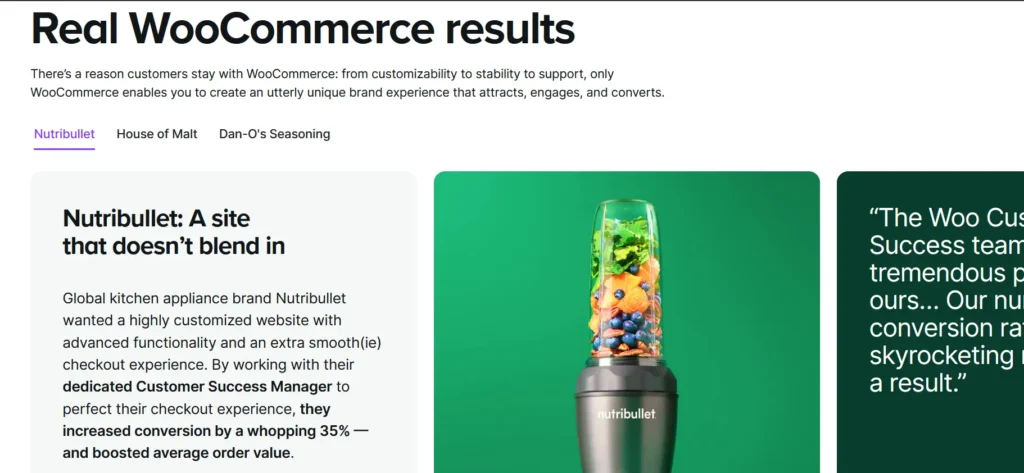
1. Customization & Flexibility
Woocommerce is incredibly flexible when it comes to customization. The platform allows you to tailor your online store exactly to your needs and preferences. As a WordPress plugin, it integrates seamlessly with thousands of themes and plugins, so you can easily modify your store’s appearance, add new features, and implement changes as your business evolves.
- Themes & Layouts: There are thousands of WordPress themes that work seamlessly with Woocommerce, providing you with multiple design options. You can choose from free and premium themes, or even build your own theme if you have the necessary coding skills.
- Customization: You can adjust your store’s layout, colors, fonts, and more without needing any coding experience. This is achieved via the built-in WordPress Customizer or by adding custom CSS.
- WooCommerce Extensions: Woocommerce supports a wide range of plugins to add extra functionalities, including SEO tools, advanced shipping options, and payment gateways.
2. Product Management
Woocommerce gives you full control over your product catalog, whether you’re selling physical products, digital items, or services. The product management system is user-friendly and allows you to manage inventory, update prices, and showcase your products efficiently.
- Physical and Digital Products: You can sell physical products, digital downloads (e.g., e-books, music), and even subscription-based products. Woocommerce allows you to set up product variations (like size and color) and track product stock.
- Product Categories: Organize your products into categories and tags, making it easier for customers to navigate your store.
- Custom Attributes: You can add custom product attributes (e.g., material, color, dimensions) that can be displayed on the product page, helping customers find exactly what they need.
- Inventory Management: Woocommerce has built-in inventory management features. You can track stock levels, set stock alerts, and automatically mark items as “out of stock” when inventory runs low.
3. Secure Payment Processing
Woocommerce integrates with various payment gateways like PayPal, Stripe, and Authorize.Net, allowing you to process payments from customers worldwide securely. The platform supports multiple payment methods, including credit cards, debit cards, and direct bank transfers.
- Payment Gateways: Woocommerce supports a range of gateways and offers built-in integrations with PayPal, Stripe, and bank transfer systems. You can also add more gateways via plugins, providing your customers with more payment options.
- Multi-currency Support: Woocommerce allows you to sell globally by supporting different currencies, making it easy to reach international customers.
- Payment Security: All transactions on Woocommerce are secured with SSL encryption, ensuring your customers’ payment details are protected.
4. Shipping Options & Tax Calculation
Woocommerce provides various options for setting up shipping methods and calculating taxes, helping store owners comply with regulations and deliver products efficiently.
- Shipping Zones & Rates: You can set up shipping zones based on the customer’s location (country, state, or region) and offer specific rates for each zone. This gives you the flexibility to charge different shipping rates for different regions or countries.
- Shipping Methods: Woocommerce supports a variety of shipping methods such as flat rate, free shipping, local pickup, and international shipping. You can also integrate with third-party services like USPS, UPS, and FedEx for real-time shipping calculations.
- Tax Calculation: Woocommerce allows you to configure tax rates for different regions and automatically calculate taxes during checkout. You can set tax rules based on country, state, or even city, making it easier to comply with local tax regulations.
- Shipping Labels: With additional plugins, Woocommerce allows you to print shipping labels directly from your dashboard, simplifying the order fulfillment process.
5. Mobile Optimization
With more customers shopping on mobile devices, Woocommerce ensures that your store is mobile-friendly. Most Woocommerce themes are designed to be responsive, meaning they automatically adjust to different screen sizes. This ensures that your customers have a smooth shopping experience, whether they are browsing on a smartphone, tablet, or desktop.
- Responsive Themes: Many Woocommerce themes are designed to be mobile-optimized from the start. This ensures that your store’s design and functionality work seamlessly across all devices, reducing bounce rates and increasing conversions.
- Mobile Payments: Woocommerce supports mobile-friendly payment options like Apple Pay, Google Pay, and other mobile payment solutions, making it easier for your customers to complete transactions on their mobile devices.
6. SEO & Marketing Tools
Woocommerce is designed with search engine optimization (SEO) in mind, helping your store rank higher in search engine results. With built-in SEO tools and compatibility with third-party plugins like Yoast SEO, you can optimize your products and content for better visibility.
- Product SEO: Woocommerce allows you to customize product titles, descriptions, meta tags, and URLs to improve search engine rankings.
- Marketing Extensions: You can integrate Woocommerce with marketing tools like Mailchimp to automate email campaigns, Google Ads to promote your store, and social media platforms like Facebook and Instagram for advertising.
- Coupons & Discounts: Woocommerce enables you to create discount codes and offer promotions such as percentage discounts, fixed amount discounts, and free shipping. You can set expiration dates and usage limits, and apply discounts to specific products or categories.
7. Order & Customer Management
Woocommerce offers robust order management tools, allowing you to process orders quickly, manage customer information, and streamline your fulfillment process.
- Order Processing: Once a customer places an order, Woocommerce sends email notifications to both the customer and the store owner. You can easily mark orders as “processing,” “completed,” or “pending” depending on their status.
- Customer Accounts: Woocommerce allows customers to create accounts, view past orders, and save their information for quicker checkout in the future. You can also offer guest checkout for those who prefer not to register.
- Customer Communication: You can set up automated emails for order confirmations, shipping notifications, and other customer interactions. This helps keep your customers informed and improves their overall shopping experience.
8. Security Features
Woocommerce ensures that your online store is secure and protected from threats. The platform works with WordPress’s built-in security features and supports SSL encryption to protect sensitive customer data.
- SSL Encryption: Woocommerce supports SSL certificates, which encrypts all data exchanged between your customers and your store. This is crucial for protecting payment information and building customer trust.
- Two-Factor Authentication: For added security, you can enable two-factor authentication for store admins and customers, adding an extra layer of protection.
- Regular Security Updates: Woocommerce regularly releases updates to improve security and fix vulnerabilities, ensuring that your store remains safe from emerging threats.
9. Scalability
As your business grows, Woocommerce scales with you. Whether you need to add more products, introduce new shipping methods, or integrate more third-party tools, Woocommerce allows you to expand your store without losing performance.
- High-Volume Stores: Woocommerce is capable of handling large catalogs with thousands of products. With proper hosting and optimization, Woocommerce can support high-traffic stores.
- Multi-store Support: Woocommerce can be expanded to create multiple stores from one WordPress installation. This is ideal for businesses operating in multiple regions or selling different types of products.
10. Community & Support
One of Woocommerce’s biggest strengths is its active community. The platform boasts a large user base, a wealth of knowledge, and numerous support options for users at all levels.
- Woocommerce Documentation: Woocommerce has extensive documentation, guides, and tutorials to help users get started and troubleshoot any issues.
- Community Support: The Woocommerce community is large and includes both developers and store owners. You can find support through forums, social media groups, and third-party blogs.
- Premium Support: If you need dedicated help, Woocommerce offers premium support for paid themes and plugins.
Pros and Cons of Woocommerce
Pros
- SEO-Friendly: WooCommerce inherits the SEO features of WordPress, making it easier to optimize your store for search engines.
- Various Payment Options: WooCommerce supports a variety of payment gateways, including PayPal, Stripe, and credit card processing.
- Scalability: WooCommerce can grow with your business, handling everything from small stores to large-scale enterprises.
- Free to Use: WooCommerce is open-source, meaning it’s free to download and use, making it cost-effective for small businesses.
- Highly Customizable: You can modify the look, functionality, and features of your store using plugins, themes, and custom code.
Cons
- Performance Issues with High Traffic: As your store grows, WooCommerce can slow down unless properly optimized, especially with a large inventory and high traffic.
- Ongoing Costs: While the core plugin is free, you’ll need to pay for additional themes, extensions, and hosting, which can add up.
Performance & Usability of WooCommerce

When it comes to the performance and usability of WooCommerce, it offers a solid foundation, but its efficiency depends heavily on your hosting environment, optimization efforts, and the way you configure the platform. In terms of speed, WooCommerce itself doesn’t inherently slow down your website; however, if not optimized correctly, it can cause performance issues.
A fast and reliable hosting provider, lightweight themes, and optimized code can ensure that WooCommerce runs efficiently, delivering quick load times and smooth customer experiences. However, the performance of your store can be significantly affected by your hosting choice.
Shared hosting, for example, may lead to slower load times, while managed WooCommerce hosting options such as WP Engine, SiteGround, or Bluehost offer much better speed and stability.
Additionally, caching plugins like WP Rocket or W3 Total Cache can help speed up WooCommerce sites by serving static content to visitors, and integrating a CDN (Content Delivery Network) can help with faster content delivery globally.
As for scalability, WooCommerce performs well for small to medium-sized stores, but as your business grows and you add more products and attract more traffic, performance may begin to degrade.
Proper optimization, like database cleaning and reducing unnecessary plugins, becomes essential. WooCommerce is highly scalable, but large stores with thousands of products and heavy traffic may need additional resources, including high-performance hosting and database optimization tools like WP-Optimize to maintain speed.
On the security side, WooCommerce is built on WordPress, which is inherently secure, and frequent updates ensure that vulnerabilities are addressed.
Additionally, WooCommerce supports SSL encryption, securing your transactions and protecting customer data. For high-traffic or resource-intensive stores, it’s crucial to choose a robust hosting plan, optimize content, and minimize the use of third-party plugins to avoid performance bottlenecks and ensure a smooth, stable experience.
Customer Support Offered by WooCommerce
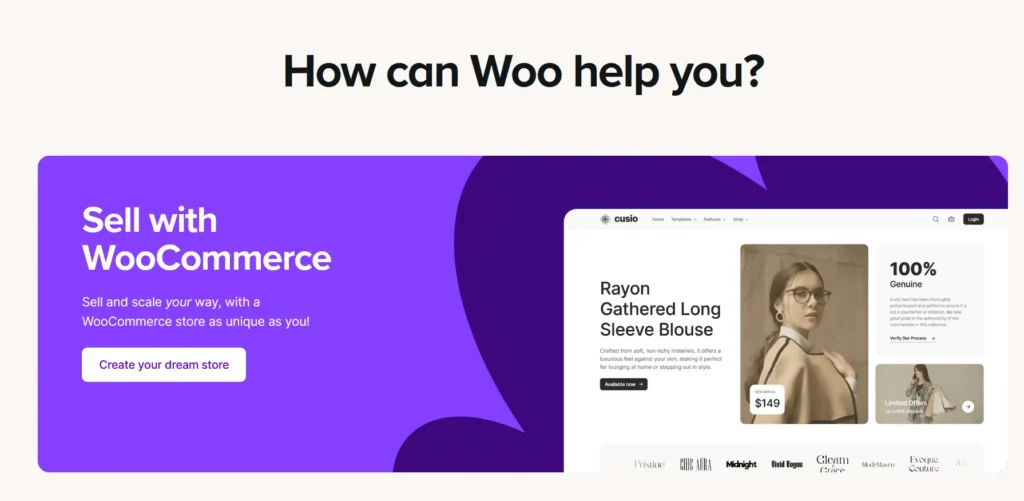
WooCommerce offers a comprehensive support system designed to help store owners and users troubleshoot issues and optimize their store setup.
For those using WooCommerce products purchased directly from their official website, the primary support channels include a dedicated Helpdesk Support system. Users can submit support tickets to get assistance with installations, configuration, and general usage.
Depending on the product, live chat support may also be available. It’s important to note that WooCommerce support is available for the latest versions of the plugin, extensions, and themes, and is limited to products purchased through WooCommerce.com.
In addition to direct support, WooCommerce provides a wealth of documentation and frequently asked questions (FAQs), which are useful resources for users to resolve common issues on their own.
The platform also maintains community forums, where users can engage with other store owners and developers to share experiences and find solutions to challenges.
For third-party extensions or customizations, WooCommerce directs users to the developers of those products for support. WooCommerce itself does not handle issues related to third-party products but can guide users to the appropriate support channels.
Before reaching out for help, users are encouraged to consult the available self-help resources, as many common issues can be solved by following the provided documentation and guides.
Overall, WooCommerce offers multiple avenues for support, ensuring that users have access to the resources they need to keep their online stores running smoothly.
Summary of WooCommerce Ratings
Here’s a summary of WooCommerce based on customer feedback:
| Feature | Rating (Out of 5) |
|---|---|
| Good Value for Money | 4.5 |
| Features | 4.8 |
| Return Policy | 4.0 |
| Shipping & Delivery | 4.5 |
| Customer Service | 3.5 |
| Price & Quality | 4.5 |
| Ease of Use | 4.0 |
How WooCommerce Works
WooCommerce works by seamlessly integrating with your WordPress website, transforming it into a fully functional e-commerce store.
After installing the WooCommerce plugin, you’ll follow a simple setup wizard to configure essential settings such as store location, currency, payment methods, and shipping options. Once set up, you can begin adding products, whether they’re physical items, digital downloads, or even services.
Each product can be customized with detailed descriptions, pricing, stock levels, and shipping information. WooCommerce also allows for product variations, such as different sizes or colors, which can be priced separately.
Once your products are added, the platform provides extensive customization options. You can choose from a variety of themes or create a custom one to suit your brand, adjusting everything from layout to colors and fonts.
WooCommerce’s flexibility extends through its vast library of extensions, enabling you to enhance your store with additional functionalities like marketing tools, advanced shipping methods, or integrations with third-party services.
For payment processing, WooCommerce integrates smoothly with popular gateways like PayPal, Stripe, and Authorize.Net, giving you the ability to process payments securely.
The platform also supports various shipping methods and tax settings, making it easy to configure the logistics of fulfilling orders. Overall, WooCommerce works as a comprehensive solution for building, customizing, and managing an online store, whether you’re selling a few products or running a large e-commerce business.
FAQs about WooCommerce
Is WooCommerce free to use?
Yes, the core WooCommerce plugin is free, but you may need to purchase additional extensions for advanced features.
Do I need to be a developer to use WooCommerce?
No, but some technical knowledge can help you set up and customize your store.
Can I sell digital products with WooCommerce?
Yes, WooCommerce allows you to sell both physical and digital products.
Is WooCommerce good for large stores?
Yes, WooCommerce can scale to accommodate large stores, especially when paired with the right hosting and extensions.
Does WooCommerce offer mobile apps?
WooCommerce doesn’t have its own mobile app, but many third-party apps can help manage your store on the go.
Quick Links
Final Thoughts on WooCommerce
One of WooCommerce’s biggest strengths is its scalability. Whether you’re just starting with a few products or managing a large catalog, WooCommerce can grow with your business.
The platform also has a robust library of extensions and third-party integrations, making it highly adaptable to different business models. Additionally, its open-source nature means that you can make technical customizations if needed, offering more flexibility compared to many hosted solutions.
However, while WooCommerce is a great choice for those who want control and customization, it does come with some challenges, particularly for beginners.
The setup process can be a bit overwhelming, and some users may need additional support or technical expertise for complex customizations. Furthermore, because WooCommerce is self-hosted, you’ll need to ensure that you choose the right hosting provider to avoid performance issues as your store grows.
Overall, WooCommerce is an excellent option for businesses looking for a customizable, cost-effective e-commerce platform with the flexibility to scale. If you’re comfortable with WordPress and want a highly customizable solution, WooCommerce is an outstanding choice to consider for your online store.
