HubSpot Vs Constant Contact 2026: Does Constant Contact Work With HubSpot?
Last Updated on: February 6, 2026 by Anikesh Singh | Fact Checked
Affiliate disclosure: In full transparency – some of the links on our website are affiliate links, if you use them to make a purchase we will earn a commission at no additional cost for you (none whatsoever!).
Ideal for inbound marketing, CRM, and sales with advanced automation tools.
Best for small businesses focused on simple email marketing and CRM.
Features
Offers CRM, marketing automation, email marketing, sales tools, and analytics.
Includes email marketing, list management, social media tools, and basic CRM features.
Pricing
Starts at $90/month for the Starter Plan.
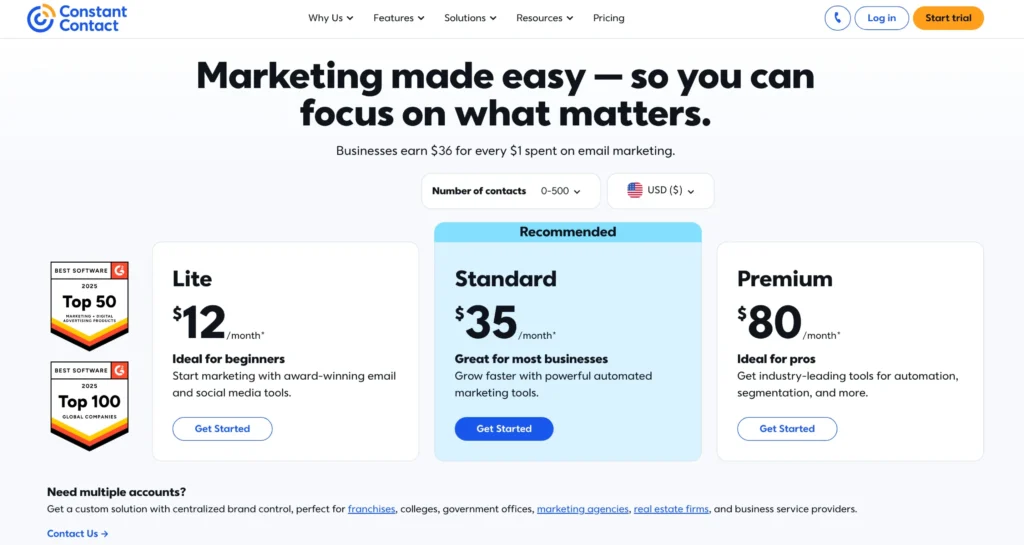
Starts at $12/month for the Email Plan.
Templates
Provides pre-built email, landing page, and form templates for various needs.
Customizable email templates with easy-to-use design tools.
Location of Data Centers
Data centers in the U.S., Europe, and Asia for global reach.
U.S.-based data centers ensuring fast email delivery.
Are you in confusion about choosing between the two user-friendly marketing tools: HubSpot Vs Constant Contact? If the answer is yes, you have visited the right place.
When it comes to digital marketing, picking the right tools is important for your business. HubSpot and Constant Contact are two popular platforms that help with email marketing, customer management, and business growth.
But each one has its own features and strengths. If you’re wondering whether you can use both HubSpot and Constant Contact together, you’re in the right place.
Many businesses use both to make their marketing even stronger.
In this guide, we’ll compare these two platforms, explain their differences, and answer the big question: Can Constant Contact work with HubSpot?
Let’s explore how they compare and whether they can be used together to boost your marketing efforts.
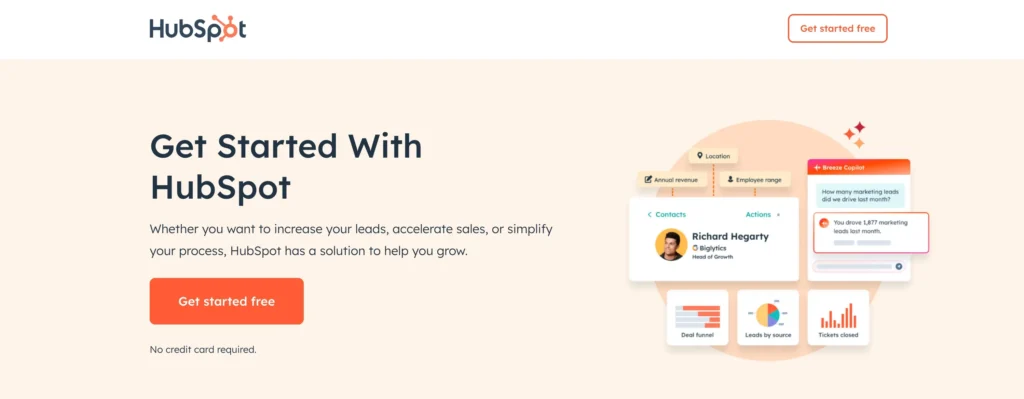
It offers a suite of tools for inbound marketing, lead generation, customer relationship management, email marketing, and analytics.
HubSpot is known for its user-friendly interface and scalability, making it a popular choice for small and medium-sized businesses as well as larger enterprises.
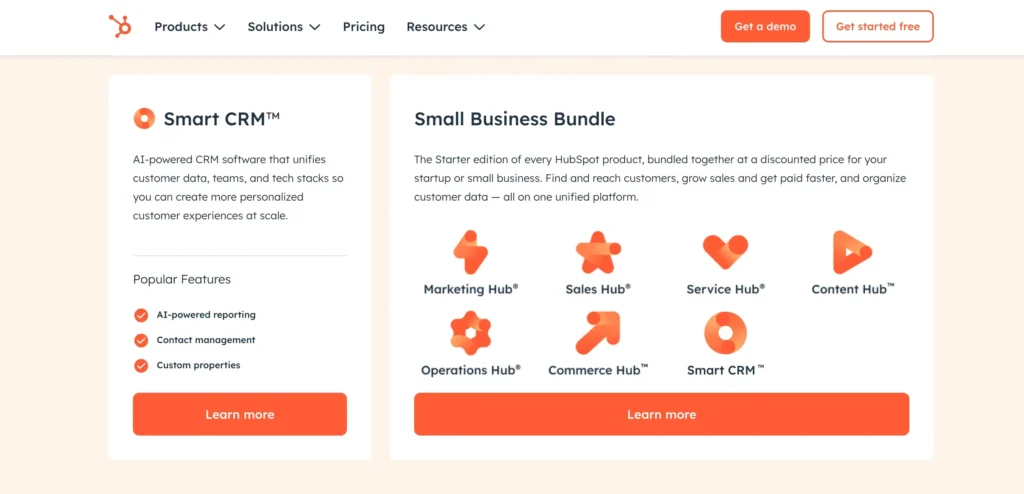
The platform provides various hubs—Marketing Hub, Sales Hub, Service Hub, and CMS Hub—that can be used individually or together to create a seamless customer experience and drive business growth.
Constant Contact is an email marketing platform that focuses on helping businesses create and send email campaigns to engage with their audience.
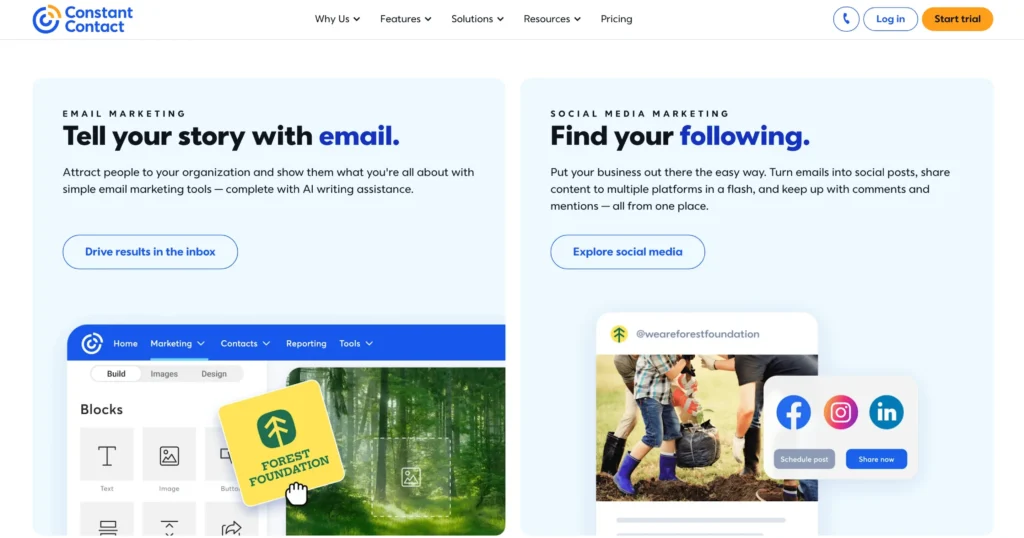
It offers an easy-to-use interface with a wide range of customizable email templates, automation tools, and list management features.
Constant Contact is ideal for businesses looking to start or grow their email marketing efforts. It also offers additional features such as social media integration, event management, and e-commerce integration.
While it primarily focuses on email marketing, it offers some basic CRM functionality and reporting tools to track campaign performance.
It is best suited for small to medium-sized businesses looking for an affordable, beginner-friendly marketing solution.
Lead Forms: Basic lead capture forms to integrate with email campaigns.
No A/B Testing: Lacks advanced testing tools for landing pages and forms.
6. Reporting and Analytics
Basic Email Reporting: Track open rates, clicks, and bounces for email campaigns.
Limited Analytics: No detailed reporting on other marketing activities or website traffic.
Simplified Insights: Focus on email performance with fewer options for in-depth reporting.
7. Integrations
Popular Integrations: Integrates with e-commerce platforms like Shopify and tools like Salesforce.
Third-Party Apps: Works with social media and marketing tools.
Basic API: Limited integration capabilities compared to HubSpot.
8. Customer Support
24/7 Support: Access to live chat and phone support.
Comprehensive Help Center: Tutorials, guides, and FAQs.
Dedicated Support: Excellent customer support for all tiers, especially for small businesses.
9. Pricing
Email Plan: Starts at $9.99/month for basic email marketing features.
Higher Plans: More expensive as you scale and add features such as automation.
Affordable Option: Generally more affordable compared to HubSpot, especially for smaller businesses.
HubSpot Vs Constant Contact: Pricing Plans
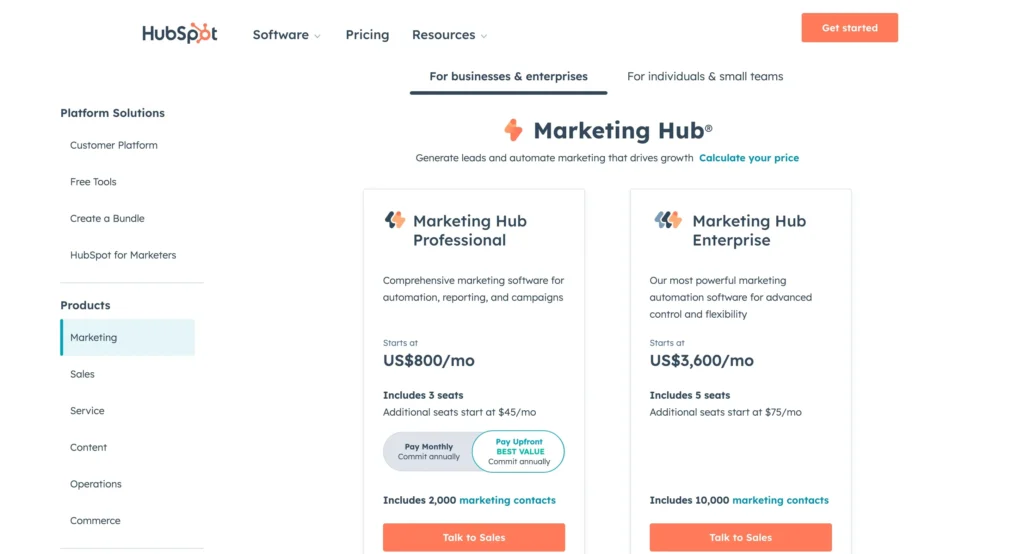
HubSpot Marketing Hub Pricing
Purpose: A tool to generate leads and automate marketing for growth.
Professional Plan: $800 monthly for 3 users. Additional users $45 each. Annual payment offers the best value. Includes 2,000 marketing contacts and features like dynamic personalization, omni-channel marketing, and detailed reporting.
Enterprise Plan: $3,600 monthly for 5 users. Additional users $75 each. Offers 10,000 marketing contacts and advanced features for more control and flexibility.
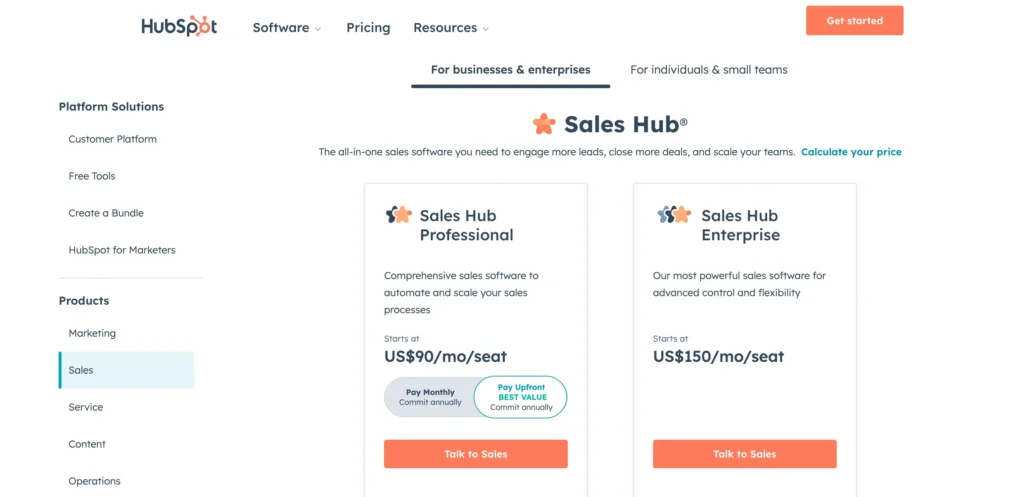
HubSpot Sales Hub Pricing
Same as marketing, there are different levels for sales –
Professional Plan: $90 per user/month, with annual commitment for enhanced sales automation and tools like forecasting and call coaching.
Enterprise Plan: $150 per user/month for advanced features, including predictive lead scoring and recurring revenue tracking.
And it enables you to create a simple, free CRM. Therefore, if you do not already have a customer relationship management tool, which is what this is, you can sign up for one for free on HubSpot and then pay for the marketing professional.
If you wish to start with simply Sales, you may get started with very simple sales components, such as templates.
As mentioned above, both HubSpot and Constant Contact render you a free-cost facility but there is a difference in the days offered. HubSpot provides a free trial for a short period of 14 days.
Whereas, Constant Contact makes it for 60 days. The perks offered by HubSpot are outstanding but the price plan is more expensive than that of Constant Contact.
HubSpot Vs Constant Contact: Pros and Cons
HubSpot: Pros & Cons
Pros
A user-friendly interface that is easy to navigate
A comprehensive all-in-one platform for marketing, sales, and service
Free CRM with a wide range of features for small teams
Excellent inbound marketing automation tools
Strong integrations with other HubSpot tools and third-party apps
Detailed reporting and analytics capabilities
Scalable with various paid plans to grow with your business
Extensive customer support and educational resources
Cons
Can become expensive as you scale and add more features
Limited customization in the free version
Constant Contact: Pros & Cons
Pros
Easy-to-use email marketing platform, ideal for beginners
Great for creating and sending newsletters with a variety of templates
Robust email automation and campaign tracking features
Excellent customer support with live chat and phone support
Affordable pricing plans with a solid free trial period
Integrates well with social media and e-commerce platforms like Shopify
Provides advanced email segmentation for better targeting
Cons
Limited features outside of email marketing (lacks full CRM capabilities)
Fewer automation options compared to HubSpot
Reporting and analytics are less advanced than HubSpot’s
HubSpot and Constant Contact are both effective and user-friendly marketing tools. However, if we look at the features and perks of both, HubSpot Marketing Hub is the clear winner.
It not only offers a variety of features but also covers all the other aspects that user-friendly marketing tools, such as Constant Contact, lack.
HubSpot may be a little expensive, but it is worth the money and therefore preferable to Constant Contact.
Hi, I’m Anikesh Singh, and I’ve spent more than 8 years mastering WordPress, page builders, and plugins. Now, I’m sharing my know-how through Education and WordPress tutorials on SchemaNinja.com. With experience at Yourstory, Bloggerideas, and Tweak Your Biz, I love offering practical tips to build awesome websites since 2018. When I’m not writing, I’m traveling or buried in a book. Catch my latest insights on LinkedIn or Twitter!