
Performance | Best for agencies and small businesses with marketing automation. | Ideal for course creators, membership sites, and digital products. |
Features | All-in-one CRM, funnel builder, email marketing, SMS, and automation. | Course creation tools, memberships, landing pages, and email marketing. |
Pricing | Starts at $97/month (Starter Plan) | Starts at $149/month (Basic Plan) |
Templates | Pre-built funnels and customizable templates. | Professional templates for courses, landing pages, and marketing. |
Location of Data Centers | U.S., Europe, and Asia. | U.S.-based data centers for fast performance. |


Are you confused between GoHighLevel Vs AWeber? Do you want to know which one out of the two would be the better choice and why? If so, we can help you out.
Marketing automation software is a huge aspect of any current marketing plan.
With the appropriate solution, it’s feasible to automate your customer interactions and bring them from prospect to devoted customer with just one click.
Here, in this article, I will be telling you all you need to know regarding Go High Level and AWeber, which will help you make an informed decision on which one to choose. So, let us begin.
GoHighLevel Vs AWeber: What You Must Know?
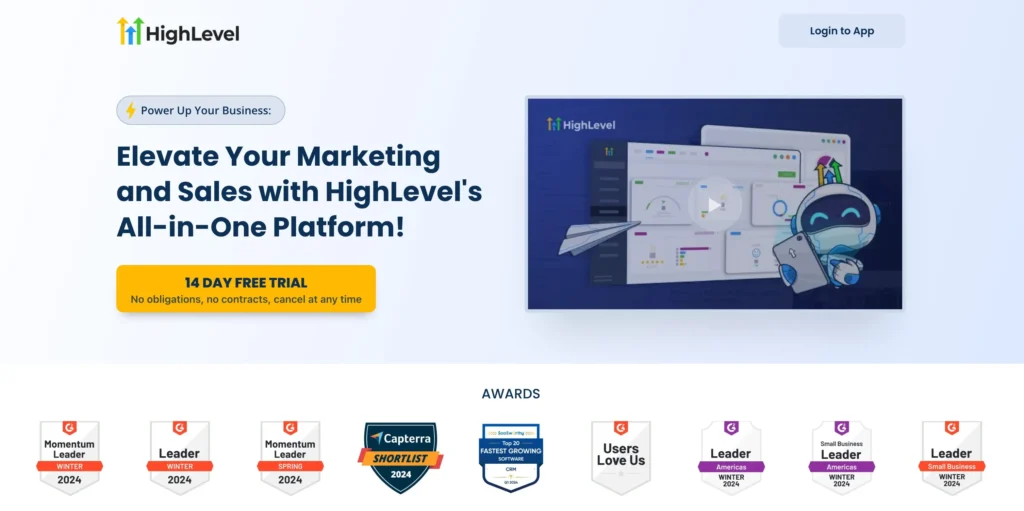
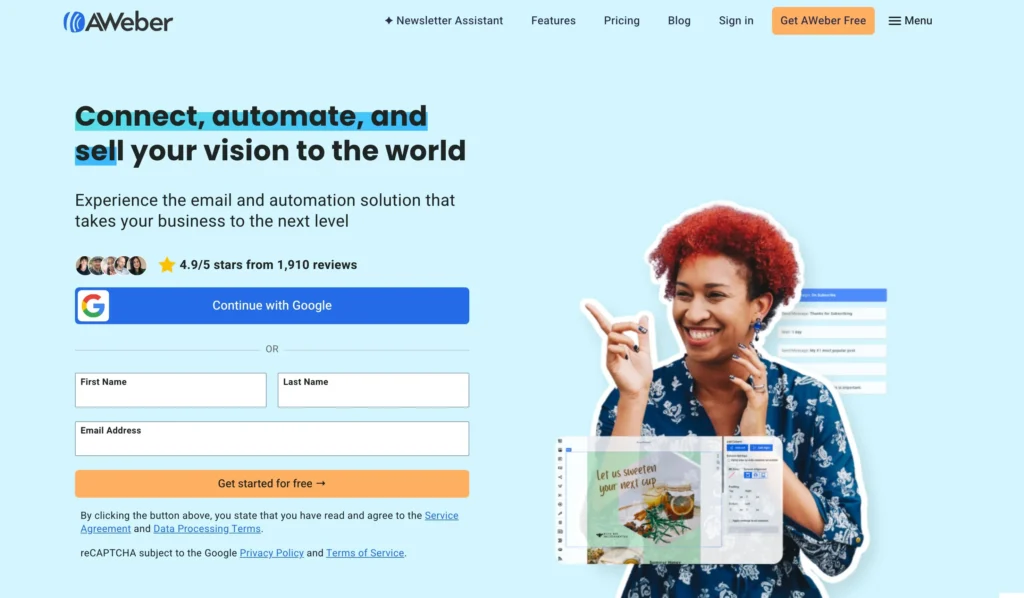
Before choosing between GoHighLevel and AWeber, it’s important to understand the key features of each.
If you operate a business that offers a highly specialized product or service, your target clients will be limited in number.
It makes sense in this scenario to focus on them and their unique needs rather than on mass-market approaches unlikely to affect you.
GoHighLevel is ideal for this – you can ensure that each of your leads progresses through the sales funnel according to their specific requirements and preferences, allowing you to communicate with them in the most effective manner possible and increase their likelihood of becoming clients.
GoHighLevel attempts to automate as many of your marketing duties as possible, which is particularly advantageous for small businesses that often choose it and lack the resources to dedicate to email management.
GoHighLevel makes it simple to stay in touch without requiring a large investment of money or time, allowing you to maximize your employees’ potential and freeing them up to focus on other responsibilities within your organization.
The front and back-end features of Go High Level make it easy for non-specialists to use, which means that if you lack the time or resources to teach new team members how the system works, all you need is Go High Level.
Features Comparison: GoHighLevel Vs AWeber
Here is the feature comparison:
Major Features and Benefits of GoHighLevel

1. Funnels:
The integrated funnel builder is really simple to use and allows you to create a comprehensive marketing funnel replete with landing pages, forms, surveys, and much more.
The Go High Level platform enables you to create a funnel that includes a form, a booking calendar, and a thank-you letter.
In this manner, you save a significant amount of time and, more importantly, money by avoiding the use of multiple additional applications that include all the necessary features for developing a funnel.
Additionally, you can utilize another notable feature of this application, which allows you to choose whether to reveal or conceal specific sections for display only in mobile or desktop mode.
Although the websites are initially created to be mobile-responsive, individual parts may be simply altered and optimized for both mobile and desktop modes.
This functionality is also highly beneficial, as it can be easily copied and utilized by multiple customers in the same niche, saving you valuable time spent on funnel development and campaign creation.
2. Contacts Smart Lists:
Smart Lists are an effective method of organizing and actively updating your contact lists, as they target only the contacts in your smart lists.
The Smart Lists feature enables you to filter contacts based on various criteria and copy them to a new list.
An excellent example is the option to create lists of contacts with missing information, such as email addresses or phone numbers, which will be automatically updated whenever a contact is added without the required information.
An excellent technique to fill in missing information is to automate the process by asking the customer for that information via phone call or text message.
As mentioned earlier, additional filters are available to target specific areas, age groups, pipeline stages, past visits or activities, and more.
3. Facebook Ad Campaigns Management:
A unique characteristic, along with SMS and phone conversations, is the ability to automate Facebook advertisements with two-way communication, which is exclusive to this CRM.
To set up the follow-up sequences, link your Facebook account and the Messenger ad.
It will be extremely beneficial to monitor your top-performing advertising within the CRM, making it simple to determine how to adjust the budget and allocate it to the highest-converting ads.
This feature helps both you and your customer since it enables you to provide your client with the most productive and cost-effective Facebook advertising campaign possible.
This automation has the benefit of significantly enhancing the conversion rate of Facebook ad campaigns.
4. Client Reputation Management:
Actively monitoring your brand’s (or your customers’ brand’s) mentions on social media and other significant review websites to address any unfavorable or misleading remarks is a key definition of reputation management.
Reviews are crucial to a local internet business’s success, as they foster confidence among prospects and future customers. Indeed, this often means the difference between a brand’s success and failure.
As a built-in feature of the platform, Go High Level makes it very simple to increase brand recognition by sending timely review requests to customers.
Additionally, this provides a company with the ideal opportunity to address any potential customer concerns before they negatively impact the firm’s reputation & brand.
Additionally, clients may add review widgets on their website, which will pull comments from their business’s Google and Facebook pages.
5. Call tracking:
The ability to measure the number of calls made throughout a campaign and discover which calls specifically generate leads is critical and highly successful.
Additionally, you may set up a missed call trigger and configure it to send an automated message when your client misses a call from a prospective customer.
Fortunately, this is another simple feature included with the platform that effectively removes the need for third-party solutions.
6. Campaigns setup options:
You may precisely specify the time a lead is introduced, the time gap between leads, and it also allows you to transmit leads from one campaign to another.
Finally, the “Stop On Response” phase sets the automation sequence’s termination and shutdown if the response’s objective is met, typically when the consumer reacts to the booking and confirms it.
When launching a campaign, you may choose from a variety of versions (customized to your consumers’ individual wants and requirements), including call, voicemail, SMS or text message, messenger, and email.
You may also configure a “wait,” a manual call, an SMS, or a Webhook. The software enables you to organize and manage your campaigns more effectively by storing them in distinct folders.
7. Running automated marketing campaigns:
As the name suggests, campaigns serve as a hub for all activities, including email, SMS, and phone calls.
The most critical aspect of any campaign is planning to ensure that all marketing messages and emails are issued within a specified time frame.
It is crucial to establish specific time intervals to prevent clients from receiving late-night communications that may distract them and compromise your customer reputation.
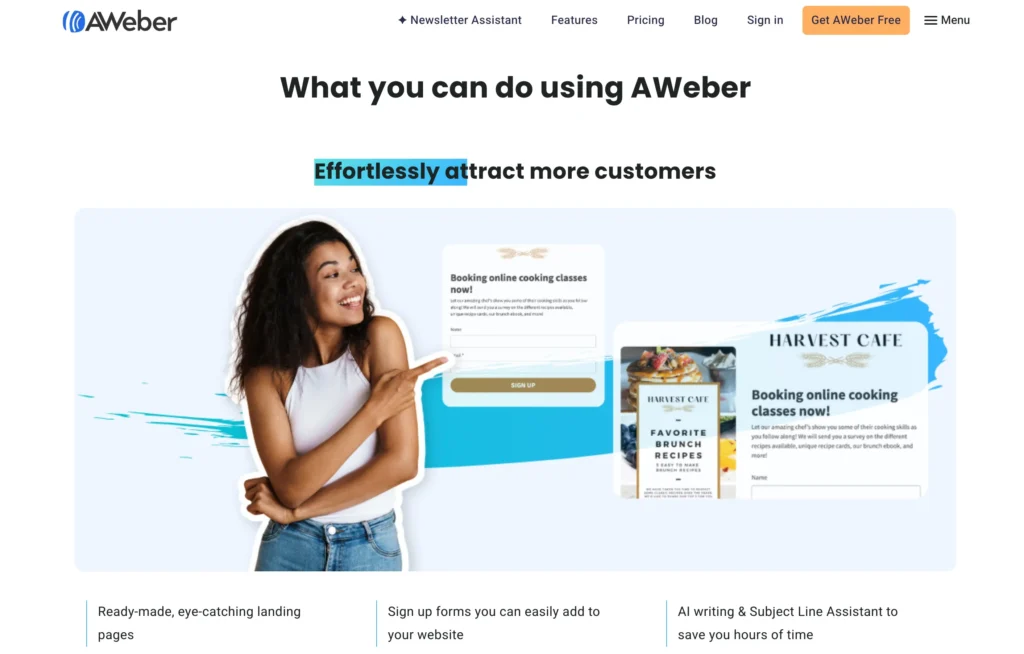
Major Features and Benefits of AWeber
1. AWeber Reporting:
Another excellent technique to enhance your email marketing plan is to incorporate reporting and analytics. AWeber’s email statistics are rather sophisticated.
You can track a variety of useful analytics, including open rate, click-through rate, and email bounce rate.
Additionally, you may see other helpful data, such as email list growth over time, sign-up techniques, and more.
Additionally, you may determine where individuals are opening your emails (geographical location) and the past activities taken by a contact.
2. Data Segmentation:
Segmentation is another option for businesses looking to enhance their email marketing tactics.
The more data and subscribers you segment in your email marketing campaign, the simpler it is to offer targeted and customized messages to your audience.
AWeber allows you to divide your subscribers depending on the contents of different fields in your database, such as emails opened, sites viewed, and links clicked.
It’s a bit confusing to navigate to the screen where you construct your segments, as you must browse via your dashboard rather than performing all actions directly on your list page.
3. Autoresponder Email Creation:
While each email template is critical to your entire customer communication strategy, few features are more enticing to today’s companies than an autoresponder.
Your email marketing tools’ autoresponders enable you to automate the way you communicate with your target market in response to specified triggers.
For example, by establishing an autoresponder series, you can ensure that your customers receive an email whenever they add an item to their basket or complete a purchase.
AWeber claims that it was the first firm to invent the autoresponder in 1998—a significant point in its favor, if accurate.
4. RSS to Email Templates:
Another fantastic feature of AWeber is that it provides access to software that converts your website’s RSS feed into newsletters, allowing you to send them to your audience on a scheduled basis.
This is referred to as a “Blog Broadcast” in AWeber, although it is not required to be used only for your blog.
This ability to maximize RSS feeds is especially advantageous for bloggers who want their mailing list subscribers to receive newsletters, including the newest content they provide online.
If your website is constantly updated with blogs and news, and you want to share that content with your subscribers, AWeber may help you save a lot of time.
One thing to keep in mind is that you cannot use the same templates for your RSS content as you would for your other emails in AWeber.
You must follow precise RSS email formats. However, AWeber does give quite a bit of variety in this area.
5. Email Template Fonts:
One of the most intriguing features of AWeber email templates is the amount of freedom you have over your font choices – more than you typically receive with other email marketing systems.
The ability to use web fonts in AWeber enables you to give an experience that is considerably different from the standard one-size-fits-all experience provided by the majority of email providers.
The majority of software solutions offer a limited selection of “safe typefaces” for users to choose from, which makes it more challenging to stand out in a crowded inbox.
Another advantage of being able to customize fonts is that you may create more consistency by utilizing the same typefaces as your website and blog.
6. Tracking:
Email analytics include click-throughs and openings. Determine which goods people are most interested in, and then segment your lists based on the reports that arrive after distributing email newsletters.
7. Wonderful Ecommerce Integrations:
From PayPal to Etsy, Shopify to WooCommerce, AWeber integrates with a slew of applications that are certain to pop up along your retail journey. For instance, you may like to include an email signup form on your WooCommerce-powered WordPress website.
Not only is a plugin available for this, but it just takes a few moments to combine it and set it on certain pages of your website.
8. Subscriber Segmenting:
Anyone who owns an internet business understands the value of consumer segmentation. Sending mass emails to everyone will result in fewer conversions. As a result, AWeber has robust options for segmenting your list’s subscribers.
Perhaps you have certain individuals that you regard as VIPs. Perhaps you like sending emails to customers who haven’t visited your business in a while. Regardless, the qualities exist to facilitate segmentation.
9. Solid Signup Forms:
It’s simple to integrate with the majority of eCommerce systems, including Shopify and Bigcommerce, and the registration forms you display on your eCommerce site are rapidly built and elegantly branded.
This helps you rapidly increase your list and also enables A/B testing.
GoHighLevel Vs AWeber: Price Comparison
GoHighLevel Pricing
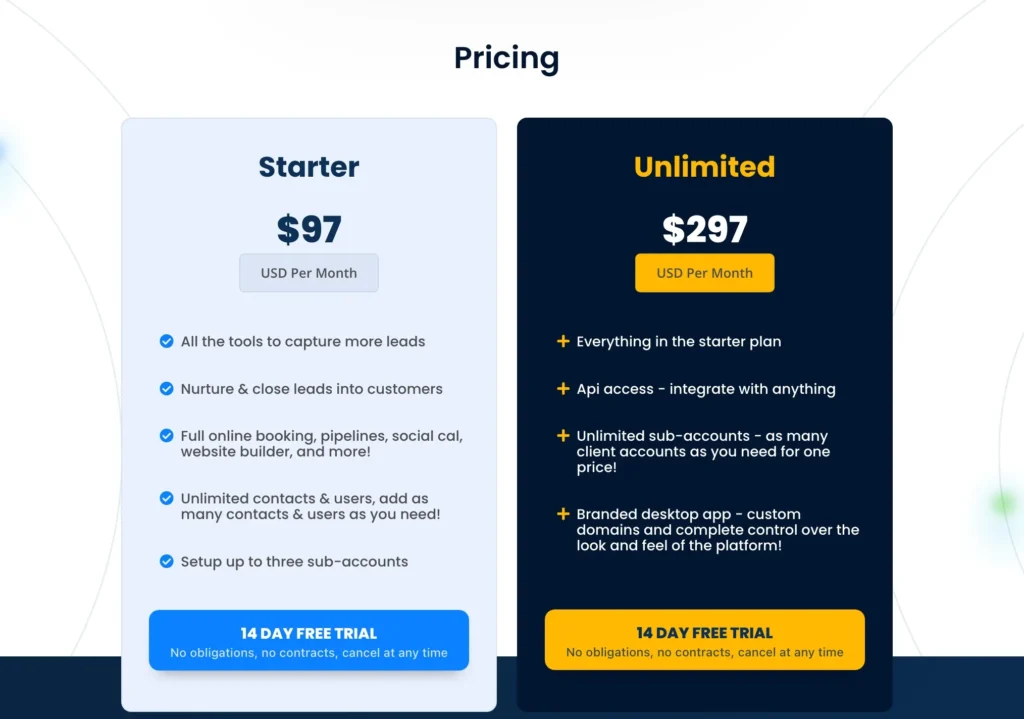
After your 14-day free trial, you can select the GoHighLevel plan that best suits your business needs.
1. Starter Plan – $97/month
Designed for businesses looking to capture and convert more leads with essential marketing tools.
- Lead capture and management with online booking, pipelines, social calendar, and website builder.
- Unlimited contacts and users with no extra costs.
- Ability to set up up to three sub-accounts to manage multiple brands or locations.
2. Unlimited Plan – $297/month
Best for agencies and businesses that need more flexibility and scalability.
- Includes everything in the Starter Plan plus advanced features.
- API access to integrate with other tools.
- Unlimited sub-accounts for managing multiple clients under one plan.
- Branded desktop app with custom domains and full platform control.
No Risk, No Contracts
- 14-day free trial with full access to features.
- No long-term commitments; cancel anytime.
Try GoHighLevel for free, then choose the plan that fits your needs.
AWeber Pricing
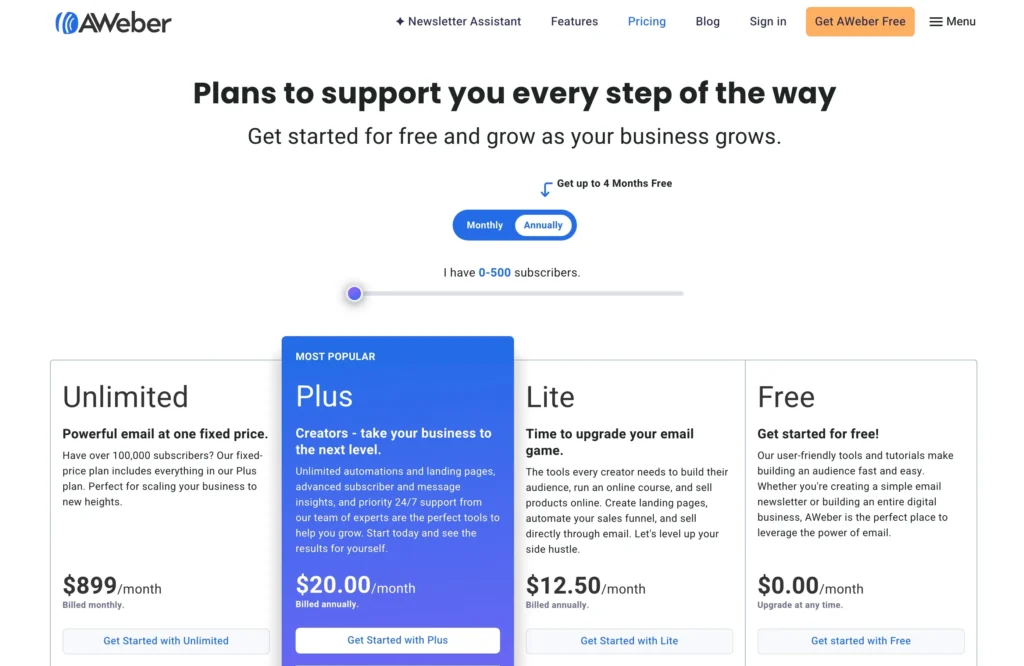
1. Unlimited Plan
Powerful email marketing at a fixed price, perfect for businesses with over 100,000 subscribers.
- $899/month, billed monthly
- Send up to 15x your subscriber volume each month
- Unlimited subscribers, lists, landing pages, and automations
- Personalized account management
- Advanced reporting and landing page features
- Sales tracking with low transaction fees
- Remove AWeber branding
2. Plus Plan
Ideal for creators ready to scale with advanced tools and 24/7 priority support.
- $20/month, billed annually
- Send up to 12x your subscriber limit each month
- Unlimited lists, landing pages, automations, and custom segments
- Unlimited users
- Advanced reporting and analytics
- Sales tracking and low transaction fees
- Remove AWeber branding
3. Lite Plan
Essential tools to build your audience, sell products, and automate marketing.
- $12.50/month, billed annually
- Send up to 10x your subscriber limit each month
- 1 list, 3 landing pages, 3 automations, 3 users
- 1 custom segment
- 24/7 support and advanced message analytics
- Sales tracking and low transaction fees
- Remove AWeber branding
4. Free Plan
Get started with AWeber’s core features at no cost.
- $0/month
- Up to 500 subscribers
- 1 list, 1 landing page, 1 automation
- Basic email support
- Custom segments and advanced analytics
- Sales tracking and low transaction fees
- Remove AWeber branding
GoHighLevel vs AWeber: Pros and Cons
GoHighLevel Pros
- All-in-one CRM and marketing automation platform
- Includes email marketing, funnel building, and lead management
- Advanced automation and workflow capabilities
- Unlimited email campaigns and landing pages
- Excellent for agencies and larger teams
- Customizable reporting and analytics
GoHighLevel Cons
- Steeper learning curve for beginners
- Higher starting price compared to basic email marketing tools
- Limited email template options compared to dedicated email platforms
- Small businesses may not need some features
AWeber Pros
- Easy-to-use email marketing platform
- Great for small businesses and solo entrepreneurs
- Includes a free plan with essential features
- Excellent email automation and segmentation options
- Advanced reporting and analytics
- Integrates well with other tools and platforms
AWeber Cons
- Limited CRM features compared to GoHighLevel
- Higher-tier plans can be more expensive for larger lists
FAQs
Does AWeber have email automation?
AWeber provides you with all the tools necessary to develop automated email campaigns. We've even created pre-built automated email campaigns for your convenience.
Is Go High Level CRM?
Go High Level is a customer relationship management (CRM) and marketing automation tool created specifically for marketing companies.
What is GHL Go High Level?
High Level is a full-featured agency platform. The Platform has a fully-featured Page Builder for lead capture. Our user-friendly platform enables you to construct fully functional websites complete with personalized menus.
What is GHL CRM?
Go High Level is an all-in-one sales platform aimed at agencies and independent contractors. Anyone interested in learning how to develop a CRM, on the other hand, may simply utilize the Go High-Level interface. GHL is completely adaptable for any sales team, from campaign planning to pipeline monitoring.
Is AWeber easy to use?
There is a completely free plan available. It's quite simple to use. It includes a big number of templates - far more than its primary rivals. Support options are broader than those offered by several important competitors – and should be excellent, judging by AWeber's Stevie awards for customer service.
Does AWeber allow affiliate links?
AWeber's connection with ClickBank makes it exceedingly simple and uncomplicated to identify affiliate items to market to your audience. Simply choose the product and obtain a link to promote it in your email or on social media. You earn a commission when a member of your audience purchases that product.
What can I do on Go High Level?
Go High Level enables you to log incoming calls, messages, and leads and then automatically puts them into a pipeline for your customers, providing you with incontrovertible evidence of the outcomes you create for them. In a nutshell, it acts as a link between your marketing efforts and the outcomes obtained by the customer.
Who created Go High Level?
Shaun Clark founded Go High Level, which provides agencies with everything they need to manage their clients' leads, websites, funnels, calendars, and a variety of other services.
What can you do with AWeber?
AWeber enables you to: Send an automated sequence of messages to create connections simply. By email, distribute newsletters, coupons, and special offers. A webform tool that makes it simple to add sign-up forms to your website.
What is AWeber autoresponder?
An autoresponder (sometimes referred to as an autoresponse) is an email message delivered in response to a request for information. AWeber enables you to easily create and manage autoresponders, allowing you to communicate with people who contact you for information.
What is AWeber pro?
AWeber Pro Tools enables you to tag subscribers and transfer or copy them across lists in real-time for more targeted email marketing.
Does AWeber have SMTP?
SMTP by Connect is an email delivery solution that makes use of AWeber's SMTP server. This enables you to send emails directly from your AWeber account, without the need to create a new email address.
How do you make money with AWeber?
There are two basic money-related activities you may do with AWeber. You may immediately sell items using AWeber-created websites that securely gather credit card information and deposit funds into your bank account. You may monitor sales that occur on non-AWeber-hosted websites and shopping carts.
Quick Links:
- FlexiFunnels Vs Unbounce
- Klaviyo VS Omnisend
- Omnisend Vs Drip Ecommerce
- Unbounce vs Leadpages
- Debutify vs Booster Theme
- Shopify vs Shopify Plus
- SamCart vs Shopify
Final Verdict: GoHighLevel Vs AWeber 2026
In the GoHighLevel vs. AWeber comparison, both GoHighLevel and AWeber are excellent tools for marketing automation.
They share similar features, have comparable entry costs, and offer similar advantages to company owners; however, each product also has its distinct capabilities.
Consider the following scenario: you’re seeking a simple method to plan email campaigns or to construct automated customer journeys that keep them engaged with the material they want to read.
We recommend choosing Go High Level in this situation. If you want more sophisticated interfaces with third-party technologies, such as CRM systems or payment processors, consider AWeber.
Which automation software is the greatest fit for your company? Tell us in the comments section below!
