
You can finally see how your site performs inside AI search. On June 3, Google launched new generative AI performance reports in Search Console. They give a dedicated view of your impressions in AI Overviews, AI Mode, and the AI features inside Discover.
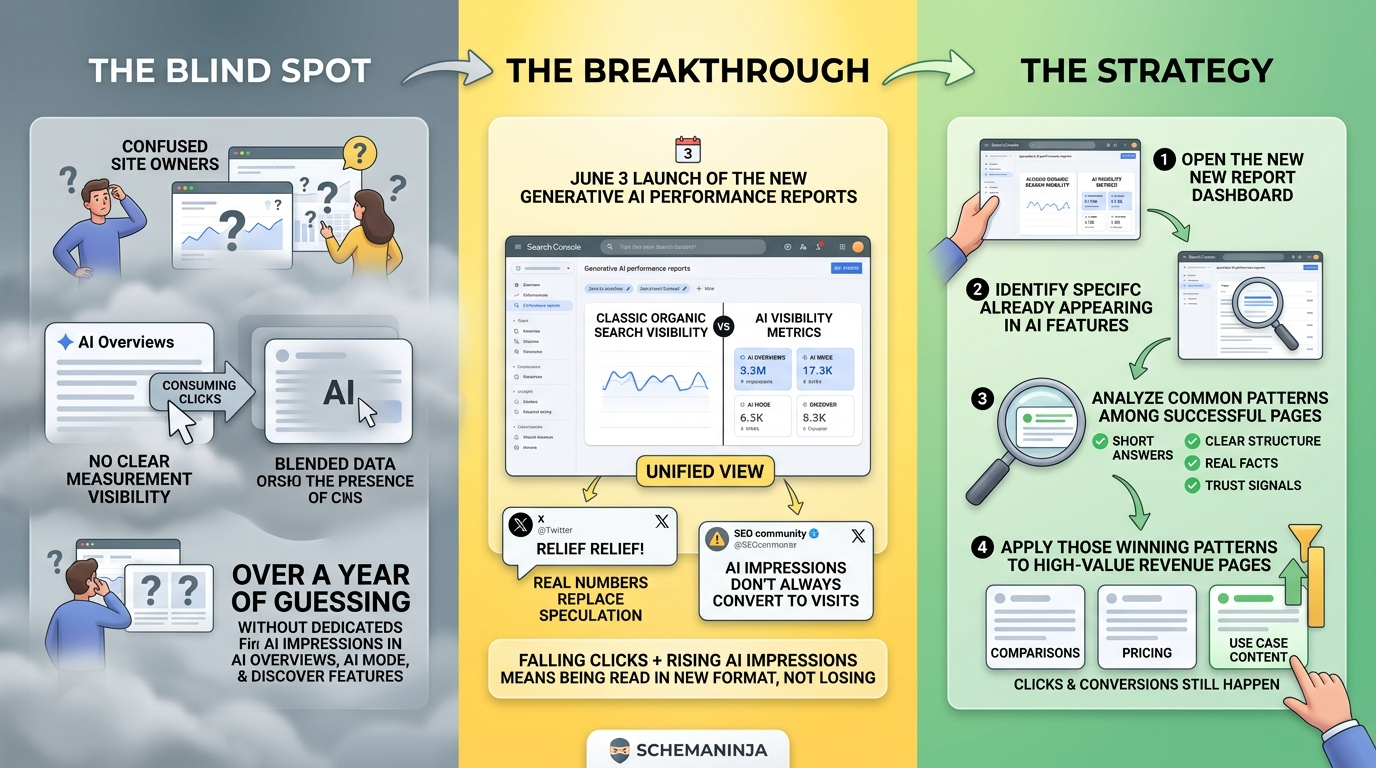
This is a big deal for anyone tired of guessing. For over a year, site owners watched AI Overviews swallow clicks with no clean way to measure their own presence inside those answers. The data sat blended into the overall performance report. Now there is a separate view for it.
The new reports sit alongside your normal Search data, so you can compare classic organic visibility against AI visibility in one place. That comparison is the point. If your clicks are falling but your AI impressions are rising, you are not losing. You are being read in a new format.
The SEO accounts on X jumped on this fast, and the early reaction was relief mixed with caution. Relief, because real numbers beat blind speculation. Caution, because impressions inside an AI answer do not always turn into visits.
Here is how to use it this week. Open the new report. Find the pages already showing up in AI features. Study what they have in common. Short answers, clear structure, real facts, and trust signals tend to repeat. Then apply that pattern to your revenue pages. Comparisons, pricing, and use case pages are the ones worth optimizing first, because those are the searches where clicks still happen and money still moves.
Quick Links:
