
In this Deadline Funnel Review, I look at one of the most popular funnel builders available and provide a complete overview of its key pros and cons. Is it right for your business? Let’s find out.

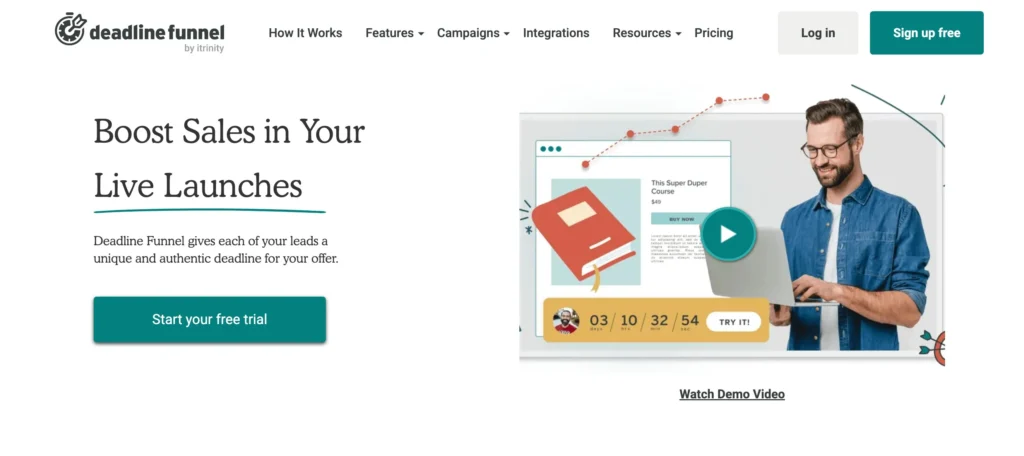
Deadline Funnel is a powerful urgency marketing tool that helps boost conversions through personalized countdown timers. Plus, it seamlessly integrates with popular email marketing platforms, making it easy to automate. It’s perfect for marketers who want to create real scarcity and drive action automatically.
- Creates Real Urgency & has seamless integration
- Personalized Countdown Timer
- Easy Automation
- Boosts Sales & Engagement
- User-Friendly Interface
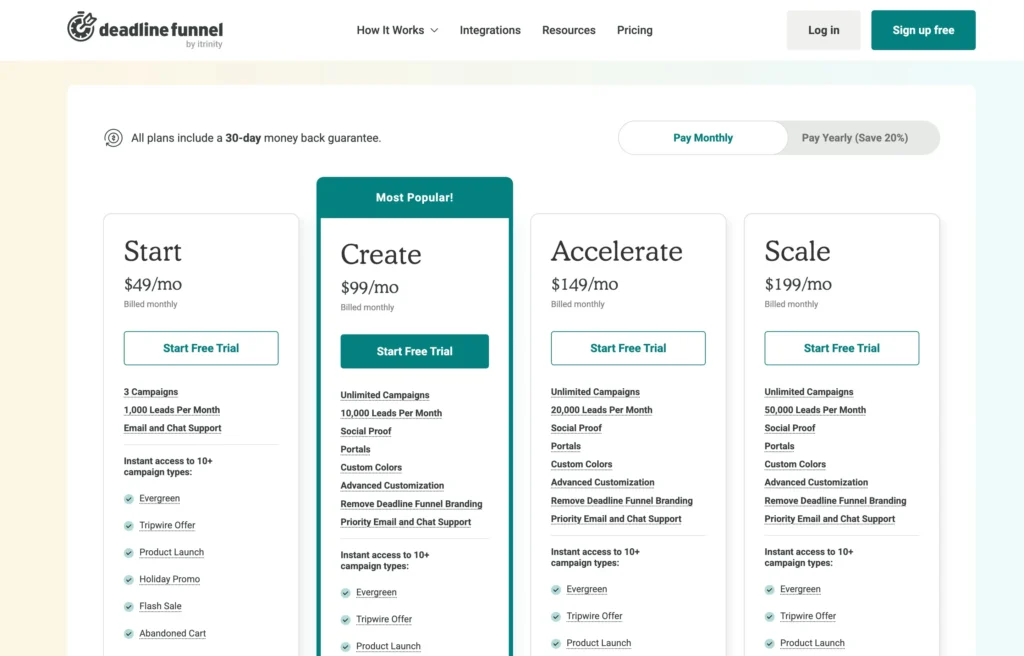
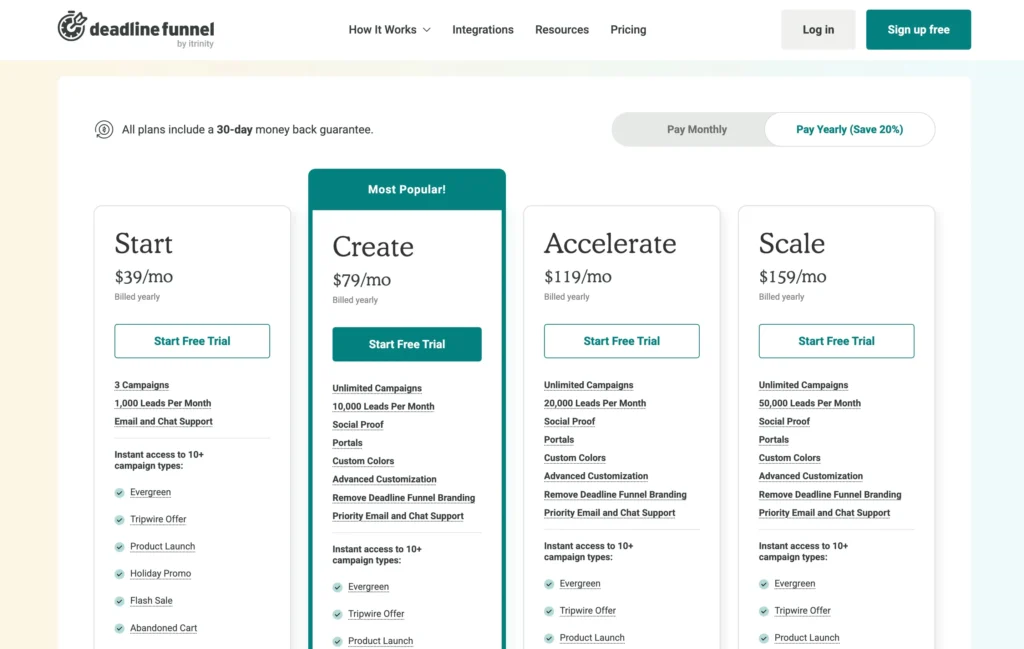
- Dynamic plans and pricing
- Limited free trial
- No One-Time Payment Option
- Can take some time to learn and automate everything
Price: $39
Are you looking for real-time sales and conversion tracking for your online marketing? Would you like to learn more about how Deadline Funnel can support your marketing efforts?
You have a deadline to meet and a product to sell. You know the customer is on the fence, but you can’t figure out how to get them to make a commitment.
Marketers are continually seeking ways to boost conversion rates. The challenge is motivating customers to make a purchase quickly and secure the best deals.
Solution: With Deadline Funnel, you can create a funnel timer that helps generate more sales and business growth. Deadline Funnel helps you guide potential customers toward your marketing products and services, enabling you to generate more conversions.
In this Deadline Funnel review, explore how this tool creates genuine scarcity across emails, pages, and devices, with stories from users who’ve boosted conversions by 30%+ without fake timers.
Deadline Funnel Review 2026: Quick Overview

When I first started using Deadline Funnel in my marketing campaigns, I wasn’t sure what to expect. But I can confidently say that it’s been a game-changer for my business.
It has completely transformed the way I sell digital products by introducing real, automated scarcity—without the stress of manually managing limited-time offers.
The best part? It works on autopilot. With Deadline Funnel, each prospect gets their personalized deadline, making the offer feel urgent and exclusive- two essential ingredients for high-converting sales funnels.
This kind of authentic scarcity has helped me increase conversions and generate consistent revenue, rather than relying on unpredictable launch cycles.
Beyond the software itself, the team behind Deadline Funnel is just as impressive. They’re dedicated to helping course creators, entrepreneurs, and marketers like me succeed.
Their support is top-notch, and they continuously improve the platform to stay ahead of the curve.
If you want to boost your conversions, eliminate launch fatigue, and create an evergreen sales funnel that runs seamlessly in the background, I highly recommend Deadline Funnel.
I’ve been a paying customer since 2021, and it’s one of the smartest investments I’ve made for my business.
Let’s take a look at my Deadline Funnel Review 2026, which provides detailed insights into its pricing, features, functionality, and more.
My “Fake Urgency” Nightmare: The Mistake That Was Costing Me Sales
I need to be honest with you. Before I discovered Deadline Funnel, my marketing funnels had a huge, credibility killing flaw. I was using “fake urgency.”
You have seen it before. A sales page with a big, bold timer at the top screaming, “This offer expires in 24 hours!” But we all know the secret. If you clear your cookies or visit the page the next day, that timer magically resets. It is a cheap marketing trick, and savvy customers see right through it.
I knew this was a problem. My “limited time” offers felt disingenuous because they were not actually limited. My conversion rates were okay, but not great. I had no way to create a truly authentic, evergreen deadline that was unique to each individual lead. I was leaving a huge amount of money on the table and eroding trust with my audience.
I was stuck. How could I create real, ethical urgency in an automated, evergreen world? That question is what led me on a mission to find a solution, and that mission ended the day I found Deadline Funnel. This is the story of how this one tool transformed my automated funnels from leaky buckets into powerful, high converting sales machines.
Is Deadline Funnel Right for You? Let’s Get Straight to the Point
This is a powerful, specialized tool, but it is not for everyone. Let me help you figure out if it is the right fit for your business right now.
You absolutely need Deadline Funnel if:
- You sell online courses, workshops, or digital products with an evergreen email sequence.
- You want to make special, limited time offers to new email subscribers automatically.
- You are a coach or consultant who wants to offer a “fast action” bonus for people who book a call quickly.
- You understand that authentic urgency is one of the most powerful drivers of conversion and you want to implement it ethically.
You probably do not need Deadline Funnel (yet) if:
- You are a brand new business and do not have an email list or a product to sell.
- You only sell products via live launches with a fixed, public cart close date.
- You are not comfortable with email marketing automation.
My goal is to help you make the right decision. If you fit into that first group, keep reading, because this tool is about to become your new best friend.
My Favorite Deadline Funnel Features (The Real Magic)
A list of features is one thing, but I want to show you how I actually use this tool to make more money. These are the capabilities that have become the core of my automated sales process.
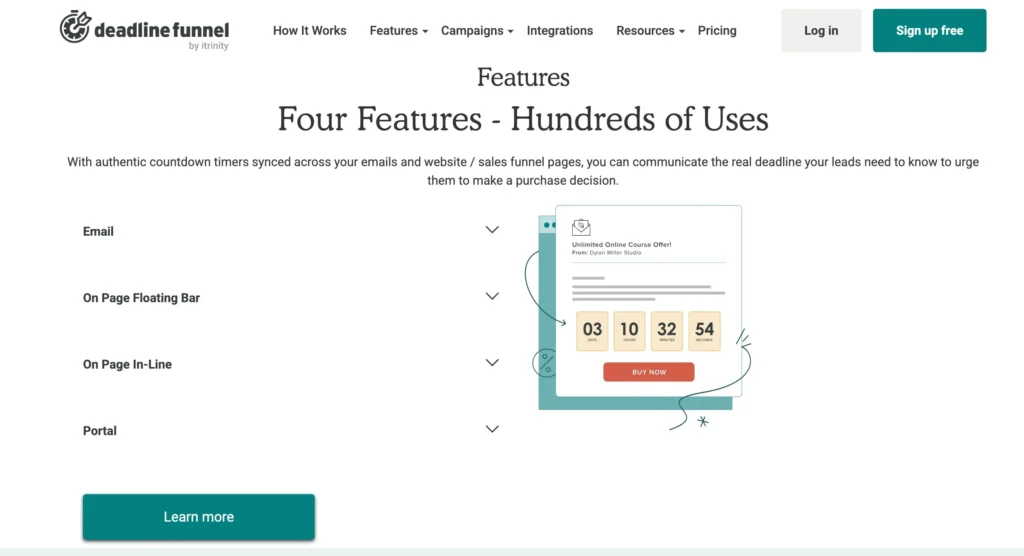
1. The Evergreen Email Countdown (My 24/7 Salesperson)
This is the heart of Deadline Funnel. Here is my exact strategy: When someone new subscribes to my email list to get a free guide, it triggers a workflow in my email marketing service. This workflow automatically starts a unique, personal 72 hour deadline just for them.
The emails they receive over the next three days have a countdown timer embedded right inside them, showing their personal deadline ticking down. This is not a fake GIF. It is a real, dynamic timer that is perfectly synced to their unique deadline. It creates a powerful, tangible sense of urgency that is completely authentic.
2. The Page Syncing (No More Broken Promises)
This is where the real magic and ethical power comes in. The timer in my emails is perfectly synced with the timer on my sales page. If the email says they have 24 hours left, the sales page says they have 24 hours left.
And here is the best part: when their personal deadline expires, Deadline Funnel automatically redirects them away from the sales page to a different “offer expired” page. They cannot cheat the system. They cannot clear their cookies. The offer is genuinely gone for them. This has trained my audience to know that when I say an offer is limited, I mean it. My credibility has skyrocketed, and so have my conversion rates.
3. The Floating Bar and Inline Timers (Visual Urgency)
To make the deadline impossible to ignore, I use the floating bar timer on my sales page. It is a simple, elegant banner that sits at the top or bottom of the page, constantly reminding the visitor of their unique deadline. I also use the “inline” timer to place a large countdown clock right above my “buy now” button. This visual consistency between the email and the sales page creates a seamless and powerful psychological effect.
Is the Deadline Funnel Right For Me?
Anyone can benefit from Deadline Funnel’s ability to boost online sales. It doesn’t matter what product you have to sell. You can use Deadline Funnel to encourage customers to purchase if you have a website or email list.
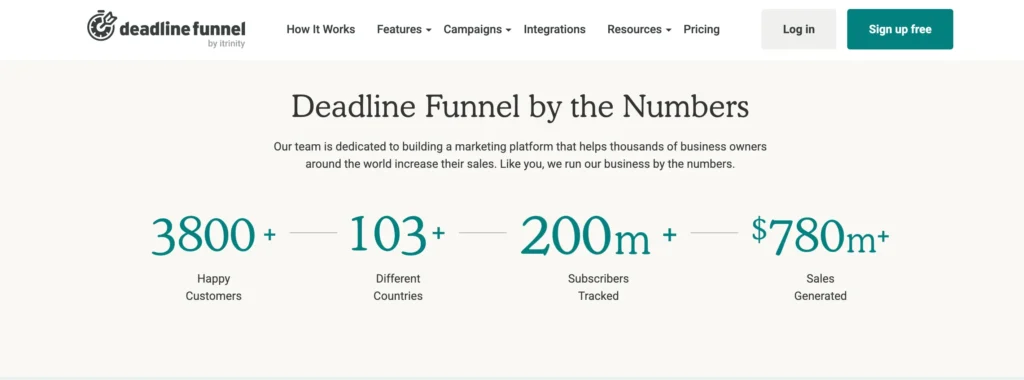
Anna Kaivalya, a yoga instructor, used this technology to increase her growth by five times in just five months!
The Ontraport’s “Entrepreneur of the Year” title was hers because she was such a dominant force.
Author Nick Stephenson collaborates with them to promote their work and increase book sales.
Sales rose to 38% after he implemented the Deadline Funnel into his marketing funnels.
If you want to increase the conversions of an existing funnel, Deadline Funnel is for you.
- Automated marketing is accomplished using tools such as ConvertKit or ActiveCampaign.
- This is your first evergreen funnel, and you want to learn how to build it.
- You want to automate a webinar.
- Convert website visitors into email subscribers.
- A variety of products and services are available for sale on your site.
Deadline Funnel Is NOT Right For You If:
- If you’ve already implemented a countdown timer like Thrive Ultimatum and are satisfied with the results, Deadline Funnel is not for you.
- You don’t have anything to advertise, like a product or service.
Key Features Of Deadline Funnel

1. Build A Real Evergreen Campaign:
Evergreen means each of your subscribers gets their deadline. One example of this is one of the most famous campaigns you can create with Deadline Funnel – a “new subscriber discount.”
There’s nothing worse than giving people a deadline and then letting them access the offer the next day.
With Deadline Funnel, don’t worry about that ever again! You can set up the campaign so your leads have 7 days from when they opt-in to access your special offer.
2. Create Product Launch Campaigns:
Not ready for Evergreen? Maybe you’re working on a product launch first?
Deadline Funnel’s got you covered – you can create deadline campaigns with the same specific date for everyone and then create an evergreen campaign later on.
3. Powerful Email and Zapier Integration:
Deadline Funnel integrates directly with ActiveCampaign, Actionetics, AW Pro Tools, ConvertKit, Drip, HubSpot, Infusionsoft, Klick-Tipp, MailChimp, and Ontraport.
And if your email provider isn’t covered by the API integrations listed above, you can still integrate with Deadline Funnel by adding the Deadline Funnel tracking code to your opt-in page.
You can also use Zapier to integrate Deadline Funnel with your email provider so that each subscriber’s deadline is triggered based on a specific action you specify in your Zap.
- Trigger deadlines in the deadline funnel for new AWeber subscribers.
- Set up deadlines in the deadline funnel for new GetResponse contacts.
- Add deadlines to the deadline funnel for new Campaign Monitor subscribers.
4. Cross-Device Tracking:
Deadline Funnel gives your new prospect their personalized deadline, just as unique as a fingerprint.
This Deadline Fingerprint follows them through your marketing funnel, step by step, across multiple pages and devices in your funnel.
Regardless of the device or network from which they view your sales page, once the deadline expires, they will no longer be able to access your offer.
5. Add Countdown Timers To Your Landing Pages:
With a library of different timers and styles you can use on both your landing pages and emails, Deadline Funnel can help you add authentic urgency to your marketing and blend it into your existing branding.
You can add inline timers to your landing pages or a floating bar that follows your visitors while they scroll the page.
6. Add Countdown Timers To Your Emails:
You can also add the same timers to your emails, knowing that the deadline your subscribers see in their emails will match the timer they see when they visit your landing pages.
7. Sync Deadline Timers Across Multiple Pages in Your Funnel:
You can add as many pages as you’d like to a Deadline Funnel campaign, and they’ll all show the same deadline for your users.
One great example is adding a timer to your sales page and then one to your order page.
8. Include the Specific Deadline Evergreen Text in Your Emails:
With Deadline Funnel, instead of saying, “The offer expires in 3 days,” you can include personalized deadline text for each recipient in your emails.
All you need to do is add a unique merge tag to your email placeholder. And then, when your email is sent out to each subscriber, that merge tag will be replaced with each subscriber’s unique deadline.
9. Deadline Funnel Integrates With Your Entire Marketing Stack:
When you log in to Deadline Funnel, you’ll see a tracking code (similar to Google Analytics or Facebook Pixel) that you need to add to the header of your website or pages.
And it doesn’t matter whether you’re using WordPress, LeadPages, ClickFunnels, Instapage, or another solution – as long as you can add tracking code to your website, you can use Deadline Funnel.
The Psychology of Why Deadlines and Timers Just Work
Before we dive deeper into the “how,” I think it’s really important to understand the “why.” Why are deadlines and timers some of the most powerful and consistently effective tools in the entire marketing world? The answer is rooted deep in human psychology.
At our core, we are all natural procrastinators. If we are given an unlimited amount of time to do something, we will often take an unlimited amount of time to do it. Think about any project you have had with a distant deadline. When did you do the bulk of the work? Probably in the last few days leading up to it, right?
Deadlines create a powerful mental shift. They force us to move from a state of passive consideration to a state of active decision making. A countdown timer is a constant, visual reminder that the window of opportunity is closing. It introduces a gentle, motivating pressure that encourages us to act now rather than “later,” because it makes it clear that “later” may be too late.
In essence, a deadline helps a potential customer overcome their own natural inertia. For someone who is already interested in your product, the deadline is often the final, helpful nudge they need to make a decision that they will be happy with.
What is Urgency in Marketing?
So, what is “urgency” in a marketing context?
Urgency is the feeling that you must act quickly to avoid missing out on a specific opportunity.
It is a time based trigger. The core message is, “This amazing offer is available to you right now, but it will not be available forever. The clock is ticking.” It focuses entirely on the dimension of time.
Great urgency marketing is not about creating stress or pressure. It is about clearly and honestly communicating a real deadline. When done ethically, it serves the customer. It helps them make a decision and prevents them from missing out on a special offer or bonus that they would genuinely want if they had acted in time.
A Real World Example of Ethical Urgency
Let me give you a practical example of how I use urgency in my own business.
When someone subscribes to my email list, they enter a 5 day welcome sequence. On day three, I introduce them to my flagship mini course at its standard price of ninety nine dollars.
Then, I introduce the urgency. I tell them that as a special welcome gift for my new subscribers, for the next 48 hours only, they can get that same course for just forty nine dollars.
The emails they receive for the next two days contain a real, dynamic countdown timer showing their personal deadline. The sales page they click to also shows the same, perfectly synced timer. When that 48 hour window expires for them, the link to the forty nine dollar sales page automatically redirects to the regular ninety nine dollar sales page.
The opportunity was real. The deadline was real. And the consequence of not acting (paying the full price later) was also real. This is ethical, effective urgency in action.
How Is Urgency Different From Scarcity?
This is a crucial distinction that many people get wrong. While urgency and scarcity are often used together, they are two different psychological triggers.
As we discussed, urgency is about time. The message is “This offer goes away soon.”
Scarcity, on the other hand, is about quantity. The message is “There are only a few of these left.”
Think about buying tickets for a popular concert. The fact that there are only a limited number of seats in the venue creates scarcity. The fact that the tickets go on sale at 10 AM on a Friday and will likely sell out in minutes creates urgency.
Another example is an ecommerce store that shows “Only 3 left in stock!” next to a product. That is scarcity. A banner at the top of the site that says “Order in the next 2 hours for free shipping!” is urgency.
They are both powerful because they tap into our innate fear of missing out (FOMO), but they do so in different ways. Urgency is about a closing window of time, while scarcity is about a dwindling supply of a product.
The Dark Side: Fake Urgency and Fake Scarcity
This is a topic I feel very strongly about, and it is the primary reason I believe so much in a tool that allows for authentic deadlines.
Fake urgency is when you create a false deadline that has no real consequence. The most common example is the countdown timer on a sales page that magically resets every time you refresh the page or visit the next day.
Why is this so bad? Because your customers are smart. They know it is fake. The first time they see it, they might feel a little pressure. The second time they visit and see the same “24 hours left,” you have not just lost the sale. You have lost their trust. You have shown them that your word does not mean anything. It is a short term tactic that causes long term damage to your brand’s credibility.
Fake scarcity is just as damaging. This is when a marketer claims there are “only 50 spots available” for their digital online course. A digital product, by its very nature, has an unlimited supply. There are no “spots” to run out of.
Once again, customers can see right through this. It feels manipulative and dishonest. It erodes the trust that is the absolute foundation of any good business relationship.
This is why I am so passionate about the concept of authentic, evergreen deadlines. It allows you to use the powerful and proven psychological trigger of urgency in a way that is completely honest and respectful to your audience. The deadline is real for each individual person, and that authenticity is what makes it so incredibly effective.
Types Of Countdown Timers
Deadline Funnel gives you three powerful countdown options to create urgency and drive conversions:
- Floating Bar Timer – A sleek countdown that sticks to the top or bottom of your webpage for constant visibility.
- Inline Timer – Seamlessly embed a timer anywhere on your page using HTML.
- Email Timer – Add a live countdown directly inside your emails to reinforce scarcity.
Unlike many generic countdown timers that reset when a user clears their cookies or switches devices, Deadline Funnel ensures true scarcity.
I’ve seen too many timers fail because they rely solely on cookies, allowing visitors to bypass the deadline and access the offer long after it was supposed to expire.
With Deadline Funnel, that’s not an issue. It tracks each visitor using a combination of browser cookies, email addresses, and IP addresses to ensure every deadline is authentic and unbreakable.
This level of reliability is why Deadline Funnel is an essential tool for any limited-time email sequence or evergreen funnel.
How I Use Deadline Funnel: My Step by Step Workflow
When people hear about what Deadline Funnel does, their first reaction is often, “Wow, that sounds amazing.” Their second reaction is usually, “But it sounds really complicated to set up.”
I want to pull back the curtain and show you my personal workflow for creating a new campaign from scratch. I want to show you that while it is a powerful professional tool, the setup process is surprisingly logical and straightforward. You do not need to be a tech wizard to make this work. You just need to follow a clear sequence of steps.
This is the exact process I follow every time I want to create a new authentic, evergreen deadline for one of my products.
First, My Honest Answer: Is It Easy to Use?
This is a really important question, and the answer is nuanced. I would not describe Deadline Funnel as “easy” in the same way a simple social media app is easy. But I would describe it as incredibly logical and learnable.
Here is the best analogy I can think of. It is like learning to drive a car. The very first time you get behind the wheel, it feels a little overwhelming. You have to think about the steering wheel, the pedals, the mirrors, and the turn signals all at once. It requires your full concentration.
But after you have done it a few times, it all starts to become second nature. The different pieces just click into place, and you do not even have to think about it anymore. You just drive.
Deadline Funnel is the exact same way. The first time you set up a campaign, you will need to follow the instructions carefully and invest an hour or two to understand how the different pieces connect. You will need to connect it to your email provider and your landing page builder. But once you have done it once, the second time is ten times faster. And by the third time, it will feel completely intuitive.
So, is it “one click simple”? No. But is it a skill you can absolutely master in a single afternoon? Yes, one hundred percent. The excellent tutorials and support they provide make the initial learning process very smooth.
Creating a Campaign From Scratch: My Personal Blueprint
Okay, let’s get into the practical, step by step process. Here is my blueprint for creating a classic evergreen campaign that gives every new subscriber their own unique deadline.
The Goal: To offer every new email subscriber a special 72 hour discount on my mini course.
The Tools I Am Using:
- My email marketing service (this works with almost all of them).
- My landing page builder where my sales page is hosted.
- My Deadline Funnel account.
Step 1: I Create the “Before” and “After” Pages First
Before I even log into Deadline Funnel, I make sure I have two key pages ready on my website.
- My Special Offer Sales Page: This is the main sales page that shows the discounted price. It is the page I want people to see during their 72 hour window.
- My “Expired Offer” Page: This is a simple page that people will be redirected to after their deadline has passed. It might say something like, “Sorry, the special discount has expired. You can still get the course at its regular price here,” with a link to the full price sales page.
Having these two pages ready from the start makes the rest of the process much smoother.
Step 2: I Create a New Campaign in Deadline Funnel
Now I log into my Deadline Funnel dashboard and click “Create a New Campaign.” It presents me with a simple wizard that walks me through the process.
First, I give my campaign a name, like “Mini Course Welcome Offer.” Then, I choose my email provider and my landing page builder from a dropdown list. This tells Deadline Funnel which systems it needs to talk to.
Next, I choose the campaign type. For this, I select the “Evergreen” option, because I want the deadline to be unique for every single person.
Step 3: I Set the Deadline and Connect My Pages
This is the core of the setup. The wizard will ask me a few simple questions.
- How long is the deadline? I enter “72 hours.”
- What is your “Before” page? I paste in the URL of my special offer sales page.
- What is your “After” page? I paste in the URL of my “expired offer” page.
I hit save. In just a few minutes, I have told Deadline Funnel the entire logic of my campaign. It now knows that when a deadline is active, it should show the special offer page. When that deadline expires, it should automatically redirect to the expired page.
Step 4: I Add the Countdown Timer to My Sales Page
Now I need to make the deadline visible on my sales page. Deadline Funnel makes this very easy. It gives me a small snippet of code.
I go to my sales page editor, and I add an HTML element where I want my timer to appear, usually right at the top of the page. I paste in the code snippet from Deadline Funce. I can choose different styles for my timer, like a floating bar at the top or a timer that sits right inside my content. For this, I choose the floating bar.
Step 5: I Add the Countdown Timer to My Emails
This is the final and most magical step. I need to put the personalized timer into the emails that my subscribers will receive.
I go to the “Email Setup” section of my campaign in Deadline Funnel. It shows me a simple piece of code that I need to use in my emails.
I then go into my email marketing service and write the emails for my welcome sequence. In the emails where I want the timer to appear, I simply add an image block. Instead of uploading an image, I paste in the special image URL that Deadline Funnel gave me.
When my email service sends that email, Deadline Funnel will dynamically generate a unique, animated countdown timer GIF for that specific subscriber, showing their exact, personal deadline ticking down. It is an incredibly clever and effective system.
Step 6: I Connect It All with a Simple Link
The final piece of the puzzle is telling Deadline Funnel when to start the clock for a new subscriber. This is done with a special link.
Deadline Funnel provides a unique “Deadline Funnel Link” for my special offer page. Instead of using the normal link to my sales page in my emails, I use this special link.
When a subscriber clicks this link in an email for the first time, it tells Deadline Funnel to start their 72 hour countdown. It is that single click that activates their personal deadline and syncs everything together.
And that is it. The entire campaign is now set up and fully automated. Every new person who joins my list and clicks the link will have their own authentic, personal deadline, and I never have to touch it again. It is my own personal sales machine, working for me 24 hours a day.
Integrations by Deadline Funnel
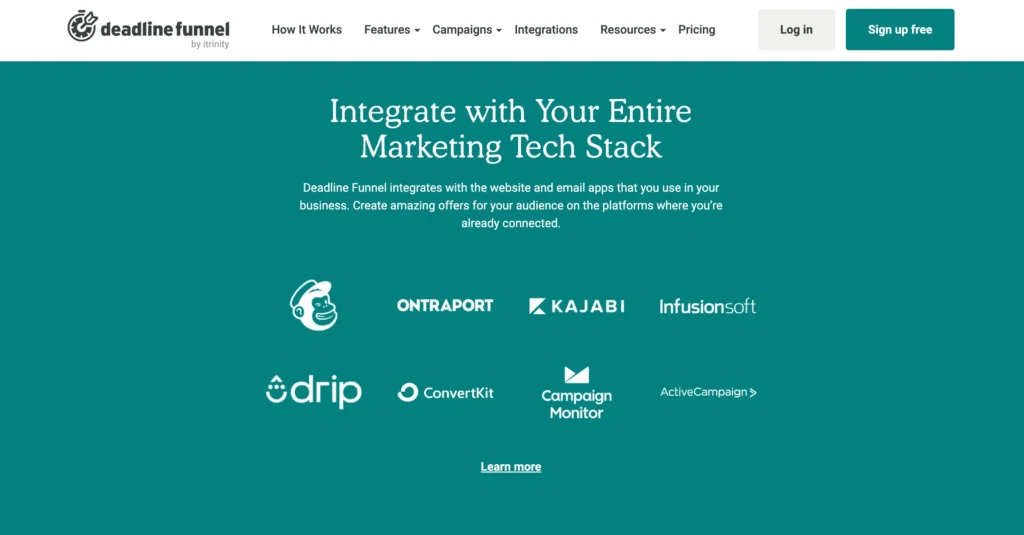
The main feature of Deadline Funnel is that it works with your email marketing software. The good news is that it connects easily with many email services, chat tools, and pop-up box providers so that you can use it without any hassle.
Email Marketing Services
- ActiveCampaign
- AWeber
- ConvertKit
- Drip
- GetResponse
- HubSpot
- MailChimp
- MailerLite
- Ontraport
- SendLane
- SharpSpring
Website and Landing Page Builders
- ClickFunnels
- Instapage
- Kajabi
- Kartra
- LeadPages
- OptimizePress
- Squarespace
- Teachable
- Thinkific
- Unbounce
- WordPress
E-commerce Platforms
- SamCart
- ThriveCart
- WooCommerce
Webinar Platforms
- Demio
- Easy Webinar
- EverWebinar
Chat and Messaging Tools
- Chatfuel
- ManyChat
Automation and Integration Tools
- Zapier
Customer Support of Deadline Funnel
I don’t know about you, but great customer support is a big deal for me. There’s nothing more frustrating than getting stuck with software and waiting endlessly for help.
Fortunately, Deadline Funnel’s support team is one of the best I’ve encountered—quick, helpful, and genuinely committed to ensuring users’ success.
Not many reviews talk about support, but I think it’s worth highlighting. Here’s how you can get help when you need it:
Method #1: Live Chat
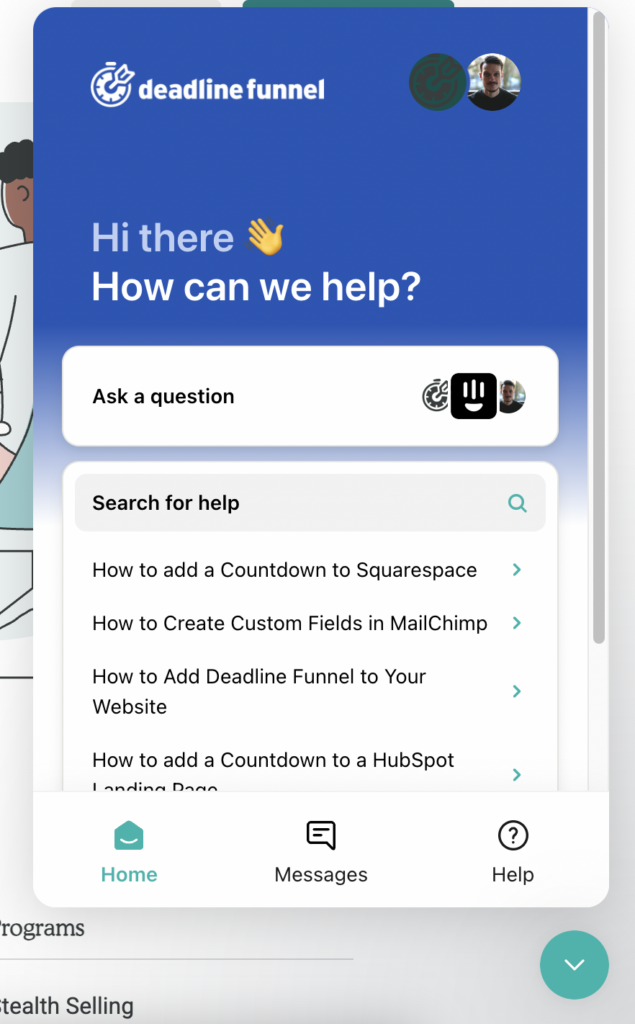
One of the easiest ways to get assistance is through Deadline Funnel’s live chat. Their website has a chat widget where you can ask your questions.
Response time? In my experience, they usually reply in under 10 minutes, which is impressive! Even better, you don’t have to keep the chat open while waiting. If you leave the page, they’ll send their response straight to your email so you can check it whenever you’re ready.
Method #2: Email Support
Prefer to send an email instead? Deadline Funnel offers direct email support, and they’re surprisingly quick.
Just shoot them a message at [email protected], and you can expect a detailed and helpful response within a few hours.
Method #3: Help Docs
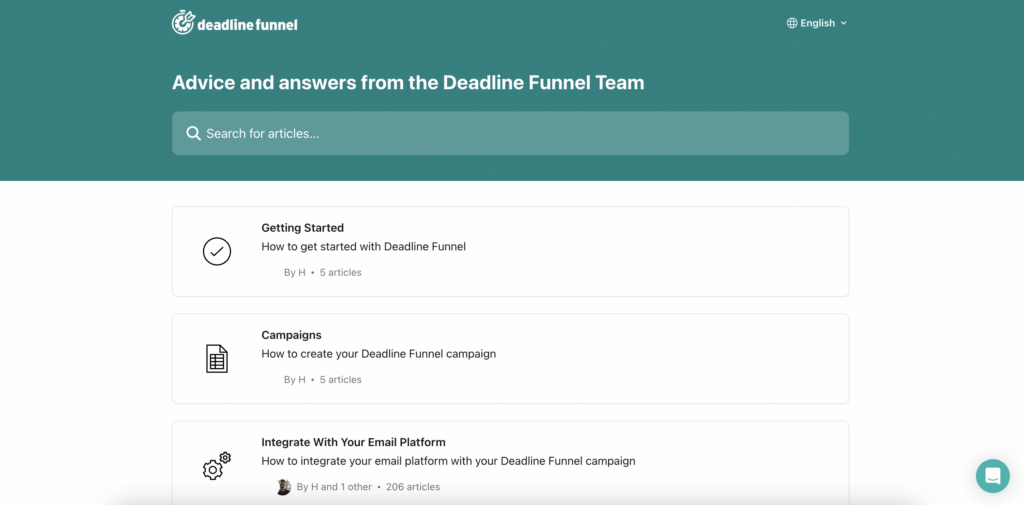
If you prefer to find answers on your own, Deadline Funnel offers an extensive knowledge base filled with articles, tutorials, and setup guides.
I’ve found it incredibly useful, especially when setting up complex funnels. Many of their articles come with step-by-step instructions and screenshots, making it super easy to follow along.
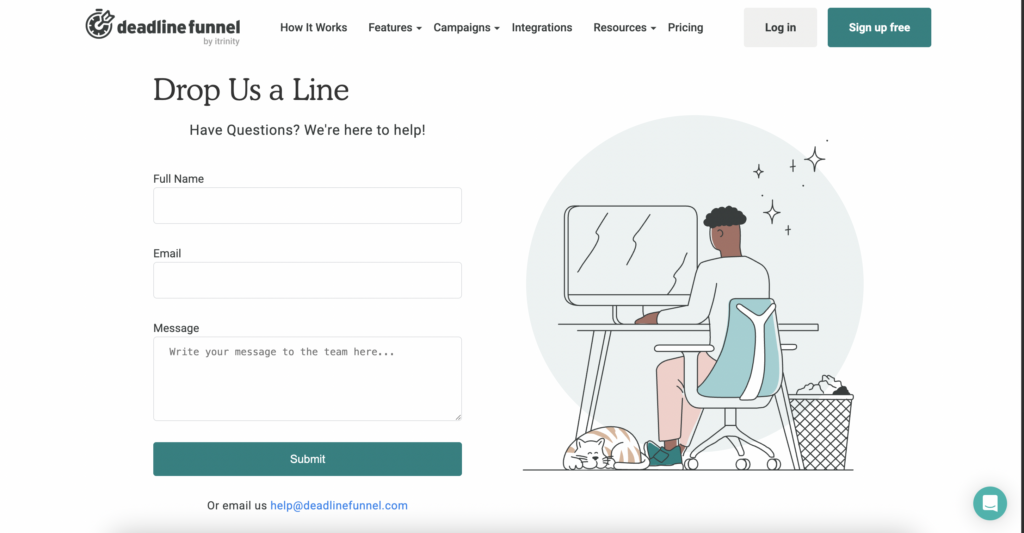
If nothing works, click on Reach out to fill out their contact form, and they’re ready to assist you!
Deadline Funnel Guarantee & Refund Policy
Deadline Funnel offers a 30-day money-back guarantee. If you’re not satisfied with the service, you can request a full refund within 30 days of your initial purchase.
However, refunds are not available for payments made after the 30-day period.
Additionally, refunds are calculated in U.S. dollars at the time of the refund, and Deadline Funnel is not responsible for any shortfall related to currency exchange rate fluctuations or fees.
Deadline Funnel Testimonials & Reviews By Users
FAQs related to Deadline Funnel Review
Does Deadline Funnel Offer a Free Trial?
Yes, Deadline Funnel offers a 14-day free trial, allowing you to test the platform risk-free. If it’s not the right fit for you, let them know- no commitment required!
How much does Deadline Funnel cost?
Deadline Funnel offers multiple pricing plans to fit different business needs. The “Start” plan is the most basic, allowing for up to three campaigns, while the “Create” plan offers unlimited campaigns and additional customization options. Pricing varies based on the number of leads you manage per month, and you can save 20% by choosing an annual plan.
What is deadline Funnel used for?
Deadline Funnel is an easy-to-use yet highly effective tool for making limited-time or ongoing offers: The end date and time of the promotion are firmly established by you.
Quick Links:-
- HostPapa Review
- Funnel Scripts Review
- FlexiFunnels Review
- KnownHost Review
- Media Temple Review
- Mojohost Review
- Deadline Funnel Coupon Code
My Honest Criticisms: The Not So Perfect Side of Deadline Funnel
I absolutely love this tool, but it would be dishonest to say it is flawless. After years of using it, here are a few things you should be aware of before you invest.
First, there is a definite learning curve. Let’s be clear: this is a professional marketing tool, not a simple WordPress plugin. While they have fantastic documentation and support, you need to be prepared to invest a few hours to understand how it works. You will need to learn how to connect it to your email provider and your landing page builder. It is not “plug and play” in five minutes, but the payoff for learning it is immense.
Second, the user interface can feel a bit… utilitarian. The dashboard is very functional and powerful, but it is not the most beautiful, modern software design I have ever seen. This is a minor aesthetic point and does not affect its performance at all, but for users who love a super slick, modern UI, it might feel a little dated.
Finally, the price can feel like a commitment for new businesses. This is a premium tool with a premium price tag. If you are a brand new business with no email list and no product to sell, the monthly fee might be hard to justify. However, I view it as an investment that pays for itself. The very first time you use it to generate a handful of extra sales that you would have otherwise missed, the tool has paid for its subscription fee for that month.
Final Verdict on Deadline Funnel Review: Who Should Invest?
After years of Deadline Funnel being the engine of my evergreen sales, would I recommend it? Absolutely, but for a specific type of business owner.
You should invest in Deadline Funnel if:
- You have an established email list and you sell digital products, courses, or memberships.
- You are tired of “fake scarcity” and want to use authentic, ethical urgency in your marketing.
- You understand that automation is the key to scaling your business and you are ready for a professional grade tool.
You should probably wait to invest if:
- You are a complete beginner and do not have an email marketing service set up yet.
- Your business model is based purely on one on one services without any automated follow up.
- You are not willing to spend a couple of hours learning how to integrate a new tool into your marketing stack.
For me, Deadline Funnel was the missing piece of my marketing puzzle. It allowed me to build an automated system that is not only more profitable but also more honest. If you are ready to take your evergreen funnels to the next level, I cannot recommend it highly enough.
You can also follow or contact them on social media platforms like Facebook and Twitter.
