My Honest Semrush Review After Using It for SEO, Content, and Competitor Research
Last Updated on: September 7, 2026 by Sonia Allan | Fact Checked
Affiliate disclosure: In full transparency – some of the links on our website are affiliate links, if you use them to make a purchase we will earn a commission at no additional cost for you (none whatsoever!).
Semrush is an all-in-one platform that streamlines digital marketing with powerful SEO, PPC, and content tools, making it a must-have for anyone aiming to grow online. It saves time, enhances performance, and offers valuable insights to keep marketers ahead of the competition.
I’ve used Semrush across several different projects now, everything from tracking keyword rankings for content sites to digging into competitor ad spend before pitching new client work. After spending real time inside the platform rather than just skimming its marketing pages, here’s my honest take on what it does well, where it falls short, and who I’d actually recommend it to.
What Semrush Actually Is
Semrush started as a keyword research and SEO tool back in 2008, and it’s grown into something much bigger. It now covers SEO, content marketing, PPC advertising, social media management, local SEO, PR and brand monitoring, and, as of this year, tracking how brands show up inside AI tools like ChatGPT and Google’s AI Overviews. Adobe took a majority stake in Semrush in 2025, which tells you something about how seriously the wider industry takes this tool.
The honest way to describe it: Semrush isn’t one product anymore. It’s nine separate product lines under one login, each with its own pricing. That’s genuinely useful if you need several of them, and genuinely confusing if you just wanted a simple SEO tool.
Setting Up and First Impressions
Getting started took me about ten minutes. You sign up, connect a domain, and Semrush immediately starts pulling data, keyword rankings, backlink profiles, technical issues on your site. The dashboard organizes everything into a left-hand sidebar: SEO, AI, Traffic & Market, Local, Content, Ad, AI PR, Social, and Reports.
My first reaction was that there’s a lot going on. If you’ve used a simpler tool like Ubersuggest or even Moz before, Semrush’s interface feels denser. It’s not badly designed, it’s just doing more, and that shows in how many menus and sub-menus you end up clicking through in your first week.
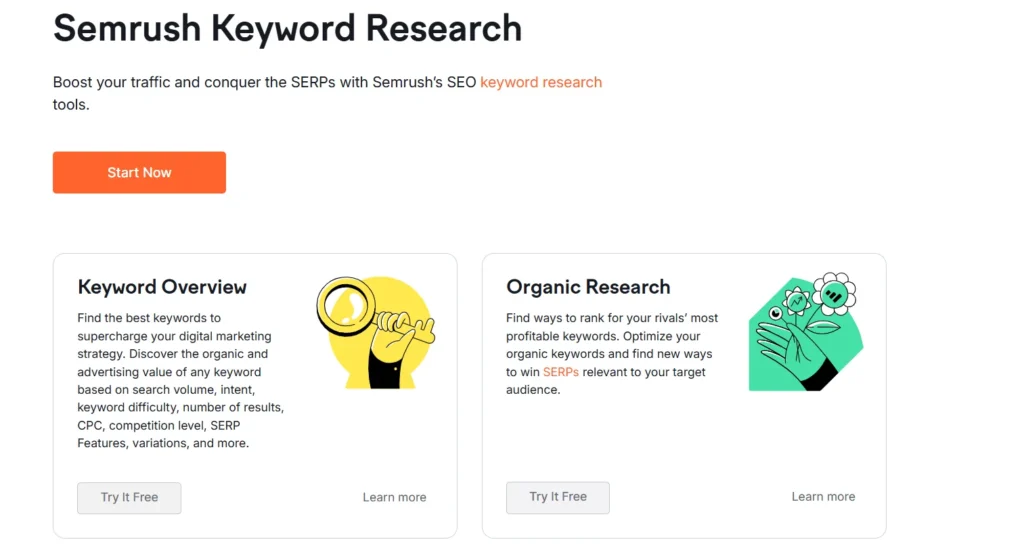
This is the feature I use the most, and it’s the one that made me a long-term user in the first place. The Keyword Magic Tool pulls up thousands of related keyword variations for a single seed term, broken into logical groups (questions, broad match, phrase match, related). For a recent project, I typed in one keyword and got back over 4,000 related terms organized into categories I could actually work with, not just a flat list I’d have to sort myself.
What I appreciate is the depth of the metrics attached to each keyword: search volume, keyword difficulty, CPC, and search intent (whether someone typing that phrase is looking to buy, learn, or compare). The intent tagging in particular saved me time I used to spend manually guessing which keywords were worth targeting for a commercial page versus a blog post.
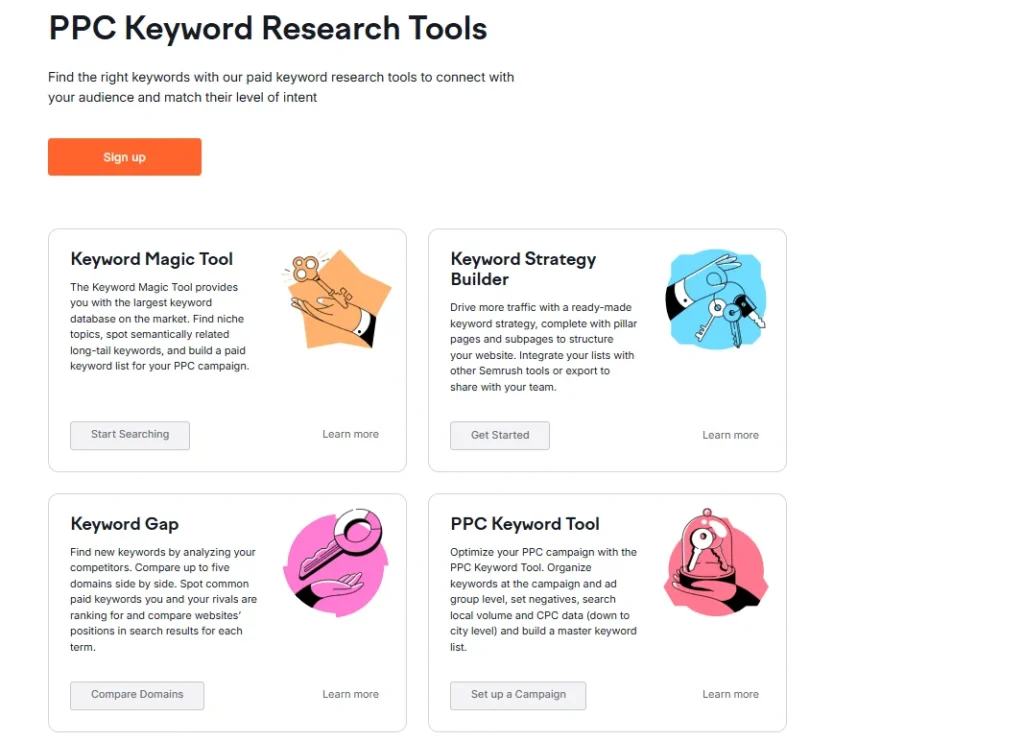
The Keyword Gap tool is another one I go back to constantly. You put in your domain and up to four competitors, and it shows you exactly which keywords they rank for that you don’t. I’ve used this to build entire content calendars just from the gaps it surfaces.
Site Audit: Catching Technical Problems Before They Cost You Rankings
Semrush’s Site Audit tool crawls your site and flags technical SEO issues, broken links, missing meta descriptions, slow-loading pages, duplicate content, crawlability problems. I ran it on a client site that had been slowly losing traffic for months, and it surfaced a redirect chain issue within the first crawl that nobody had caught manually.
The audit gives you a health score out of 100, which is a decent way to track progress over time, though I wouldn’t obsess over the exact number. What matters more is the prioritized issue list underneath it, Semrush sorts problems by how much they’re likely hurting you, not just alphabetically, which makes triage genuinely faster.
One thing worth knowing: the audit only crawls up to your plan’s page limit (20,000 pages on the entry SEO plan, scaling up from there). For a small site, that’s plenty. For a large ecommerce catalog, you’ll hit that ceiling fast and need to upgrade.
Backlink Analysis: A Genuinely Massive Database
Semrush’s backlink index is one of the largest in the industry, and I’ve found it consistently more comprehensive than Moz’s Link Explorer when I’ve cross-checked the same domain in both tools. The Backlink Analytics tool shows referring domains, anchor text distribution, and a toxicity score that flags links that might be hurting rather than helping you.
I use this most when auditing a new client’s existing link profile before we start any outreach. It’s saved me from recommending disavow work on sites that actually had a clean profile, and flagged real problems on a couple of sites where a previous SEO had bought obviously spammy links.
The Link Building Tool goes a step further and suggests actual outreach prospects based on your competitors’ backlink sources. I’ve had mixed results here, some suggestions were genuinely good fits, others were clearly low-quality directory sites that happened to link to a competitor once. Treat it as a starting list to filter, not a ready-to-send outreach plan.
Rank Tracking: Reliable, But Watch Your Keyword Limits
Position Tracking does exactly what it says, monitors your rankings for chosen keywords across desktop and mobile, in specific locations if you need local data. The data has been accurate when I’ve spot-checked it against manual searches, and the visibility trend graphs make it easy to show clients progress over months rather than just a snapshot.
The catch is the keyword limit per plan. The entry SEO plan gives you enough for a small site, but if you’re tracking rankings across multiple markets or a large keyword set, you’ll need to budget for a higher tier or a separate add-on.
Content Marketing Tools: Genuinely Useful for Writers
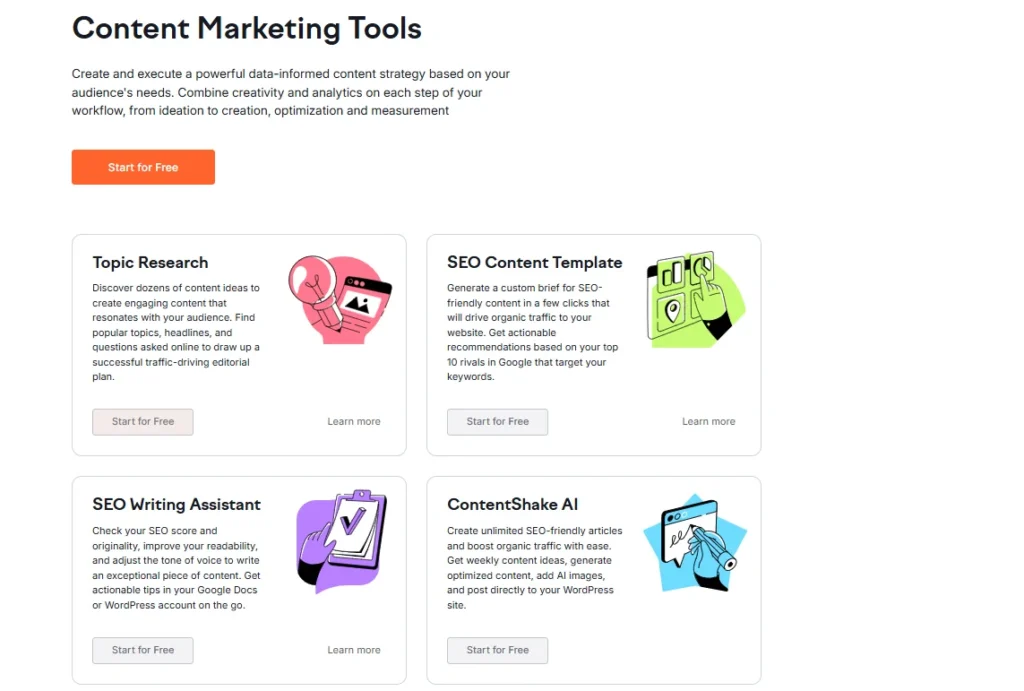
The SEO Writing Assistant checks your draft against top-ranking pages for your target keyword and scores it on readability, SEO friendliness, originality, and tone of voice. I’ve used this while drafting long-form articles, and it does catch real gaps, missing related terms, sentences that are needlessly long, thin sections compared to what’s already ranking.
The Topic Research tool generates content ideas and subtopics based on a seed keyword, pulling from actual “People Also Ask” data and related searches. It’s a decent starting point for outlining an article, though I still do my own research on top, since it sometimes suggests subtopics that don’t quite fit the actual search intent.
The New AI Search Features: Early But Promising
This year’s biggest addition is AI-focused tracking: seeing how often your brand gets mentioned in ChatGPT responses, Google’s AI Overviews, and similar AI search results. I’ve only been using this feature for a few months, so I’ll be honest that it’s less mature than Semrush’s older tools. The prompt tracking and AI visibility overview give you a rough sense of where you stand, but the space itself is moving fast, and I’ve noticed data here update less predictably than the traditional SERP tracking does.
It’s a smart addition given where search is heading, but I’d treat it as a genuinely useful extra right now rather than the main reason to buy Semrush.
PPC and Advertising Research
I don’t run paid ads as often as organic SEO work, but when I have needed competitor ad intelligence, Semrush’s Advertising Research tool shows which keywords competitors are bidding on, sample ad copy, and estimated traffic from paid search. It’s a genuinely useful way to reverse-engineer what’s working for competitors before building your own campaign, though for deep PPC management day-to-day, dedicated tools built specifically for ad management still feel more purpose-built.
Social Media and Local SEO Tools
I’ve used the Social plan briefly for a smaller client who needed basic scheduling and analytics across a few platforms. It covers the essentials, post scheduling, engagement tracking, competitor comparison, but it’s not trying to compete with dedicated social tools like Buffer or Hootsuite on advanced features. It’s a reasonable bolt-on if you’re already in the Semrush ecosystem, less compelling as a standalone reason to sign up.
The Local toolkit handles listing management and local rank tracking, priced per location. For a single-location business, it’s straightforward and does the job. For multi-location brands, the per-location pricing adds up fast, so run the math against your actual location count before assuming it’s the cheap option.
Free Tools I’ve Used Before Ever Paying
Before I subscribed to a paid plan, I actually used several of Semrush’s free tools first, and they’re worth mentioning because they double as a genuine no-commitment way to test data quality:
AI Visibility Checker — a quick, no-signup way to see whether your brand shows up in AI search results at all, before paying for the full AI Visibility product
SEO Checker — runs a basic health check on a URL, a lighter version of the full Site Audit
Website Traffic Checker — gives estimated traffic numbers for any domain, useful for a quick competitor gut-check
Keyword Tool — a stripped-down version of Keyword Magic Tool, enough for a handful of searches
Backlink Checker — shows a partial view of a domain’s backlink profile
Top Websites by Traffic — a public leaderboard I’ve used more than once just out of curiosity about a niche
None of these replace the paid tools, they’re rate-limited and shallow by design, but they gave me a fair sense of Semrush’s data accuracy before I committed to a subscription. If you’re on the fence, I’d genuinely start here rather than jumping straight into a trial.
The Learning Resources Are Better Than I Expected
I mentioned Semrush Academy earlier, but the broader resource library is worth calling out on its own. The Knowledge Base covers feature-level documentation (useful when you’re stuck on something specific), while the Blog and News sections track both SEO industry shifts and Semrush’s own product updates. I’ve referenced their Success Stories case study library a couple of times when I needed a real-world example to show a client what’s possible, and their Stats and Facts page has been a handy source of citable industry data for content I’ve written elsewhere.
Semrush also runs regular webinars, and I sat in on one covering AI search visibility that was genuinely more substantive than the typical vendor webinar, less pitch, more actual walkthrough.
Semrush Also Runs Its Own Events
Worth knowing if you’re deeper into the SEO or marketing world: Semrush hosts Spotlight, an in-person conference. The next one I’ve seen listed is October 13, 2026 in London, positioned as a one-day event built around real strategies for marketers. I haven’t attended one myself, but if you’re UK-based and want to see where Semrush’s product direction is heading straight from the source, it’s on my radar for next time.
Pricing: What You’re Actually Paying For
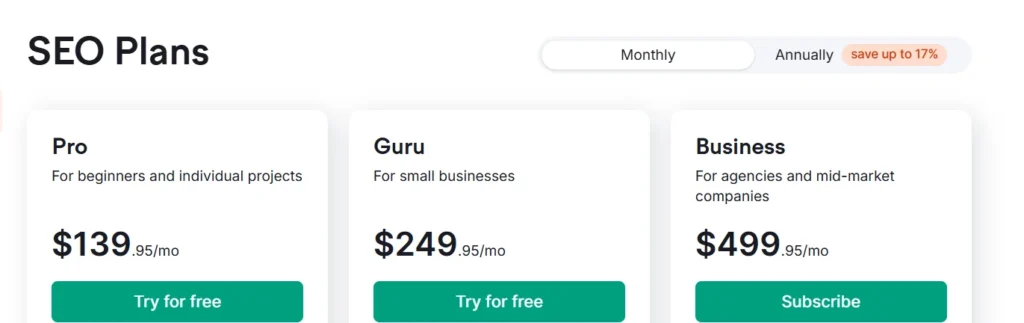
I covered the full pricing breakdown in detail elsewhere, but the short version: the core SEO + AI Search plans run from $117.33/month (SEO) up to $455.67/month (Advanced) on annual billing, with a 17% discount already applied compared to monthly rates. Beyond that, Local, Content, Social, Advertising, and AI PR are all separately priced product lines you subscribe to individually based on what your team actually does.
My honest take: if you only need core SEO tools, the entry SEO plan is fair value given the size of Semrush’s data. Once you start needing more site coverage, more tracked keywords, or the newer AI visibility features, costs climb quickly, and it’s worth being deliberate about which tier you actually need rather than defaulting to the middle option.
I’ve contacted Semrush support a handful of times, mostly billing questions and one technical issue with a crawl that got stuck. Live chat response was reasonably fast, under ten minutes both times I used it, and the person on the other end actually understood the product rather than reading from a script. For deeper technical questions, Semrush Academy’s documentation and video courses have answered most of what I needed without contacting support at all.
Where Semrush Falls Short
I want to be fair here, since no tool is perfect. A few genuine frustrations:
The interface, despite improvements over the years, still feels overwhelming for anyone new to SEO. There’s a real learning curve before you’re using this efficiently rather than just clicking around.
Pricing adds up fast once you need more than the entry tier of any product line, and if your work spans multiple categories (SEO plus content plus social, say), you’re paying for multiple separate subscriptions rather than one bundled price.
The AI Search tracking features, while promising, still feel early. Data here has been less consistent for me than the mature SERP tracking tools.
Keyword and site crawl limits on lower tiers are genuinely tight if you’re managing more than one or two active sites, which pushes a lot of freelancers and small agencies toward a higher-priced tier faster than they’d expect.
How It Compares to Ahrefs and Moz
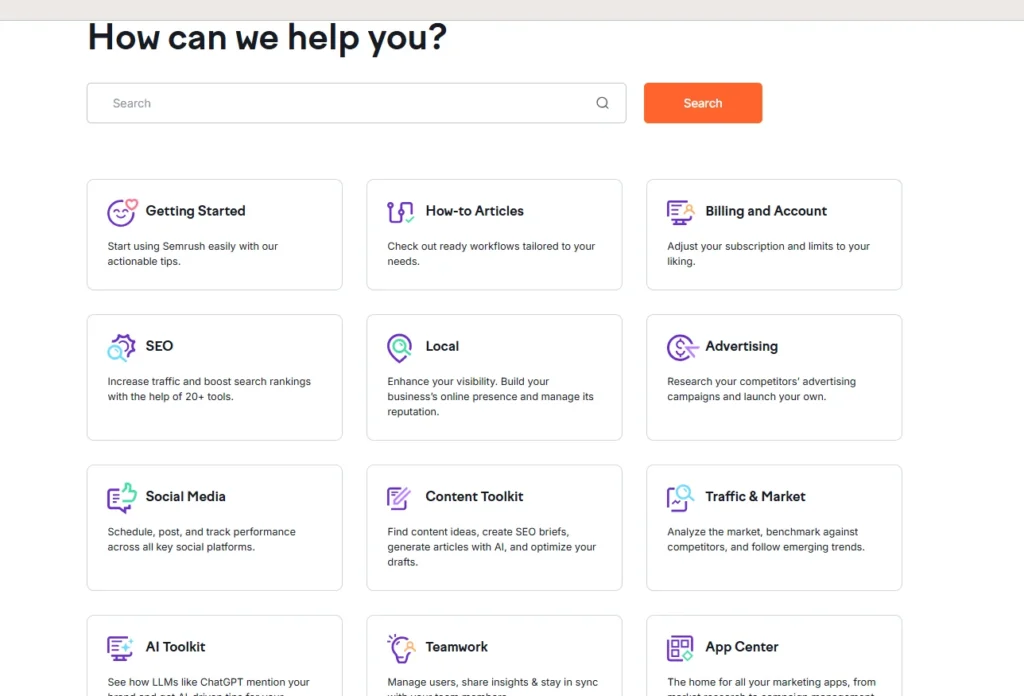
Since people always ask: I’ve used all three extensively. Ahrefs generally has the edge on backlink data freshness and a cleaner interface, but its content and PPC tools are thinner than Semrush’s. Moz is the most affordable entry point and its Domain Authority metric is still widely referenced, but its overall dataset and feature depth don’t match Semrush once you need more than basic keyword and backlink tracking. Semrush wins on breadth, if you need one platform covering SEO, content, PPC research, and now AI visibility, nothing else currently matches that range in one login.
Who I’d Actually Recommend Semrush To
Freelance SEOs and small agencies managing a handful of client sites get real value from the core SEO plan, especially the keyword research and site audit tools. Content teams that need to back up their writing with real keyword and competitor data will get consistent use out of the Keyword Magic Tool and SEO Writing Assistant. Businesses actively worried about AI search visibility now have a legitimate reason to look at Semrush’s newer tools, even if they’re still maturing. I’d be more hesitant to recommend it to someone just starting out in SEO with a single small blog, the learning curve and price point are real barriers when a simpler, cheaper tool would do the job just as well at that stage.
After genuinely using Semrush across several projects, I keep coming back to it for one reason: the depth of data is hard to match anywhere else in one platform. The keyword research and backlink tools alone have earned their place in my workflow, and the site audit has caught real problems I would have otherwise missed. It’s not cheap, and it’s not simple, there’s a real learning curve, and costs climb fast once you need more than the entry tier of any single product line. But if you’re doing serious SEO or content work and need reliable data to back your decisions, I haven’t found a single platform that covers as much ground as Semrush does right now, AI search visibility included, even with its rough edges still being smoothed out.
FAQs
It can be, if you actually need in-depth keyword research and technical SEO auditing. If your needs are basic, like checking a handful of rankings and fixing obvious site issues, a cheaper or free tool might cover you just as well for now.
Search Console is free and shows real click and impression data straight from Google, which Semrush can't replicate exactly. Semrush, though, lets you track keywords you're not ranking for yet, spy on competitor positions, and see search volume and difficulty data Search Console doesn't provide.
If you're not yet tracking how often your business shows up in ChatGPT or AI Overview results, the regular SEO plan covers everything you need for traditional search. Only upgrade to the AI-inclusive tiers once that visibility actually matters to your strategy.
Yes, higher-tier plans let you monitor more websites under a single login, and the platform includes branded reporting features built specifically for agencies presenting to clients.
A week is plenty to get a feel for the interface and run a few real audits and keyword searches, but it's not long enough to see meaningful ranking trend data. Treat the trial as a test of usability and data quality, not a full performance evaluation.
Sonia Allan
Hey, I’m Sonia Allen- a freelance content writer and senior SEO analyst at Digiexe, where I geek out over content and data-driven SEO. With seven years of digital marketing and affiliate marketing experience, I love sharing tips on everything from eCommerce to social media. You’ll catch my work on sites like Saasultra.com, and Digiexe.com and SchemaNinja, where I break down big ideas into practical advice. When I’m not writing or tweaking SEO strategies, I’m probably sipping coffee and dreaming up my next project!