
The Most Significant Workspace Update Since Google Docs Launched
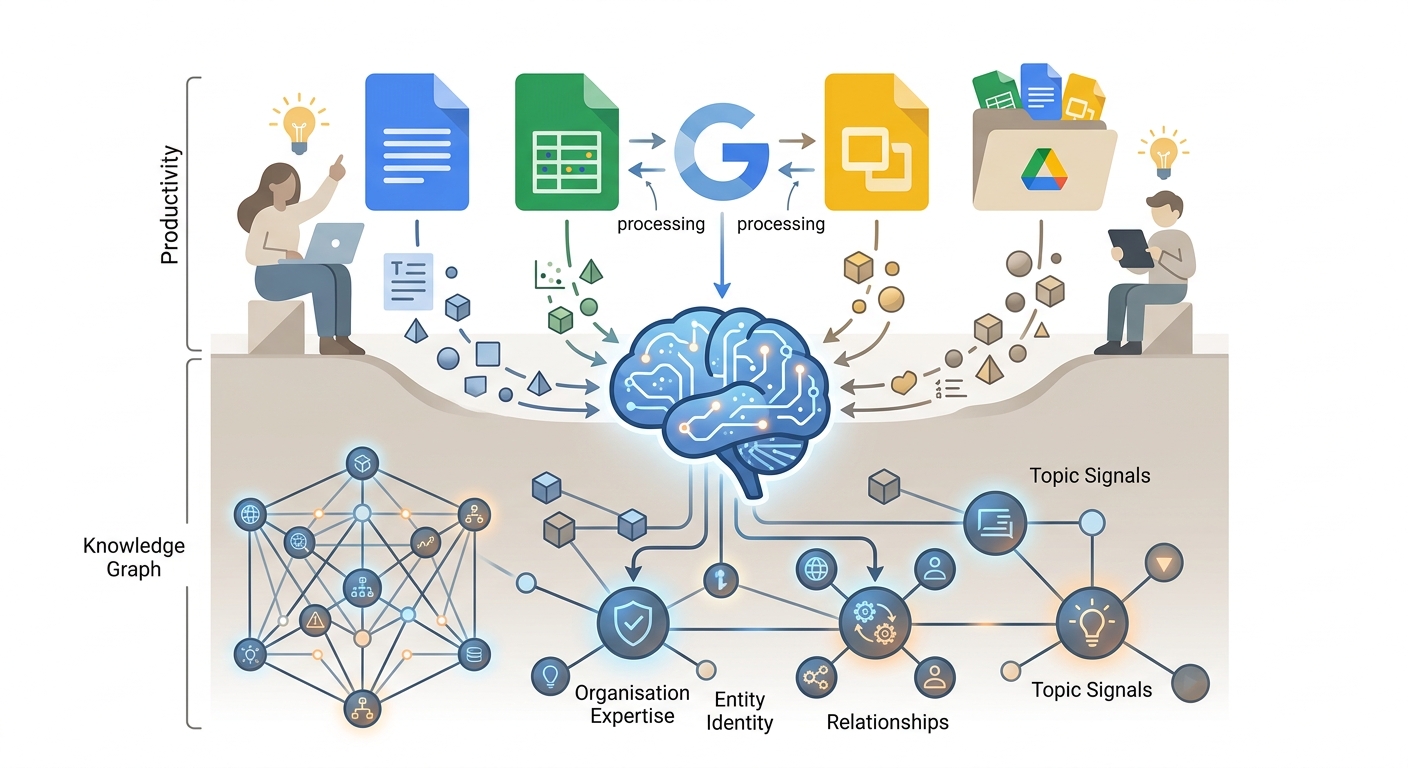
Google has rolled out new Gemini capabilities to Docs, Sheets, Slides, and Drive. On the surface this looks like a productivity update for office software users.
At a deeper level it is a structured data story — because every document, spreadsheet, presentation, and file in Google’s ecosystem is now being processed by Gemini in ways that affect how Google understands the entities, relationships, and expertise signals associated with content creators and organisations.
The integration means Google’s AI can now read, understand, and cross-reference the content inside your Google Drive files — not just the web content associated with your domain.
For organisations that use Google Workspace extensively, this creates a Knowledge Graph signal pathway that goes beyond the traditional web content layer.
Documents created in Docs, data structured in Sheets, and presentations in Slides are all now potentially inputs to Gemini’s understanding of your organisation’s expertise and entity identity.
The Schema Practitioner Angle
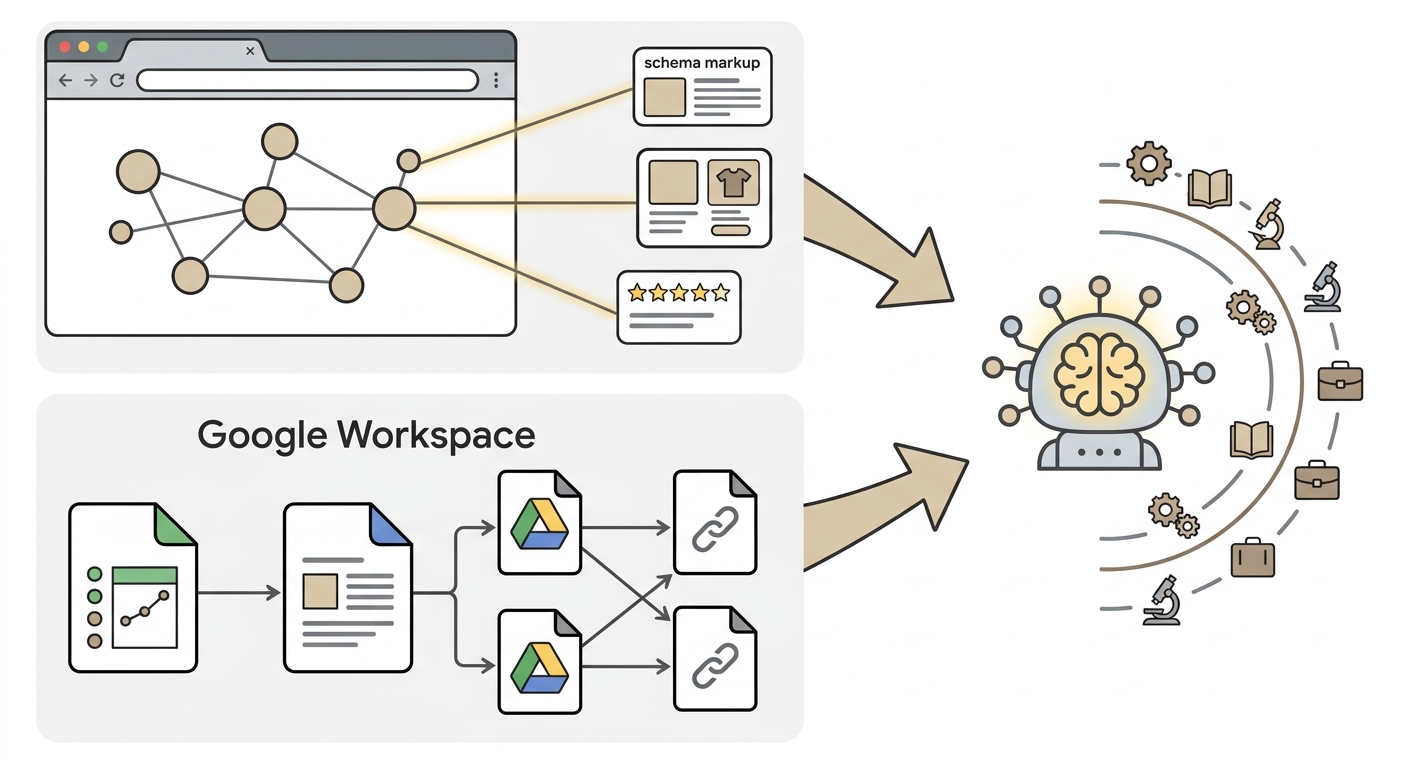
Schema markup has always been about making the content and entity relationships on your public website machine-readable. The Gemini Workspace integration extends the machine-readable layer into your private documents — but in a different way.
The structured information in your Google Sheets, the formal descriptions in your Docs, and the entity references in your Drive content are now being processed by the same AI models that evaluate your website’s content quality.
For organisations with significant Google Workspace usage, ensuring consistency between the entity information in their Workspace documents and the schema markup on their website is now more important.
If your schema says you operate in a specific vertical with specific expertise, but your internal Docs describe different activities or priorities, Gemini may encounter conflicting signals about your organisation’s actual identity and expertise.
The Practical Implementation Check
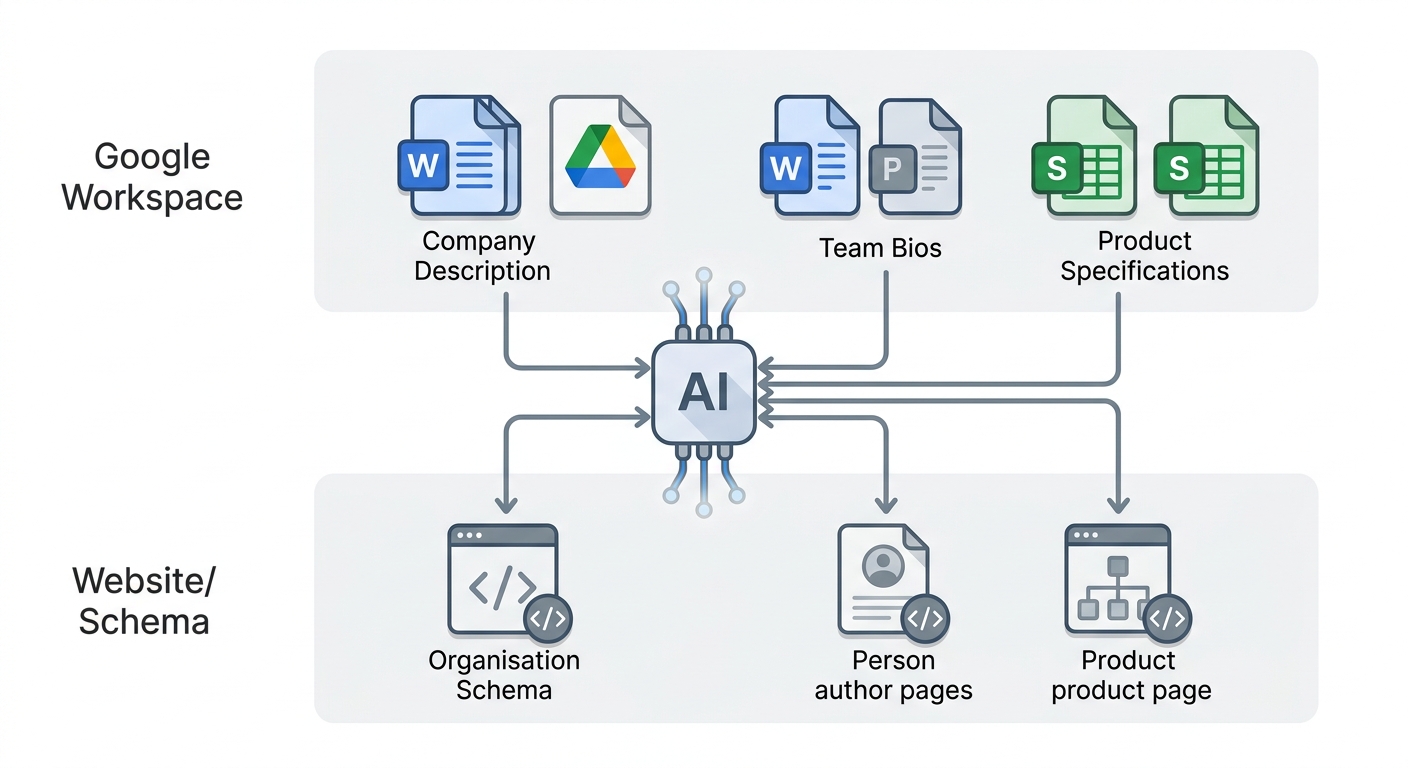
Review your Google Workspace usage for entity consistency. Your official company description in your team’s shared Docs should align with your Organisation schema description on your website. Your team bios stored in Drive should align with the Person schema on your author pages.
Your product specifications in Sheets should align with the Product schema on your product pages. These alignments are now processing signals in a system where Gemini is reading both layers simultaneously.
💬 Reddit — r/TechSEO on Google Workspace Gemini integration and schema implications: 🔗https://www.reddit.com/r/TechSEO/search/?q=Google+Workspace+Gemini+schema+entity+2026
🐦 X/Twitter — SEO practitioners discussing Gemini Workspace integration: 🔗https://x.com/search?q=Google+Workspace+Gemini+Docs+Sheets+SEO+schema+2026&f=live
💬 Quora — how does Google Gemini in Workspace affect SEO and schema markup: 🔗https://www.quora.com/search?q=Google+Gemini+Workspace+Docs+schema+SEO+2026
Quick Links:
